How to Draw a 7 Circuit Circular Labyrinth

Today we look at how to digitally make a 7 Circuit Circular Labyrinth. This method is a draw and cut method, meaning you will be making edits that remove lines you have previously drawn as you move thru the steps. It is possible to use a drawing only method but I think it is much more complicated with many more steps. Let’s get started. I should also mention that this is an improved method which creates a 4 section labyrinth (you can make many different versions of a circular labyrinth by cutting it into slices - examples below).

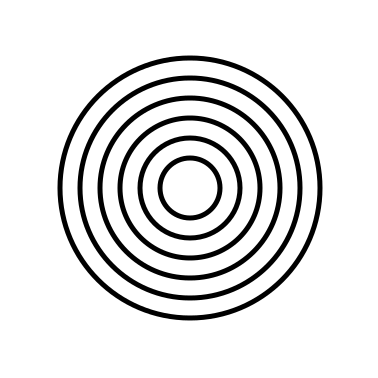
Step 1: Draw 8 Concentric Circles

Draw 8 concentric circles each an equal distance between one another and centered around the middle circle. The middle circle will become the labyrinths goal.

8 Concentric Circles

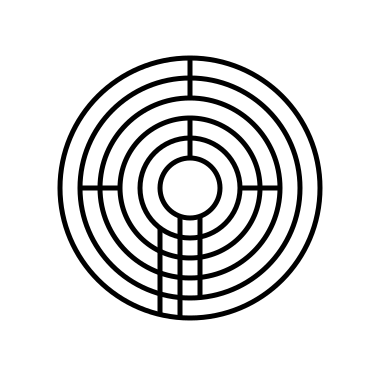
Step 2: Draw the 4 Inner Walls

I could break this into more steps but there are 4 straight lines that form inner walls and pathways at the turn around points. See the example. At 12 o’clock create 1 line from the center goal blocking paths but the outer one. At 3 o’clock add a line to block all but the inner pathway next to the goal. Use 2 lines to draw a pathway from the center to the bottom edge (notice neither are at 6 o’clock, but they are centered). The left line is drawn across all circles. The right line goes across all pathways but the final one. Add a line at 9 o’clock blocking all pathways except the one next to the goal.
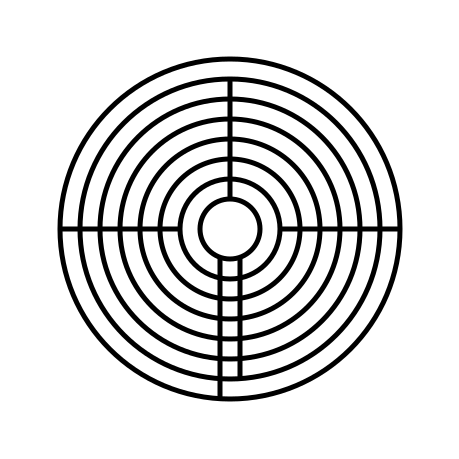
8 Concentric Circles with line breaks

Step 3: Add Pathways Where Needed

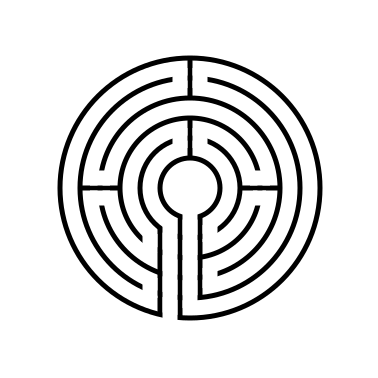
Refer to the picture and add pathways where needed, erasing portions of the circles. There are many, and depending on how you draw/erase them the number can change. They are all at 3, 6, 9 and 12 o’ clock.

7 circuit circular labyrinth with 4 sections

That completes the drawing of a 7 Circuit Circular Labyrinth.

Circular 7 Circuit  Labyrinth

7 Circuit Circular Labyrinth

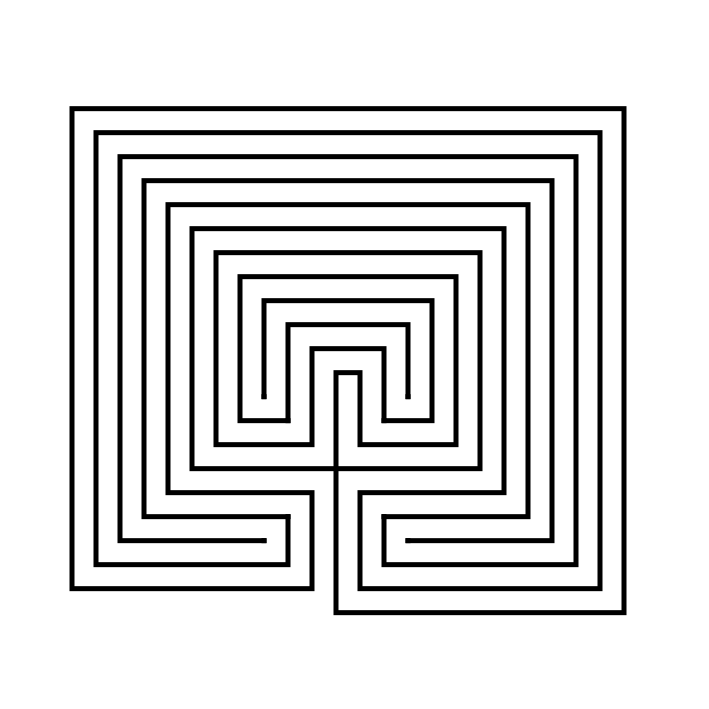
My original version of the 7 circuit circular labyrinth is below. I made it using a shortcut, which you also could use if you prefer this look better (obviously I do not, because I re-did this entire post for the new version !). Draw a 5 Circuit Circular Labyrinth, add two more concentric circles, extend the left center line to the bottom edge and create the exit. It’s easy to write in a sentence, but much more difficult to do ! Good Luck !

7 Circuit Circular Labyrinth

Alternative versions - number of labyrinth sections

Here is a look at what the labyrinth could you like if you want to make it with different sections. I am re-using the illustration I made for the 5 circuit circular labyrinth. It shows the 1, 2, 3, 12, 8, and 6 section versions which could also be created. I tend to always gravitate towards 4 sections, then 2. 1 seems a bit boring and 12 seems like too many to me. For a full look at this subject I did a blog post using the 9 circuit circular labyrinth.

If you like the mathematics of this did you notice that the 3 section is the only one where the initial entrance into the labyrinth goes to the center first before the back and forth begins. What other sectionals would require this ? A 5 section ?

6 different 5 Circuit Circular Labyrinth Construction options

How to Draw a 5 Circuit Circular Labyrinth

We have covered how to draw both classical and square shapes of labyrinths previously. Today I will take you through the steps to draw a new shape, a circular labyrinth. Today we look at how to digitally make a 5 Circuit Circular Labyrinth. This method is a draw and cut method, meaning you will be making edits that remove lines you have previously drawn as you move thru the steps. Let’s get started.

  • Step 1: Draw 6 Concentric Circles

Draw 6 concentric circles each an equal distance between one another and centered around the middle circle. The middle circle will become the labyrinths goal. You will notice from the example that exactly one more circle would fit into the center of the figure, that would create a very small center.

6 concentric circles
  • Step 2: Draw the 7 Inner Walls

I could break this into more steps but there are 7 straight lines that form inner walls and pathways. See the example. At 12 o’clock create 2 lines, leaving only the center pathway open. At 3 o’clock add a 2 pathway wall to block circles between 2 and 4. Use 2 lines to draw a pathway from the center to the bottom edge (notice neither are at 6 o’clock). Add an additional line to the left starting from circle 2 that will become the entrance. Add a line at 9 o’clock blocking the pathways between circles 3 and 5.

  • Step 3: Add Pathways Where Needed

Refer to the picture and add pathways where needed, erasing portions of the circles. There are many, and depending on how you draw/erase them the number can change.

5 Circuit Circular Labyrinth

That completes the drawing of a 5 Circuit Circular Labyrinth. Well at least this version of it !

ADDITIONAL CONSTRUCTION OPTIONS

Now I should let you know that there are multiple possible options to configure this labyrinth. You can read about 6 different versions of a 9 circuit circular labyrinth that also apply to 5 circuit circular labyrinths. Let’s take a look at what a 5 circuit circular labyrinth would look like if made with 1/2/3/4/8 and 12 sections. If you were to walk these labyrinths in the physical world this could also be referred to be the number of turnback’s instead of sections.

6 different 5 Circuit Circular Labyrinth Construction options

6 different options for 5 circuit circular labyrinths

Here is a visual to show what I mean by sections:

6 different 5 Circuit Circular Labyrinth Construction options sectioned

Showing “sections” of the labyrinth constructions

The one that you choose is really your personal preference. I prefer the 4 section version. 1 section is a bit boring, while the 12 section looks a bit busy and would not be very much fun to walk. While I do not have individual instructions for these versions, the basic instructions remain the same as above. Step 1 is the exact same, with changes to where lines and drawn and erased in steps 2/3. While the math is easy for these versions of the circular labyrinth (360 degrees / # sections determines the placement of the sectioned walls) you could easily create other #’s of sections using the same formula of 360 / #sections desired.

5 Circuit Circular Labyrinth

5 Circuit Circular Labyrinth

If you prefer making a different type of labyrinth, you can find step by step labyrinth making instructions.

Including:

A Comparison of 3 different types of 11 Circuit Labyrinths

How to Draw a Classical 7 Circuit Labyrinth

The top 12 maze generation websites

Interested in learning how to make or draw other types of digital mazes ? I have step by step instructions on how to make over 40 different maze types.

How to Draw a Large 19 Circuit Square Labyrinth

Previously I’ve shown you how to draw an 11 circuit square labyrinth , a 7 circuit square labyrinth and a 3 circuit square labyrinth. Today we review making any large square labyrinth with the only limit to size the one you choose. Below is a 19 Circuit Square Labyrinth, but you can make one larger if you choose. Let’s get started:

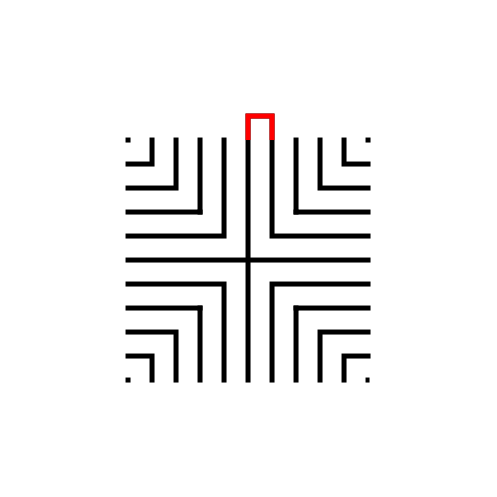
Step 1: The starting seed pattern

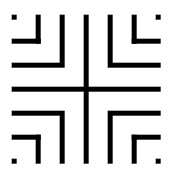
The starting seed pattern to the right is based on an imaginary 6x6 box grid. This seed can become an 11 circuit labyrinth by following the typical construction steps (and it could be both a classic or a square labyrinth). The simple way to make a larger version is to extend the lines additional blocks in all directions to create a larger seed. See below (with 2 new levels making it a 10x10 grid):

11 circuit labyrinth seed pattern -how to draw an 11 circuit labyrinth part 1
19 circuit labyrinth seed pattern

Large seed pattern

Step 2: Connect the firstline to create the goal

Draw a boxed line from the top of the plus sign to the L directly to the right using that extends 1 grid high. This line will form what will become the goal of the labyrinth.

How to Draw an 11 Circuit Labyrinth, step 2

Step 3: Connect the next endpoint to the left to the next endpoint on the right

Every step from now on will be basically the same. Move one point to your left (moving counterclockwise) and connect that to the next point on the right (moving clockwise). In this case the large backwards L on the top left of the seed pattern to the small L on the top right of the seed.

How to Draw an 11 Circuit Labyrinth - Part 3

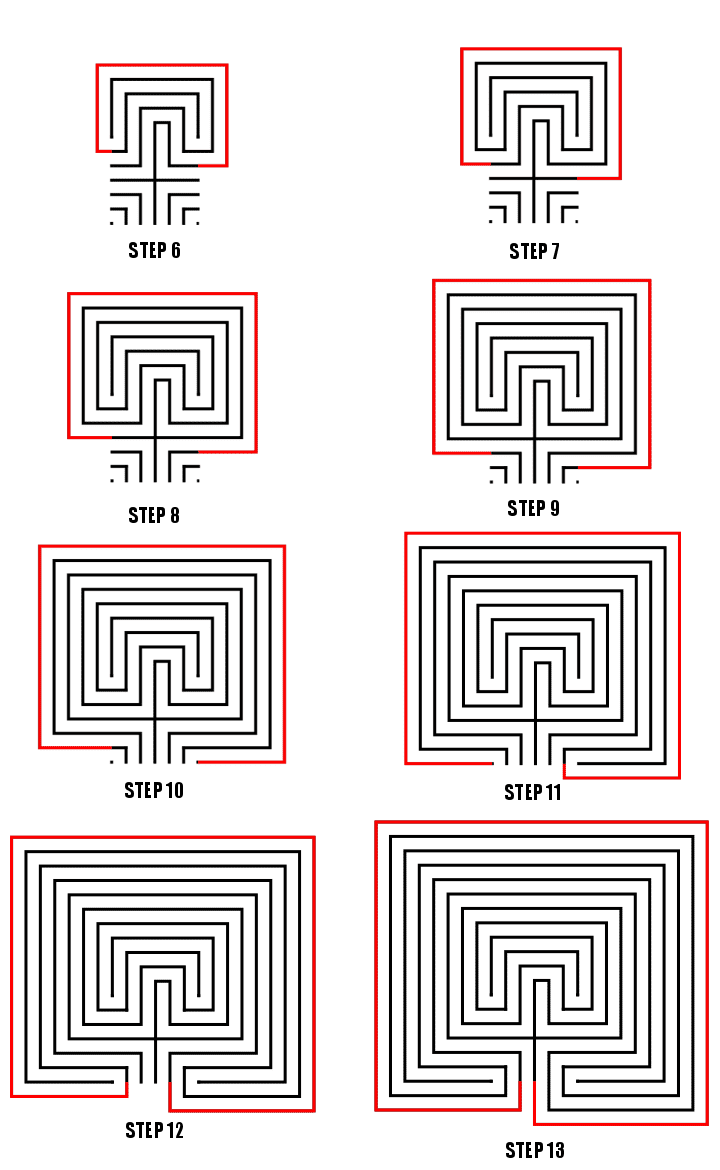
Steps 4-21: Connect the next endpoint to the left to the next endpoint on the right

I assume you have the pattern down to complete with only pictures with nice red lines. Follow the graphics to complete steps 4-20. Here is the Summary of the connections you will make starting from the seed:

11 Circuit labyrinth
how to make a 19 Circuit Square labyrinth steps 6-21

Steps 6 - 21

That completes the drawing of a massive 19 Circuit Square Labyrinth. And now you can go even bigger !

19 Circuit Square Labyrinth

19 Circuit Square Labyrinth

Interested in learning how to make or draw other types of digital mazes ? I have step by step instructions on how to make over 40 different maze types.

If you prefer making labyrinths, you can find step by step labyrinth making instructions.

How to Draw an 11 Circuit Square Labyrinth

Drawing an 11 circuit square labyrinth is fun once you learn the starting seed pattern and the rules of building the pathways. Follow this 13 step process and draw your own 11 circuit square labyrinth. You’ll notice that the square version is extremely similar to the regular (classical) version of the labyrinth in terms of making it. Before we get to the method here is a similar post you may want to read after this one:

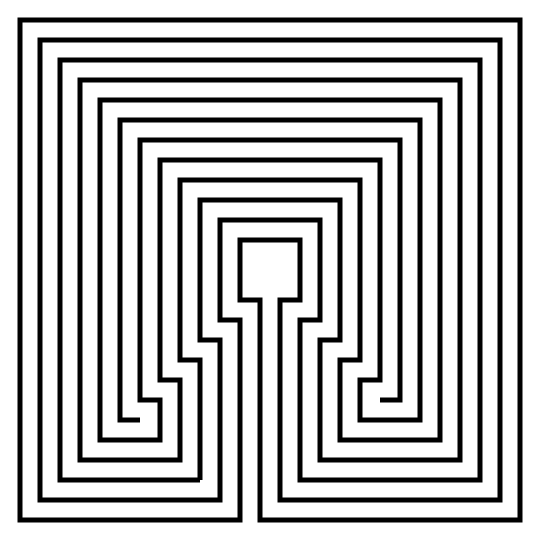
I also want to show you an alternative 11 Circuit Square Labyrinth I made using a different construction method. This version has a large center goal (shown on the left below). If you prefer this version of the 11 Circuit Square Labyrinth these directions can be adapted to make any size circuit. Simply read through step 2 and adjust based on your desired size ! Today I will be showing you how to make the version on the right !

11 Circuit Square labyrinth variant center.

Alternative Method - large center

11 circuit square labyrinth

Small goal - learn how to make here !


Step 1: Draw the starting seed pattern

The starting seed pattern based on an imaginary 6x6 box grid. Start with a centered is a plus sign. Add L shapes one grid away from the plus sign in all 4 quadrants. Now add another L shape in all four quadrants one grid away from the previous L’s. Finally add a dot to each of the four corners. Basically, copy the seed the pattern you see here (notice this is the same as the regular version):

11 circuit square labyrinth seed pattern

Step 2: Connect the first connection to create the goal

Draw a boxed line from the top of the plus sign to the L directly to the right using that extends 1 grid high. This line will form what will become the goal of the labyrinth.

How to Draw an 11 Circuit Square Labyrinth, step 2

Step 3: Connect the next endpoint to the left to the next endpoint on the right

Every step from now on will be basically the same. Move one point to your left (moving counterclockwise) and connect that to the next point on the right (moving clockwise). In this case the large backwards L on the top left of the seed pattern to the small L on the top right of the seed.

How to Draw an 11 Circuit Square  Labyrinth - Part 3

Step 4: Connect the next endpoint to the left to the next endpoint on the right

The small backwards L in the top left to the dot in the top right corner.

How to Draw an 11 Circuit Square Labyrinth - Part 4

Step 5: Connect the next endpoint to the left to the next endpoint on the right

The dot in the top right corner to the end of the small L in the top right corner.

How to Draw an 11 Circuit Square Labyrinth - Part 5

Steps 6 - 13: Connect the next endpoint to the left to the next endpoint on the right

I assume you have the pattern down to complete with only pictures with nice red lines. Follow the graphics to complete connections 5-12. Here is the Summary of the connections you will make starting from the seed:

Making an 11 Circuit Square labyrinth steps 6-13

Connections 5-12, Steps 6-13

That completes the drawing of an 11 circuit square labyrinth. If you are interested in a comparison of Classical, Square and Circular Labyrinths check this out.

11 circuit square labyrinth

Interested in learning how to make or draw other types of digital mazes ? I have step by step instructions on how to make over 40 different maze types.

If you prefer making labyrinths, you can find step by step labyrinth making instructions.