How to Draw an 11 Circuit Square Labyrinth

Drawing an 11 circuit square labyrinth is fun once you learn the starting seed pattern and the rules of building the pathways. Follow this 13 step process and draw your own 11 circuit square labyrinth. You’ll notice that the square version is extremely similar to the regular (classical) version of the labyrinth in terms of making it.

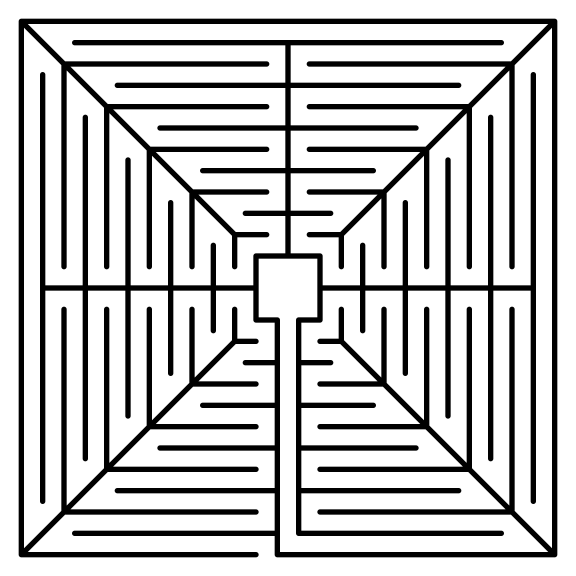
I also want to show you an alternative 11 Circuit Square Labyrinth I made using a different construction method. This version has a large center goal (shown on the left below). If you prefer this version of the 11 Circuit Square Labyrinth these step by step directions can be adapted to make any size circuit. Simply read through step 2 and adjust based on your desired size ! Today I will be showing you how to make the version on the right !
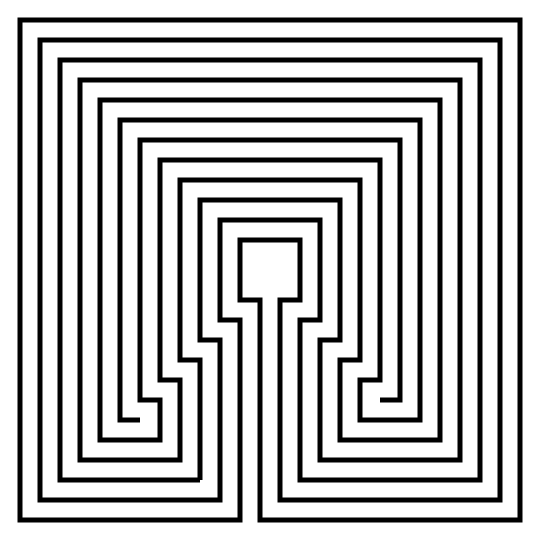
11 Circuit Square labyrinth variant center.

Alternative Method - large center

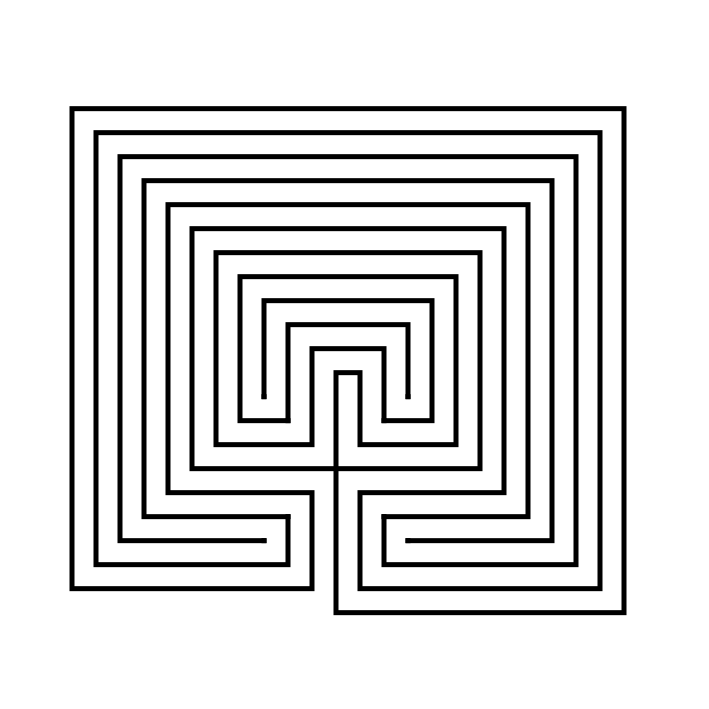
11 circuit square labyrinth

Small goal - learn how to make here !

Here is what you will find in this post:

PART 1: STEP BY STEP LABYRINTH DRAWING INSTRUCTIONS

PART 2: THE LABYRINTH BEING MADE WITH GRIDS SHOWN

PART 3: MORE ALTERNATIVE LABYRINTH CONSTRUCTIONS

PART 4: REAL WORLD LABYRINTH EXAMPLES


PART 1: STEP BY STEP LABYRINTH DRAWING INSTRUCTIONS

Step 1: Draw the starting seed pattern

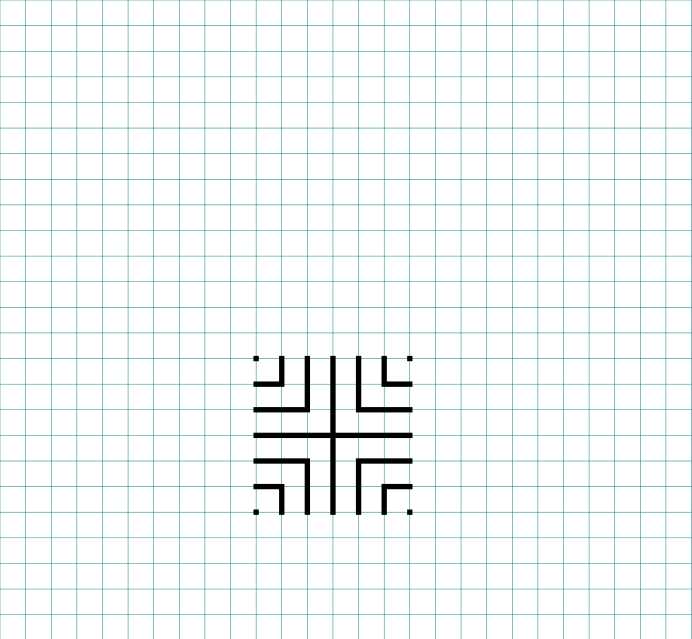
The starting seed pattern based on an imaginary 6x6 box grid. Start with a centered is a plus sign. Add L shapes one grid away from the plus sign in all 4 quadrants. Now add another L shape in all four quadrants one grid away from the previous L’s. Finally add a dot to each of the four corners. Basically, copy the seed the pattern you see here (notice this is the same as the regular version):
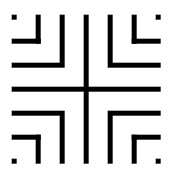
11 circuit square labyrinth seed pattern

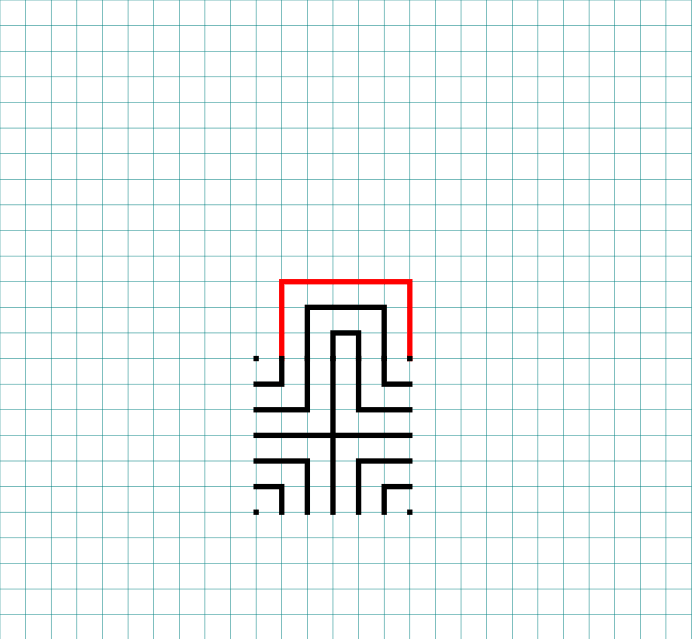
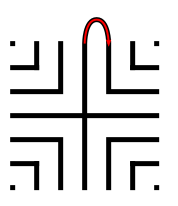
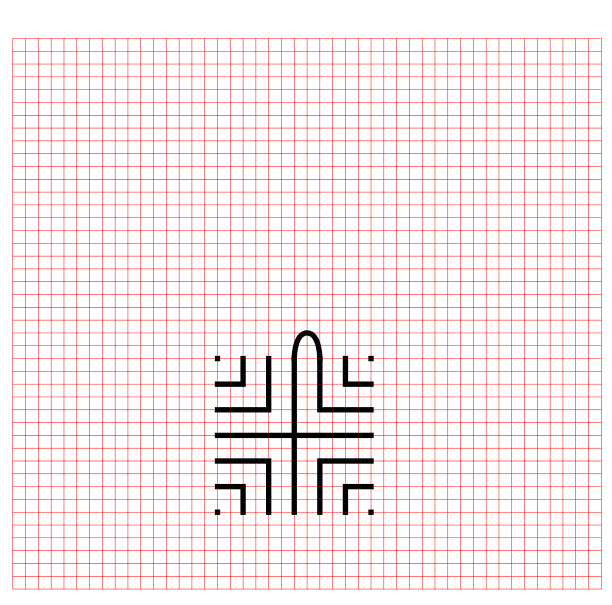
Step 2: Connect the first connection to create the goal

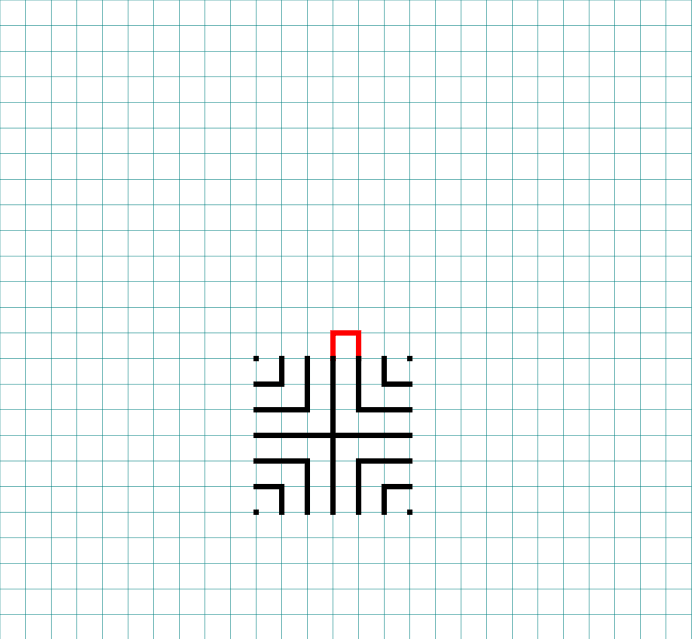
Draw a boxed line from the top of the plus sign to the L directly to the right using that extends 1 grid high. This line will form what will become the goal of the labyrinth.

How to Draw an 11 Circuit Square Labyrinth, step 2

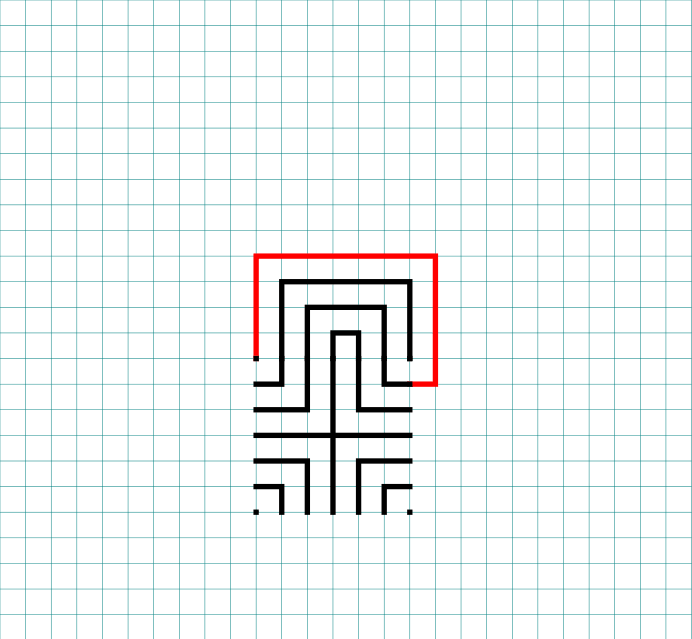
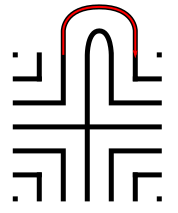
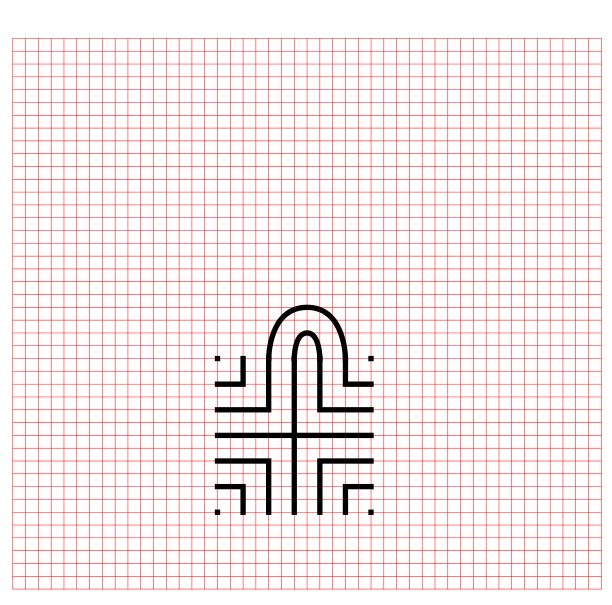
Step 3: Connect the next endpoint to the left to the next endpoint on the right

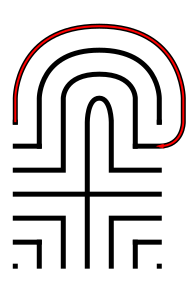
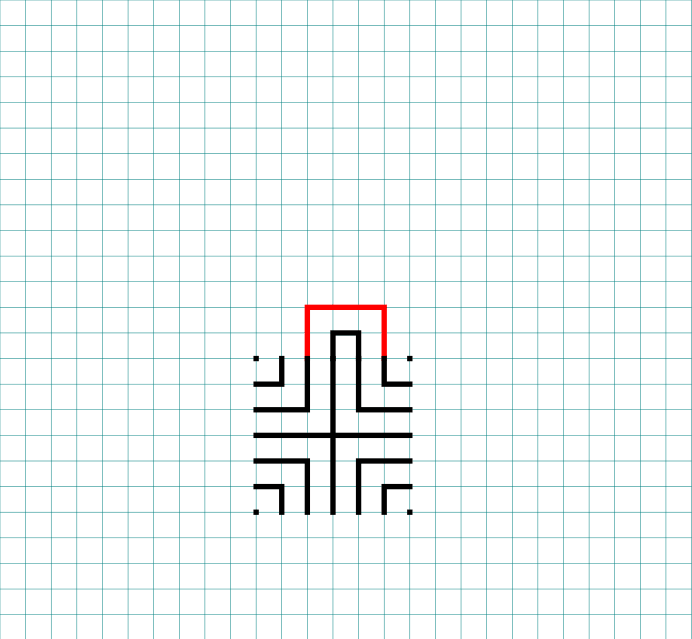
Every step from now on will be basically the same. Move one point to your left (moving counterclockwise) and connect that to the next point on the right (moving clockwise). In this case the large backwards L on the top left of the seed pattern to the small L on the top right of the seed.

How to Draw an 11 Circuit Square  Labyrinth - Part 3

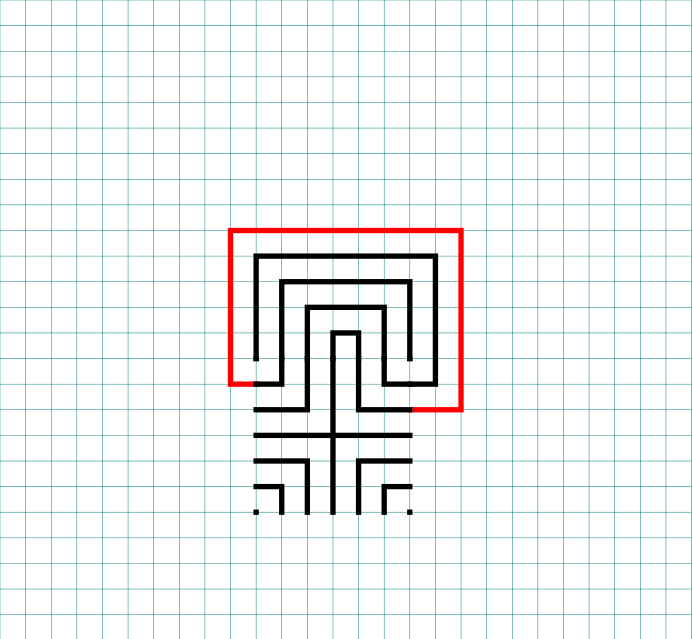
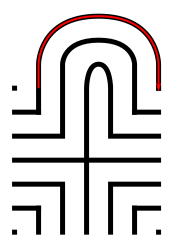
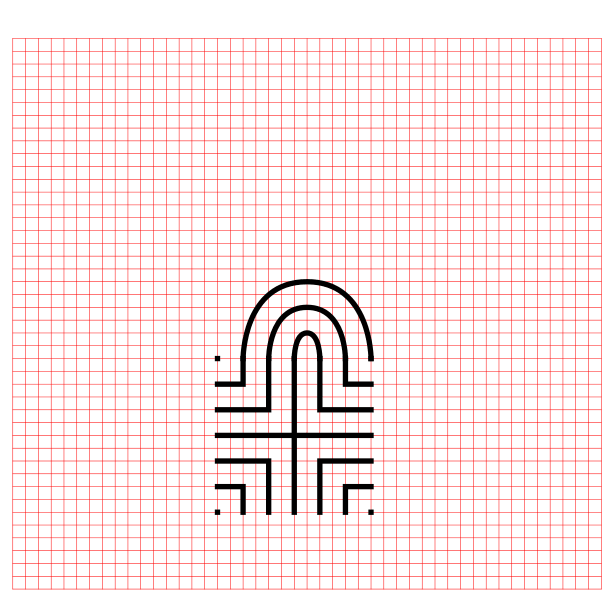
Step 4: Connect the next endpoint to the left to the next endpoint on the right

The small backwards L in the top left to the dot in the top right corner.

How to Draw an 11 Circuit Square Labyrinth - Part 4

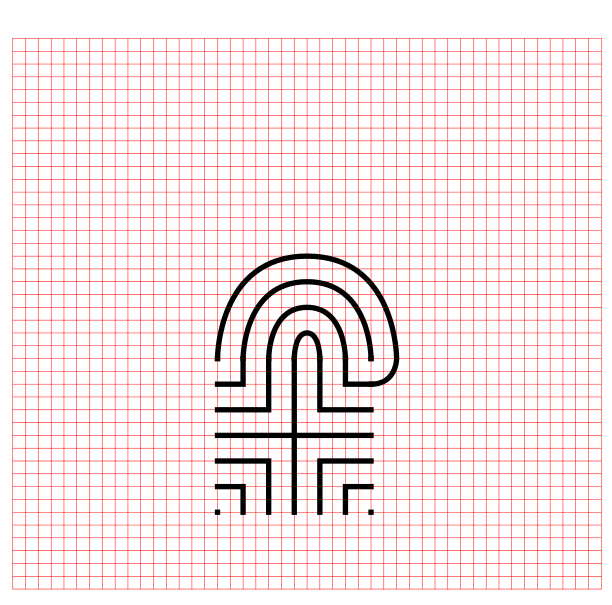
Step 5: Connect the next endpoint to the left to the next endpoint on the right

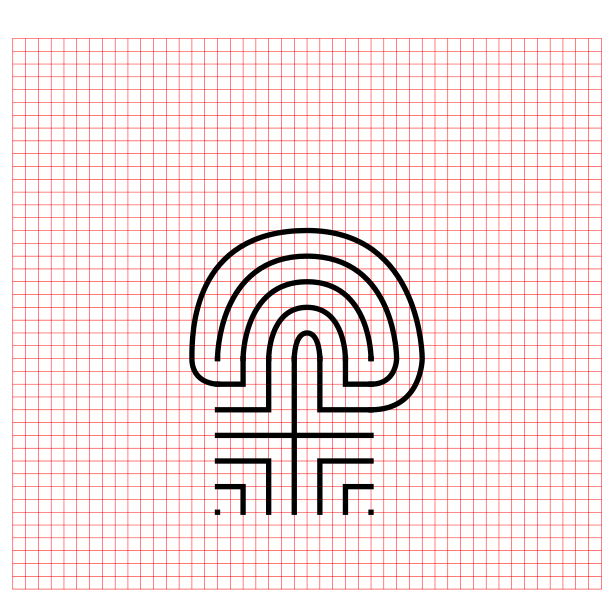
The dot in the top right corner to the end of the small L in the top right corner.

How to Draw an 11 Circuit Square Labyrinth - Part 5

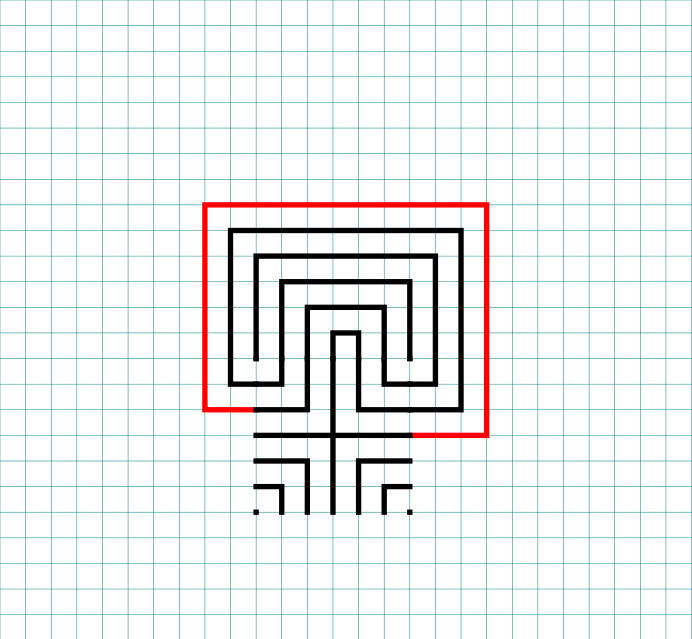
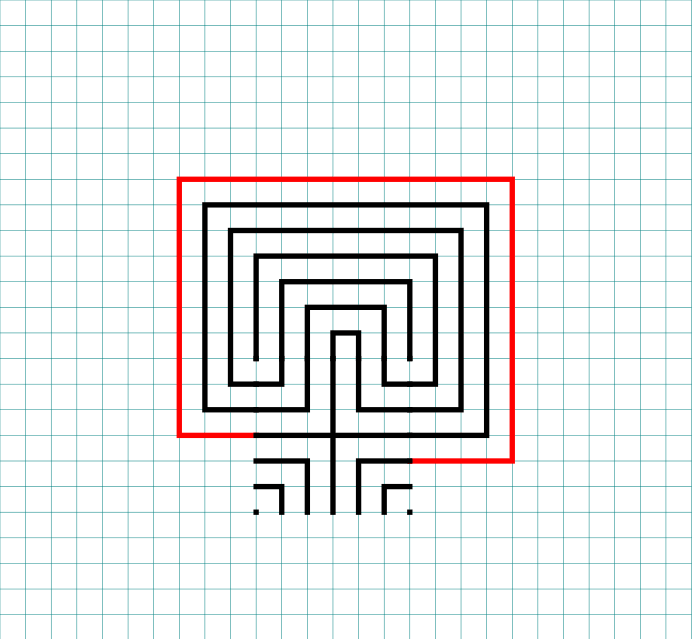
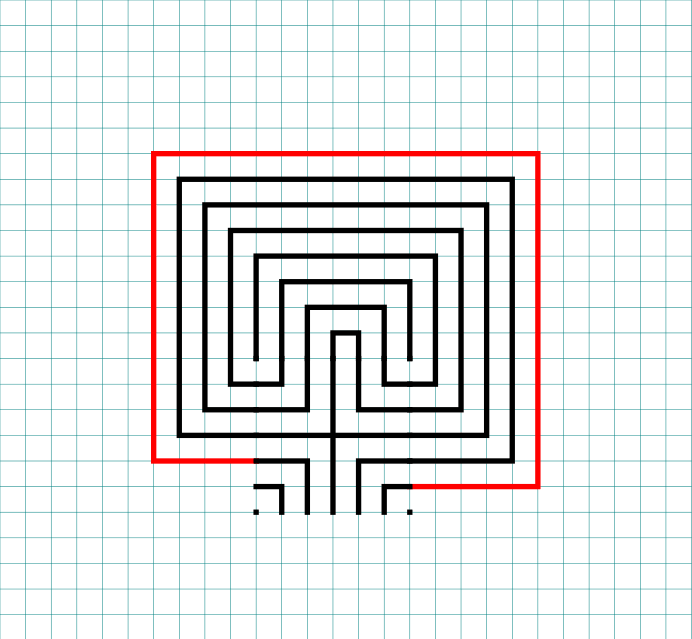
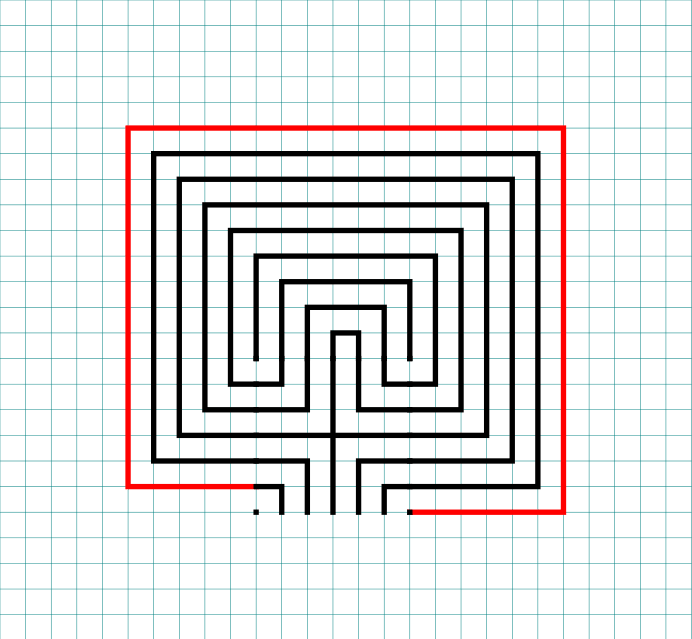
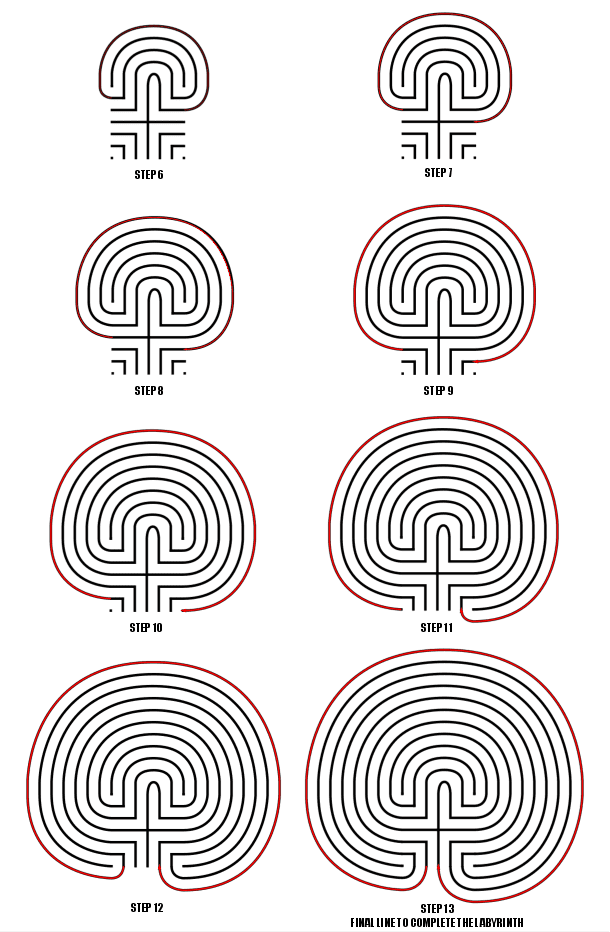
Steps 6 - 13: Connect the next endpoint to the left to the next endpoint on the right

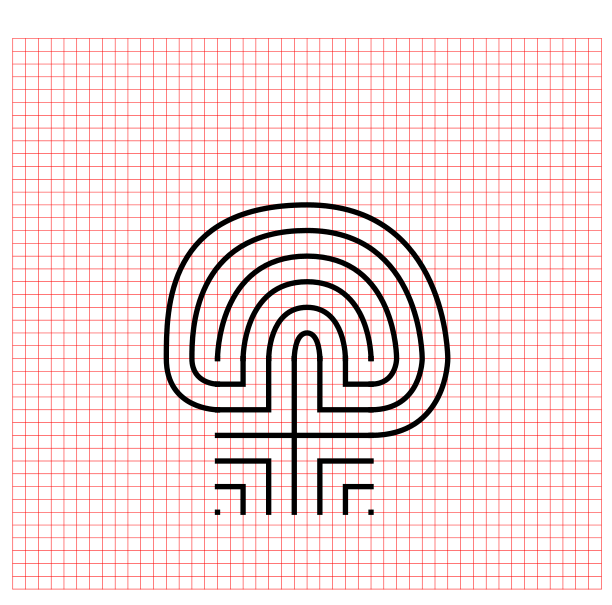
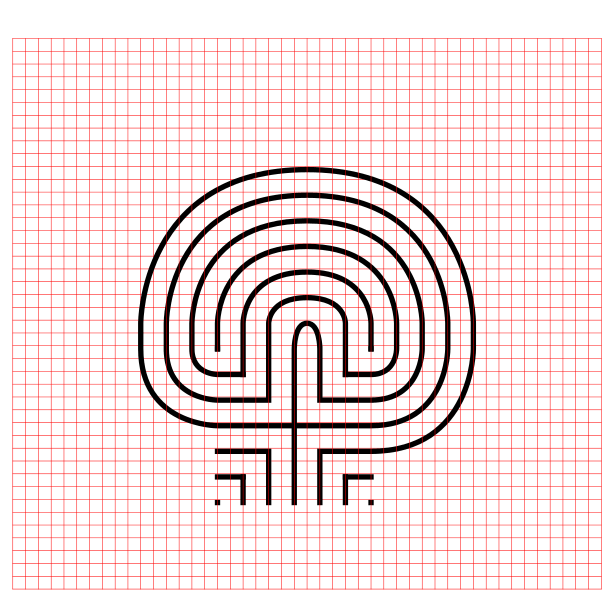
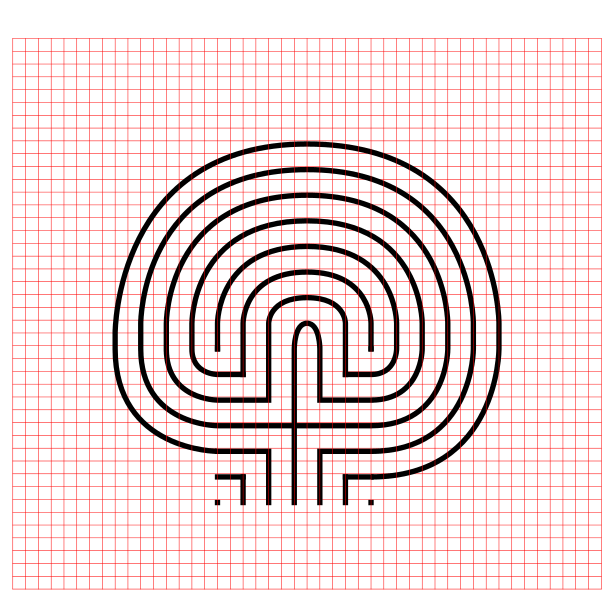
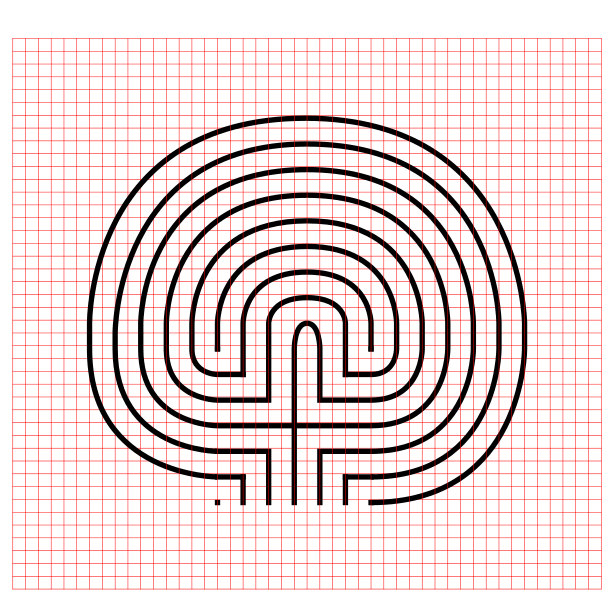
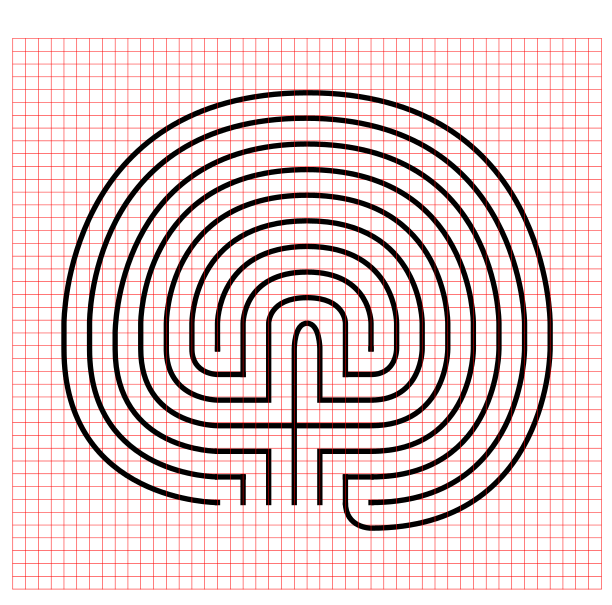
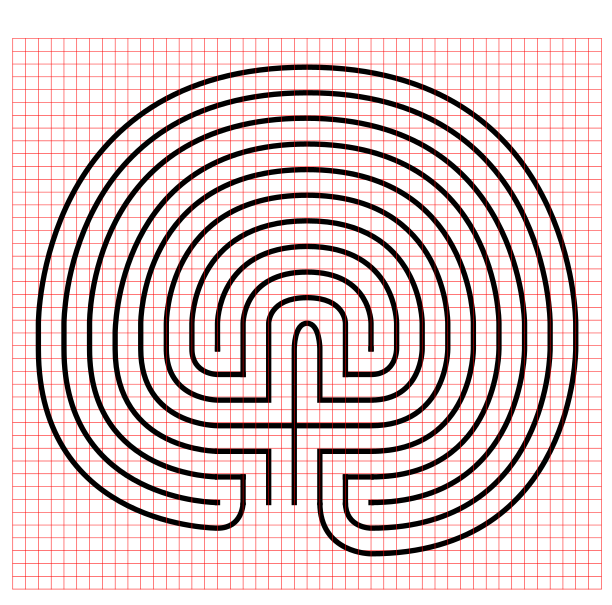
I assume you have the pattern down to complete with only pictures with nice red lines. Follow the graphics to complete connections 5-12. Here is the Summary of the connections you will make starting from the seed:

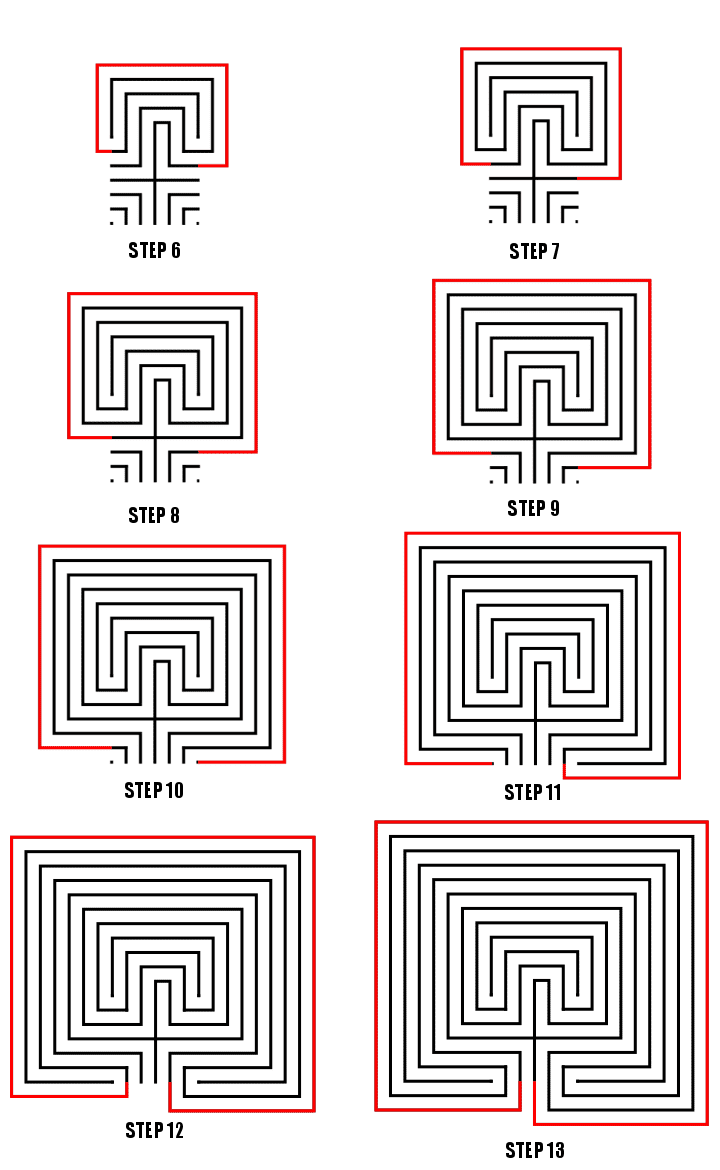
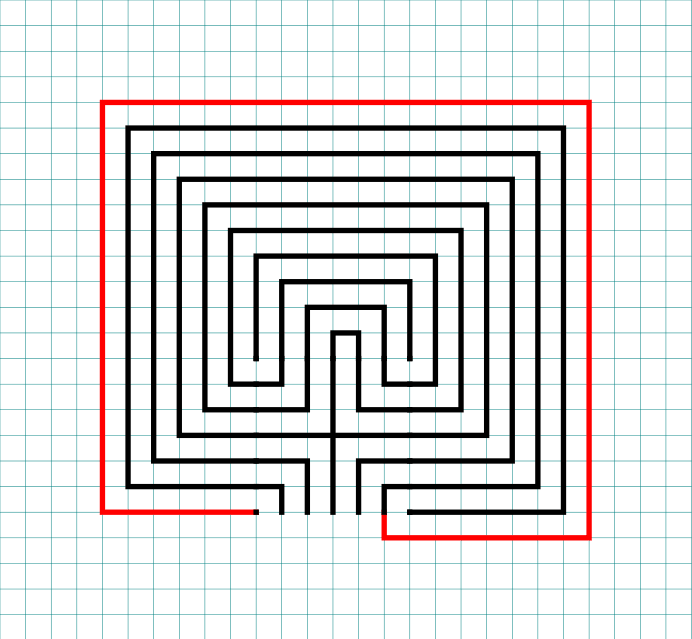
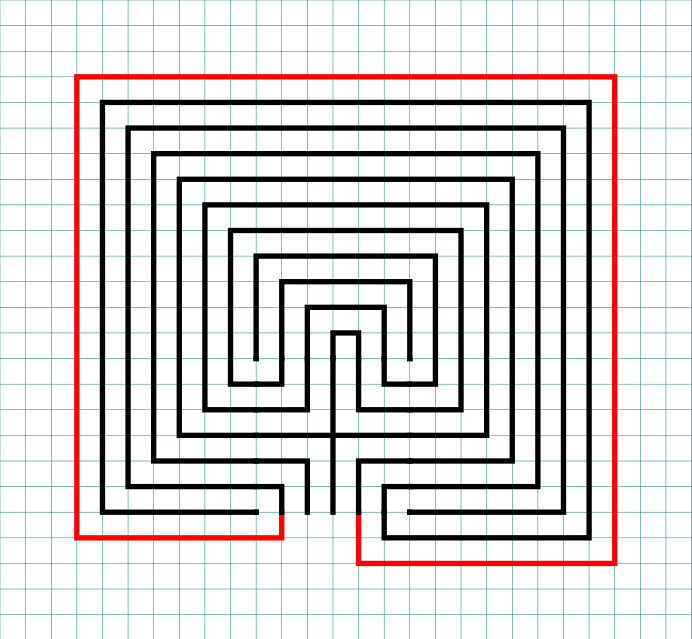
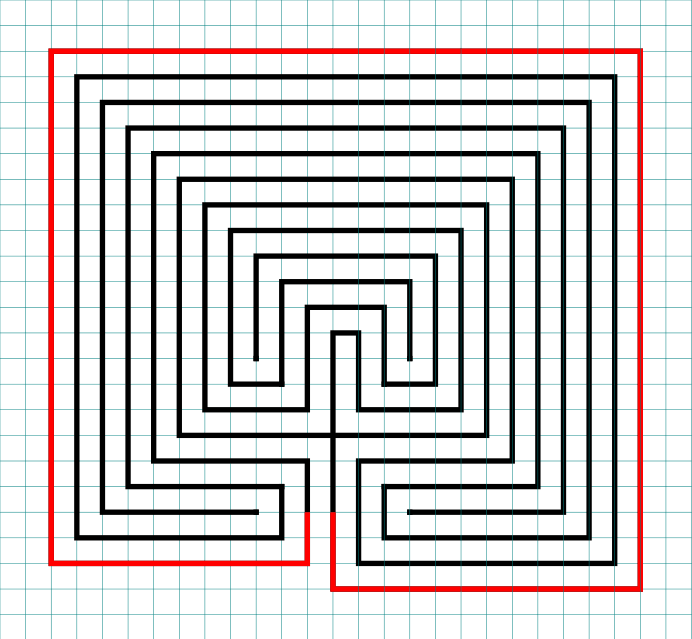
Making an 11 Circuit Square labyrinth steps 6-13

Connections 5-12, Steps 6-13

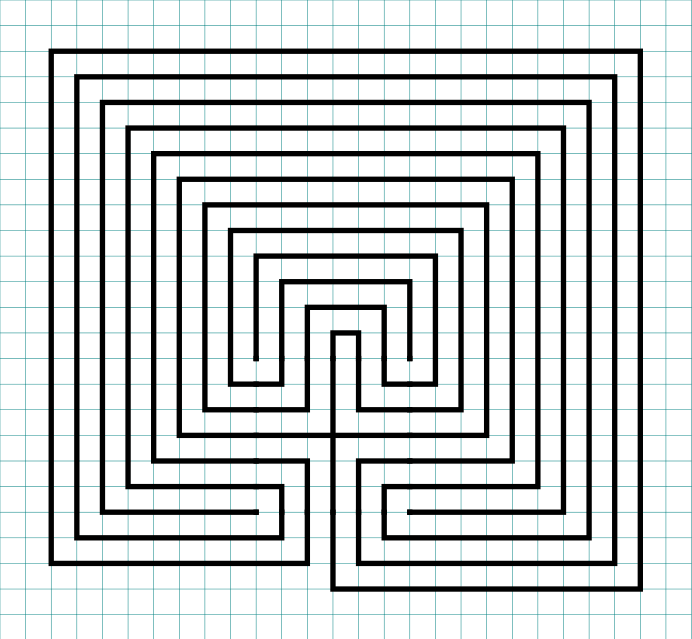
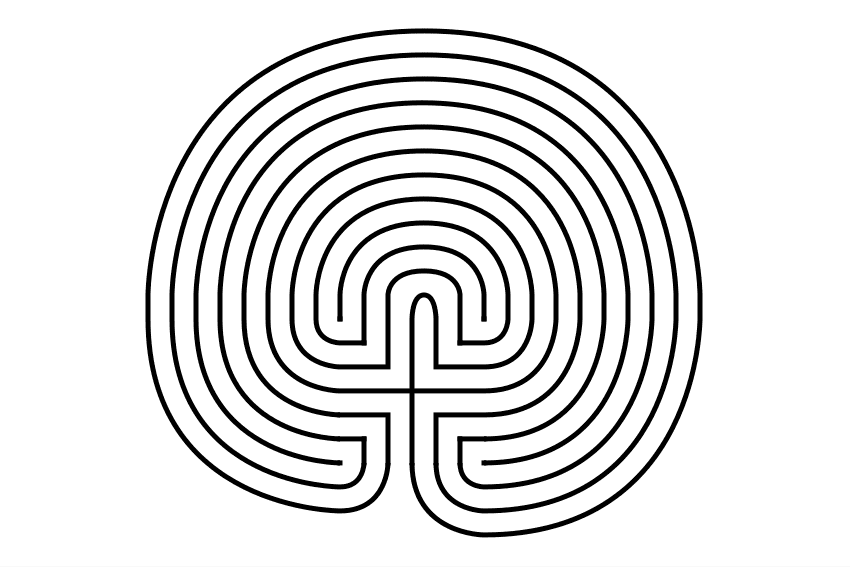
That completes the drawing of an 11 circuit square labyrinth. If you are interested in a comparison of Classical, Square and Circular Labyrinths check this blog post out.

11 circuit square labyrinth
 

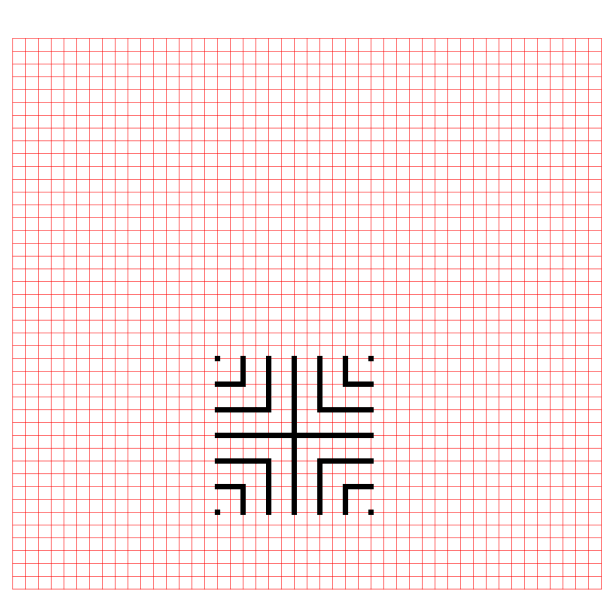
PART 2: THE LABYRINTH BEING MADE WITH GRIDS SHOWN

Nothing special here, just everything you just learned but shown with grids. Use the controls to build the labyrinth step by step. Notice that the labyrinth seed is placed low on the page but the labyrinth still ends up centered on the page,.
PART 3: MORE ALTERNATIVE LABYRINTH CONSTRUCTIONS

  • Right handed version: You just learned how to make a left handed square labyrinth. You can tell it is left handed because when you enter the first direction you move in is the left. To make a right handed version you flip the seed pattern and draw from right to left. Think of it as happening in a mirror.
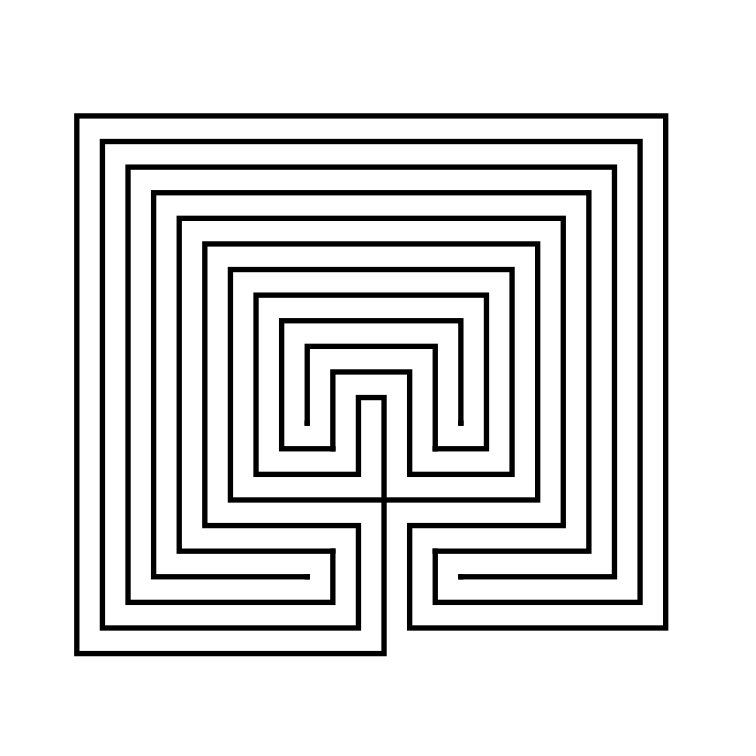
11 Circuit Square Labyrinth right handed
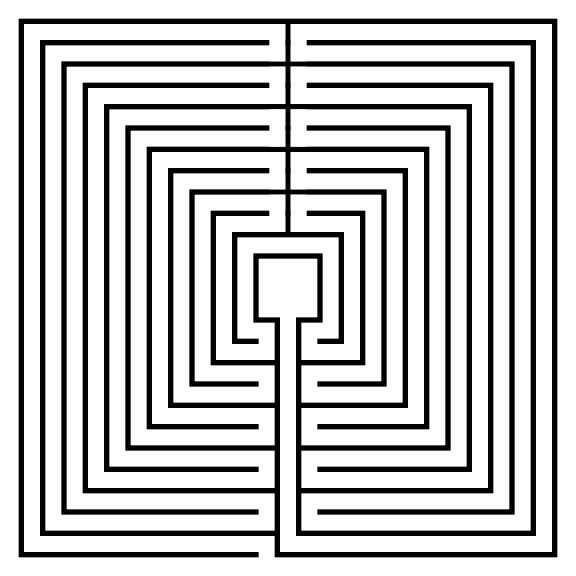
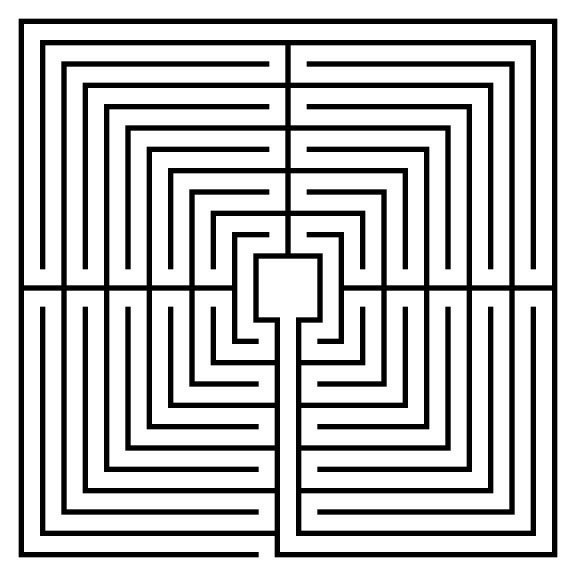
  • Assorted section options: The labyrinth you just learned to draw has 1 section. You can also choose to draw the labyrinth in 2, 4 or 8 sections. I am sure 3, 5 etc. sections are possible, but the geometry of the square makes even numbers a natural fit. Here are what the 2, 4 and 8 sectioned labyrinths look like:
  • The Spiral Labyrinth: No step by step process needed for this. Start in the center and stop when you prefer. To fit with this post I made mine 11 circuits. Yes, spirals are typically circular, but they do not have to be.
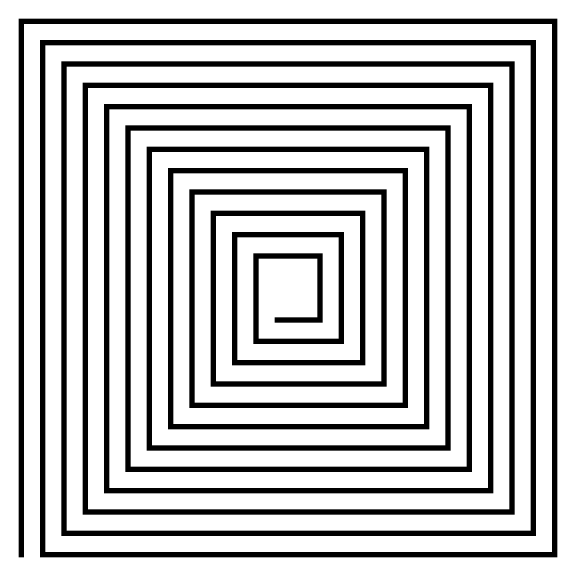
11 circuit square spiral labyrinth
 

PART 4: REAL WORLD LABYRINTH EXAMPLES

Here are some 11 circuit square labyrinths you can find the the US:

  • The St. Benedict Church Labyrinth located in Hollister, CA has 11 circuits and is a Medieval style with unique places to sit and a + shaped center ! It has a 60 foot diameter and is located in the courtyard of the church.

  • There are not many 11 circuits to choose from so I will instead show you the Hunter Presbyterian Church Labyrinth in Lexington, KY. It is only 9 circuits, but is Roman style, yet another new shape to consider !

I think if you made it this far in the post you will want to read this one too:

How to Draw an 11 Circuit Classical Labyrinth

Drawing an 11 circuit labyrinth is fun once you learn the starting seed pattern and the rules of building the pathways. Follow this 13 step process and draw your own 11 circuit labyrinth. At the end of the post I have a made a quick 2 minute video showing the drawing of the labyrinth if you are a more visual learner ! The best way to both practice and create this is on a grid to help guide you on the correct spacing. Let’s get started.

PART 1: STEP BY STEP LABYRINTH MAKING INSTRUCTIONS (WITH TIPS)

PART 2: VISUAL STEPS WITH GRIDDING SHOWN

PART 3: VIDEO SHOWING THE LABYRINTH BEING MADE

PART 4: LABYRINTH DATA AND FACTS

PART 1: STEP BY STEP LABYRINTH MAKING INSTRUCTIONS

Centering a drawn labyrinth on the page (Pro Tip #1)

If you are hand drawing a labyrinth and would like the completed drawing to be centered on the page there is a quick trick to help you do it. The seed you draw will end up being in the bottom half of the page slightly off center to the left. Check out the example below that compares the starting seed pattern center (in red) to the center of the finished drawn labyrinth (blue). The center of the labyrinth ends up being just above the arch of the labyrinth goal you will draw in Step 2.

Making an 11 Circuit Labyrinth tip to align to the center of the page

11 Circuit Labyrinth making tip to align to the center of the page

Step 1: Draw the starting seed pattern

The starting seed pattern based on an imaginary 6x6 box grid. Start with a centered is a plus sign. Add L shapes one grid away from the plus sign in all 4 quadrants. Now add another L shape in all four quadrants one grid away from the previous L’s. Finally add a dot to each of the four corners. Basically, copy the seed the pattern you see here:

11 circuit labyrinth seed pattern

Step 2: Connect the first arch to create the goal

Draw a curved line from the top of the plus sign to the L directly to the right using an arch that extends 1 grid high. The top of the arch should peak halfway between those two points. This line will form what will become the goal of the labyrinth. As a reminder the center of the completed labyrinth will be just above this point.

How to Draw an 11 Circuit Labyrinth, step 2

Additional information to help with your drawing (Pro Tip #2)

Let’s further explain the arching pathways you will be drawing in more detail, because from now on each path you draw will require this information. Each side of the labyrinth has different alignments that create the peak arch point for each pathway. All northern pathways (shown below in red) align above the midpoint of the goal. All eastern pathways (shown in blue) align with the original top right dot in the seeding pattern. Western pathways (shown in green) align to the top left seeding pattern dot. The southern part of the labyrinth also aligns to the corner dots, one for each side (shown as purple and orange). Keep these points in mind as you create your arches/pathways.

Making an 11 Circuit Labyrinth - Showing how peaks align correctly

11 Circuit Labyrinth making tip to align the peaks

Step 3: Connect the next endpoint to the left to the next endpoint on the right

Every step from now on will be basically the same. Move one point to your left (moving counterclockwise) and connect that to the next point on the right (moving clockwise). In this case the large backwards L on the top left of the seed pattern to the small L on the top right of the seed. The arch should peak at the same point as the goal below it in the pattern.

How to Draw an 11 Circuit Labyrinth - Part 3

Step 4: Connect the next endpoint to the left to the next endpoint on the right

The small backwards L in the top left to the dot in the top right corner. The arch should peak at the same point as the goal below it in the pattern.

How to Draw an 11 Circuit Labyrinth - Part 4

Step 5: Connect the next endpoint to the left to the next endpoint on the right

The dot in the top right corner to the end of the small L in the top right corner. The arch should peak at the same point as the goal below it in the pattern.

How to Draw an 11 Circuit Labyrinth - Part 5

Steps 6-13: Connect the next endpoint to the left to the next endpoint on the right

I assume you have the pattern down to complete making the labyrinth with only pictures with nice red lines. Follow the graphic below to complete steps 6 - 13.

How to Draw an 11 Circuit Labyrinth - Steps 6-13

Steps 6-13

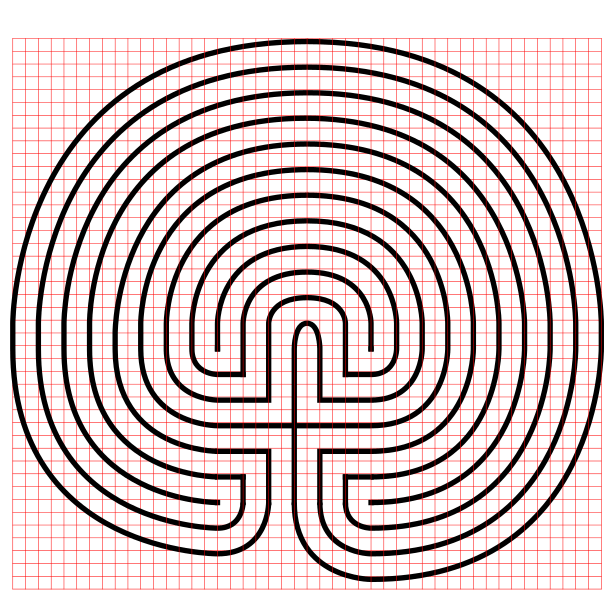
11 Circuit Classical Labyrinth

11 Circuit Classical Labyrinth

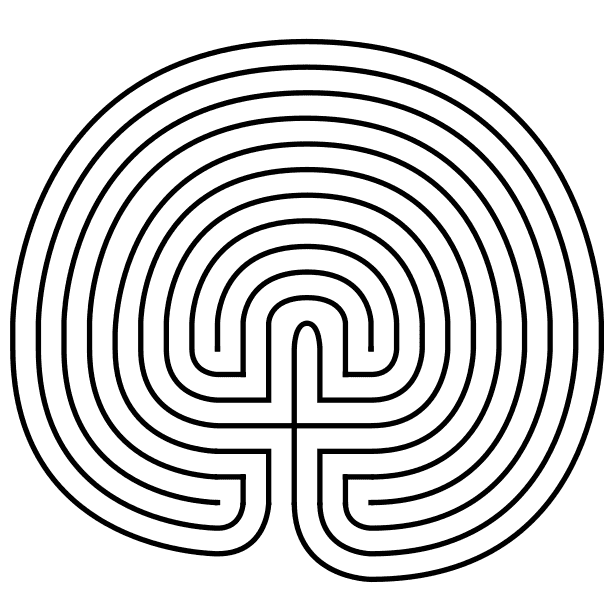
That completes the drawing of an 11 circuit classical labyrinth. It happens to be the “left handed” version of the labyrinth. If you want to make the right handed version every step above would be the same but moving to the right instead of left. The direction is determined by the way you turn first when you enter the labyrinth. Just imagine following the directions while looking in a mirror. The majority of labyrinths you see will be right handed. The right handed versions look odd to many people:

Right Handed 11 Circuit Classical Labyrinth

Left handed 11 circuit labyrinth


PART 2: VISUAL STEPS WITH GRIDDING SHOWN

Use the controls to build the labyrinth. As discussed above, notice where the initial seed is placed on the page. The grids are twice as dense only because of the peak on the northern side of the labyrinth. You could make it half as dense except for that point where you make the goal and subsequent arches.


PART 3: VIDEO SHOWING THE LABYRINTH BEING MADE

How To Draw an 11 Circuit Classical Labyrinth Video:

Here is a quick 2 minute video to see this in action from my YouTube channel ! Notice how the grids help with the construction !

A video showing How to Digitally Draw an 11 Circuit Classical Labyrinth


PART 4: LABYRINTH DATA AND FACTS

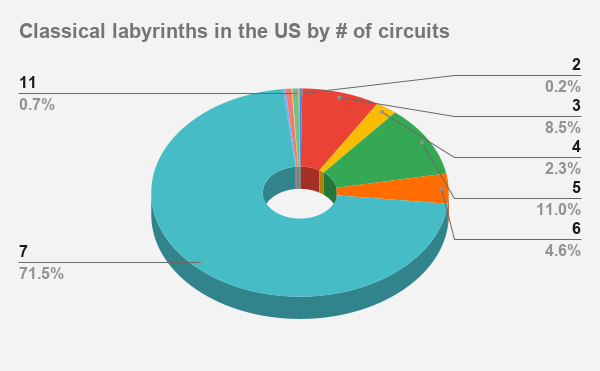
The majority of classical labyrinths in the US have 7 circuits at 71.5%. 11 circuits do exist, making up 26% off all labyrinths in the US, but they are typically Medieval style. You just learned how to make a rare US labyrinth, at 1% of the total.

Here is an example of one of those rare labyrinths you can visit:


Other posts that may interest you:

Interested in learning how to make or draw other digital labyrinths ? You can find many different step by step instructions HERE.

Including:

How to draw a 5 Circuit Circular Labyrinth

A Comparison of 3 different types of 11 Circuit Labyrinths

How to Draw a Classical 7 Circuit Labyrinth