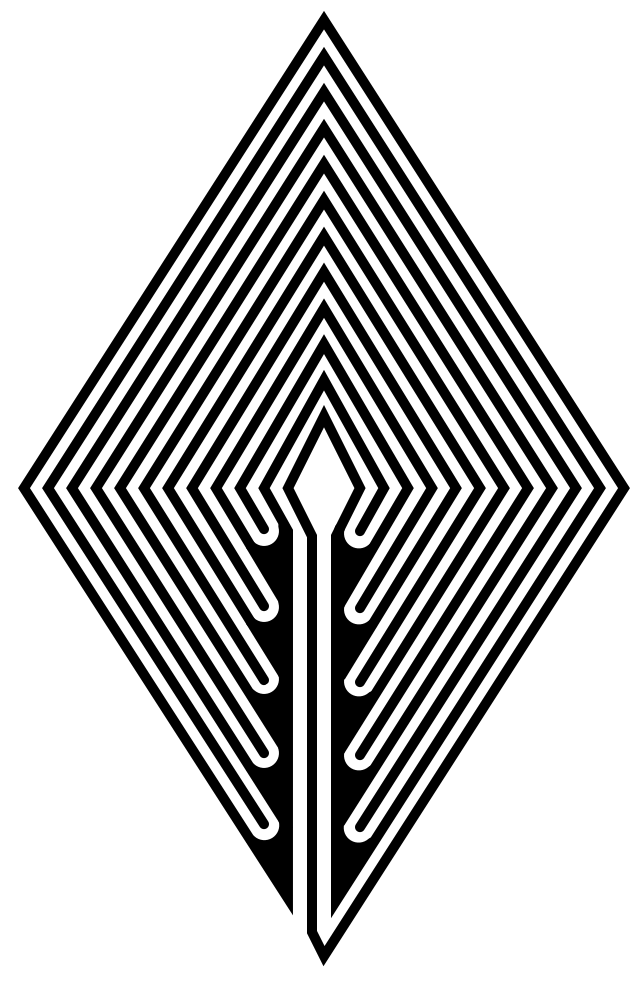
How to Draw a 5 Circuit Circular Labyrinth

We have covered how to draw both classical and square shapes of labyrinths previously. Today I will take you through the steps to draw a new shape, a circular labyrinth. Today we look at how to digitally make a 5 Circuit Circular Labyrinth. This method is a draw and cut method, meaning you will be making edits that remove lines you have previously drawn as you move thru the steps. You could also use this with method using a pencil with a an eraser ! Let’s get started.

  • Step 1: Draw 6 Concentric Circles

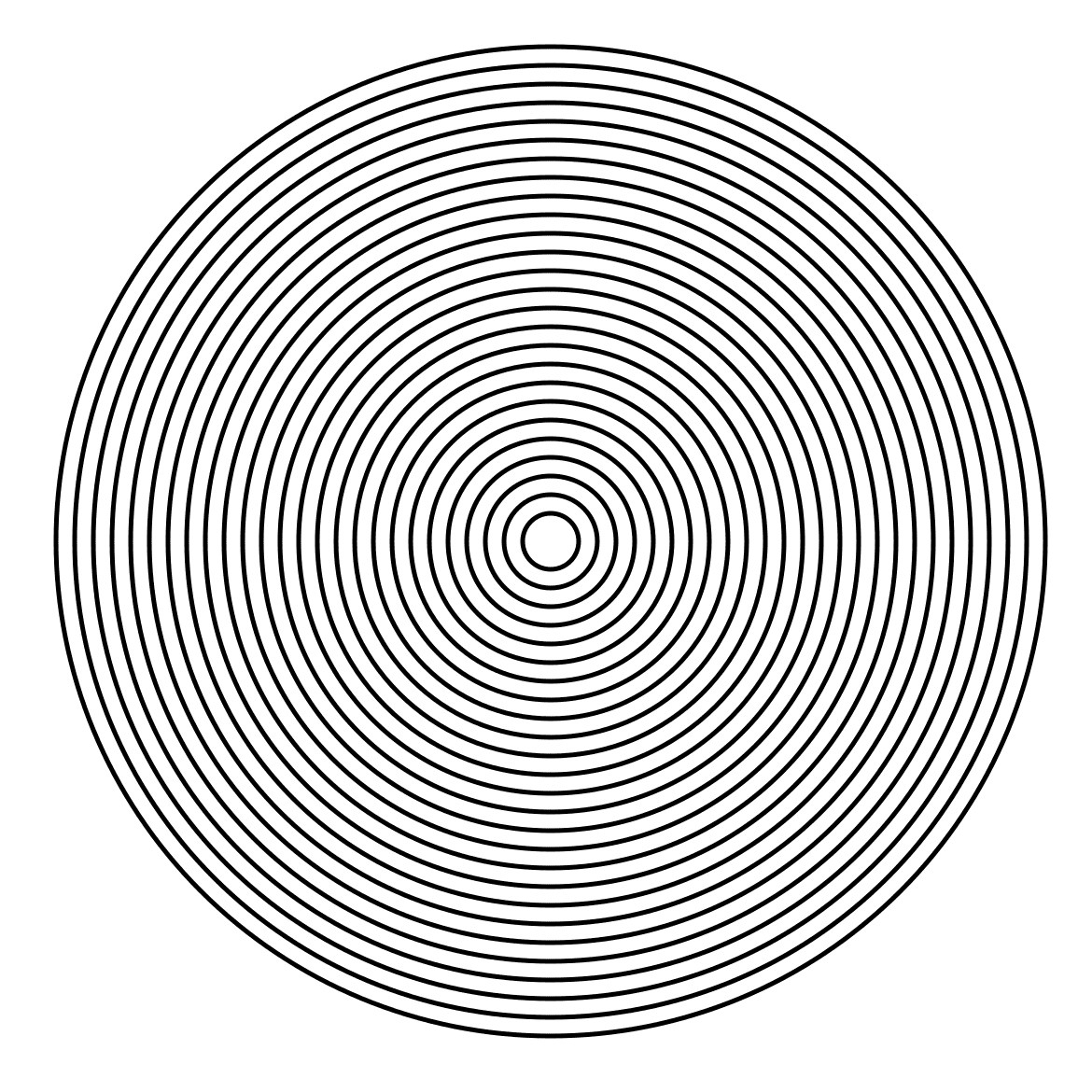
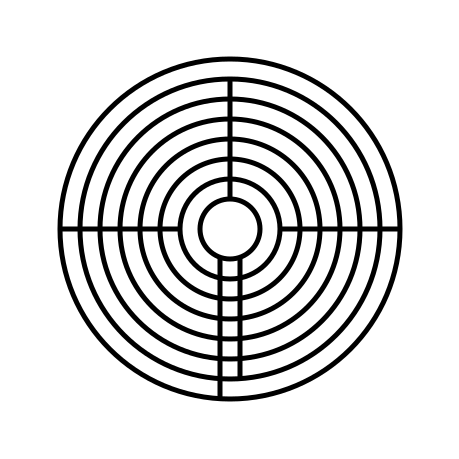
Draw 6 concentric circles each an equal distance between one another and centered around the middle circle. The middle circle will become the labyrinths goal. You will notice from the example that exactly one more circle would fit into the center of the figure, that would create a very small center.
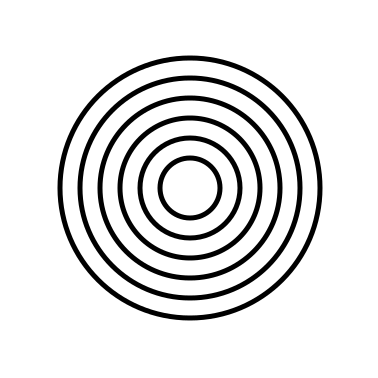
6 concentric circles
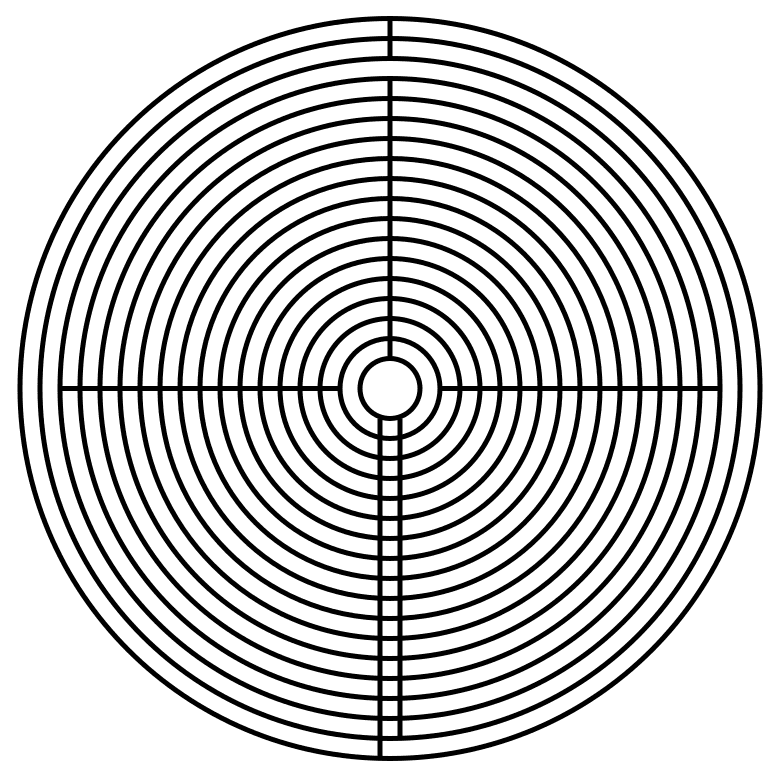
  • Step 2: Draw the 7 Inner Walls

I could break this into more steps but there are 7 straight lines that form inner walls and pathways. See the example. At 12 o’clock create 2 lines, leaving only the center pathway open. At 3 o’clock add a 2 pathway wall to block circles between 2 and 4. Use 2 lines to draw a pathway from the center to the bottom edge (notice neither are at 6 o’clock). Add an additional line to the left starting from circle 2 that will become the entrance. Add a line at 9 o’clock blocking the pathways between circles 3 and 5.
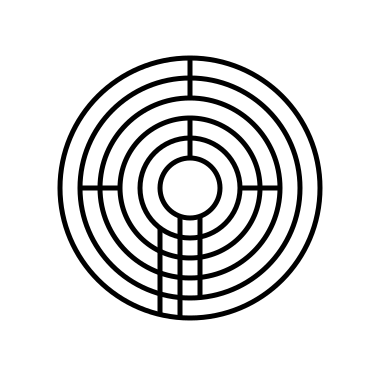
  • Step 3: Add Pathways Where Needed

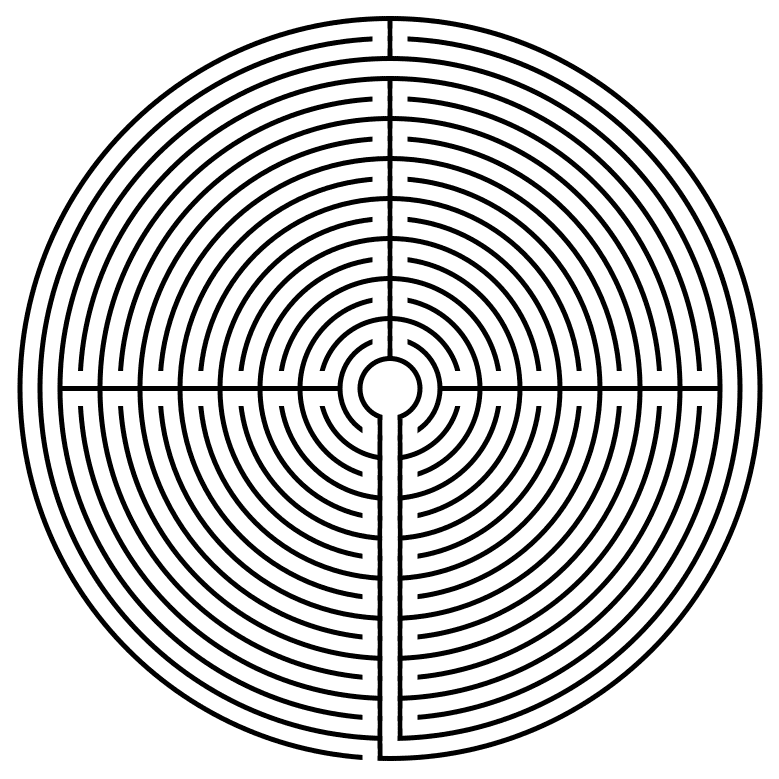
Refer to the picture and add pathways where needed, erasing portions of the circles. There are many, and depending on how you draw/erase them the number can change.
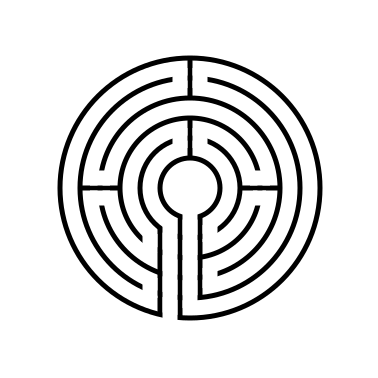
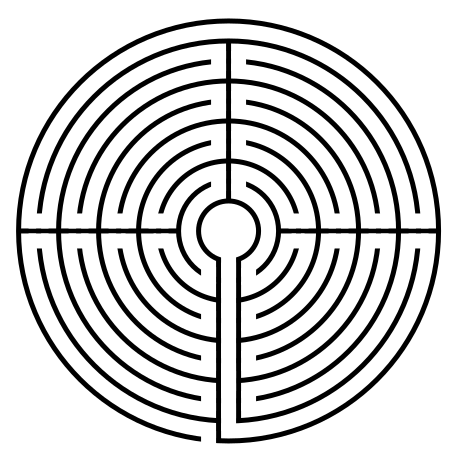
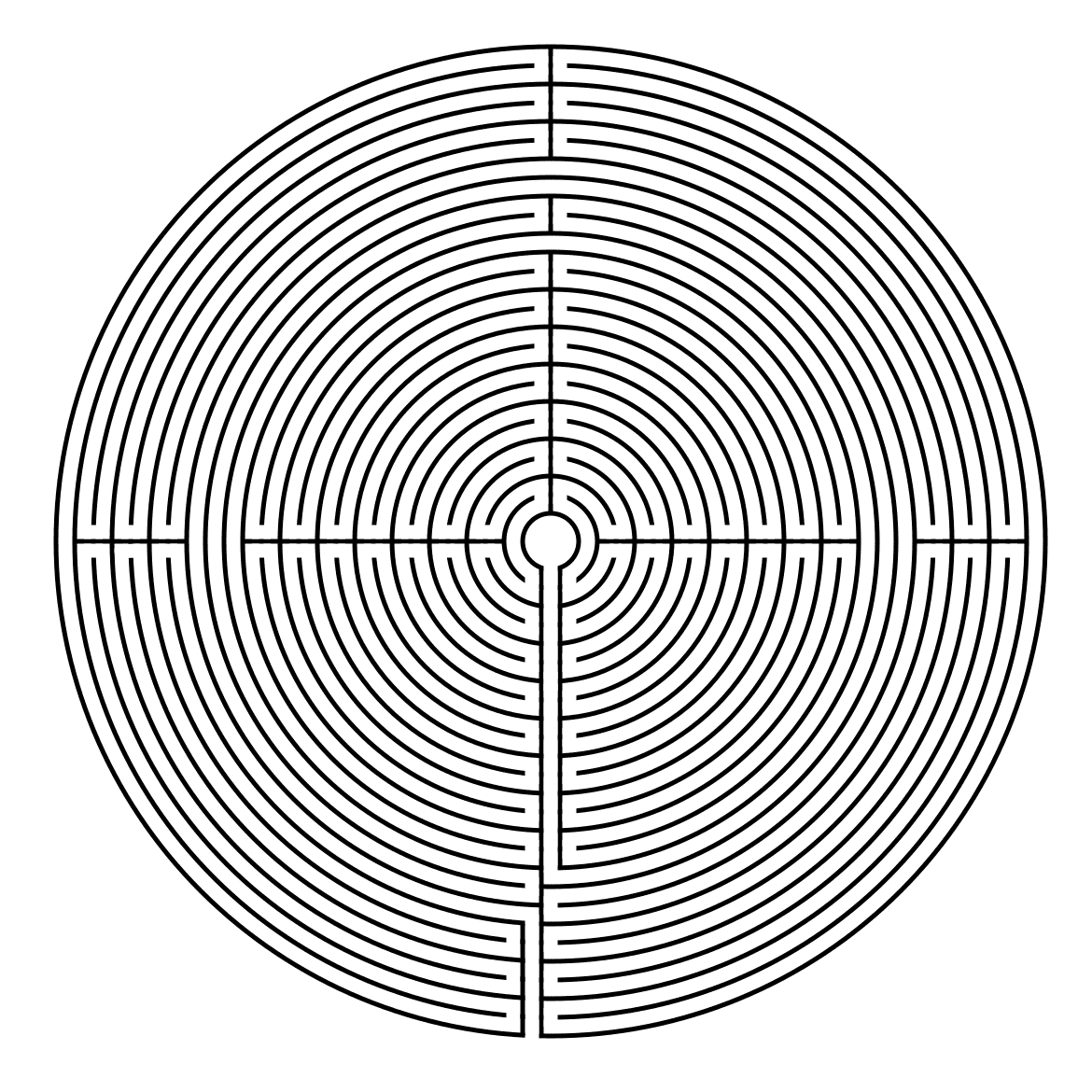
5 Circuit Circular Labyrinth

That completes the drawing of a 5 Circuit Circular Labyrinth. Well at least this version of it !

ADDITIONAL CONSTRUCTION OPTIONS

Now I should let you know that there are multiple possible options to configure this labyrinth. You can read about 6 different versions of a 9 circuit circular labyrinth that also apply to 5 circuit circular labyrinths. Let’s take a look at what a 5 circuit circular labyrinth would look like if made with 1/2/3/4/8 and 12 sections. If you were to walk these labyrinths in the physical world this could also be referred to be the number of turnback’s instead of sections.

6 different 5 Circuit Circular Labyrinth Construction options

6 different options for 5 circuit circular labyrinths

Here is a visual to show what I mean by sections:

6 different 5 Circuit Circular Labyrinth Construction options sectioned

Showing “sections” of the labyrinth constructions

The one that you choose is really your personal preference. I prefer the 4 section version. 1 section is a bit boring, while the 12 section looks a bit busy and would not be very much fun to walk. While I do not have individual instructions for these versions, the basic instructions remain the same as above. Step 1 is the exact same, with changes to where lines and drawn and erased in steps 2/3. While the math is easy for these versions of the circular labyrinth (360 degrees / # sections determines the placement of the sectioned walls) you could easily create other #’s of sections using the same formula of 360 / #sections desired.

5 Circuit Circular Labyrinth

5 Circuit Circular Labyrinth


REAL WORLD CIRCULAR LABYRINTH EXAMPLES

As part of a large research product on labyrinths in the US I was able to find a few circular labyrinths you can visit to see examples in person:

  • The Medicinehat Medicinals Labyrinth in Deming, NM is a 5 circuit circular labyrinth made of earth and rocks. It has a 65 foot diameter and can be visited with an appointment.

  • The Lakeside Lavender and Herbs, LLC Labyrinth in La Porte, IN is a 5 circuit circular labyrinth made with lavender plants with stone pathways. It has a 62 foot diameter and can be visited with an appointment.

If you prefer making a different type of labyrinth, you can find step by step labyrinth making instructions. Including:

A Comparison of 3 different types of 11 Circuit Labyrinths

How to Draw a Classical 7 Circuit Labyrinth

How to Draw a 7 Circuit Circular Labyrinth

Today we look at how to digitally make a 7 Circuit Circular Labyrinth. This method is a draw and cut method, meaning you will be making edits that remove lines you have previously drawn as you move thru the steps. It is possible to use a drawing only method but I think it is much more complicated with many more steps. Let’s get started. I should also mention that this is an improved method which creates a 4 section labyrinth (you can make many different versions of a circular labyrinth by cutting it into slices - examples below).

Step 1: Draw 8 Concentric Circles

Draw 8 concentric circles each an equal distance between one another and centered around the middle circle. The middle circle will become the labyrinths goal.

8 Concentric Circles

Step 2: Draw the 4 Inner Walls

I could break this into more steps but there are 4 straight lines that form inner walls and pathways at the turn around points. See the example. At 12 o’clock create 1 line from the center goal blocking paths but the outer one. At 3 o’clock add a line to block all but the inner pathway next to the goal. Use 2 lines to draw a pathway from the center to the bottom edge (notice neither are at 6 o’clock, but they are centered). The left line is drawn across all circles. The right line goes across all pathways but the final one. Add a line at 9 o’clock blocking all pathways except the one next to the goal.

8 Concentric Circles with line breaks

Step 3: Add Pathways Where Needed

Refer to the picture and add pathways where needed, erasing portions of the circles. There are many, and depending on how you draw/erase them the number can change. They are all at 3, 6, 9 and 12 o’ clock.

7 circuit circular labyrinth with 4 sections

That completes the drawing of a 7 Circuit Circular Labyrinth.

Circular 7 Circuit  Labyrinth

7 Circuit Circular Labyrinth

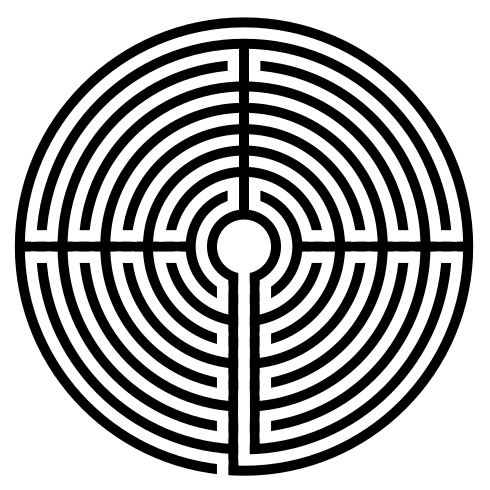
My original version of the 7 circuit circular labyrinth is below. I made it using a shortcut, which you also could use if you prefer this look better (obviously I do not, because I re-did this entire post for the new version !). Draw a 5 Circuit Circular Labyrinth, add two more concentric circles, extend the left center line to the bottom edge and create the exit. It’s easy to write in a sentence, but much more difficult to do ! Good Luck !

7 Circuit Circular Labyrinth

Alternative versions - number of labyrinth sections

Here is a look at what the labyrinth could you like if you want to make it with different sections. I am re-using the illustration I made for the 5 circuit circular labyrinth. It shows the 1, 2, 3, 12, 8, and 6 section versions which could also be created. I tend to always gravitate towards 4 sections, then 2. 1 seems a bit boring and 12 seems like too many to me. For a full look at this subject I did a blog post using the 9 circuit circular labyrinth.

If you like the mathematics of this did you notice that the 3 section is the only one where the initial entrance into the labyrinth goes to the center first before the back and forth begins. What other sectionals would require this ? A 5 section ?

Also, you when creating circular labyrinths you can mix sections by level as I showed above… the outside is one section while other levels are 2 and 4. You have flexibility in the design. In the end symmetrical versions tend to look the most pleasing.

6 different 5 Circuit Circular Labyrinth Construction options

REAL WORLD LABYRINTH EXAMPLES

You can find circular labyrinths to walk in the real world. Here are a few examples:

Step by step instructions on how to make other digital labyrinths. Including:

How to draw a 5 Circuit Circular Labyrinth

A Comparison of 3 different types of 11 Circuit Labyrinths

How to draw a Classic 3 Circuit Square Labyrinth

How to Draw Large Circuit Circular Labyrinths

Today we look at how to digitally make a circular labyrinth with 9 or more circuits. This method is a draw and cut method, meaning you will be making edits that remove lines you have previously drawn as you move thru the steps. It is possible to use a drawing only method but I think it is much more complicated with many more steps. Let’s get started. Here is what you can expect:
PART 1 - CHOOSE YOUR NUMBER OF CIRCUITS

PART 2 - CHOOSE YOUR NUMBER OF SECTIONS

PART 3 - CHOOSE YOUR THICKNESS

PART 4 - STEPS ON HOW TO DRAW THE LARGE CIRCULAR LABYRINTH


PART 1 - CHOOSE YOUR NUMBER OF CIRCUITS

We are covering multiple sizes of labyrinths in this post, so your first task is to choose how many circuits you want your labyrinth to have. From my research project on labyrinths in the US, I found that 87% of labyrinths in the US have an odd number of circuits. This explains why most directions are for odd numbers.


PART 2 - CHOOSE YOUR NUMBER OF SECTIONS

Labyrinths can be broken into sections that typically correspond to the shape of the labyrinth. Triangular labyrinths naturally fit 3 sections, but octagonal labyrinths do not look good with 3 sections. The nice thing about circular labyrinths is that they can look good with any number of sections. Divide 360 by the number of sections you want. That tells you where to place the sections in a 360 degree circle. All of the below are 9 circuit labyrinths, but they have 1, 2, 3, 12, 6 and 4 sections respectively. You can also mix and match sections that are divisible…more on that later.

9 Circuit Circular Labyrinth Section Construction options
 

PART 3 - CHOOSE YOUR THICKNESS

This is just an aesthetic choice that can be adjusted at the end of the process if you are making a digital labyrinth. I prefer the thicker lines for drawing and the thinner lines for real world labyrinths that you walk.


PART 4 - STEPS ON HOW TO DRAW THE LARGE CIRCULAR LABYRINTH

Step 1: Draw # Concentric Circles

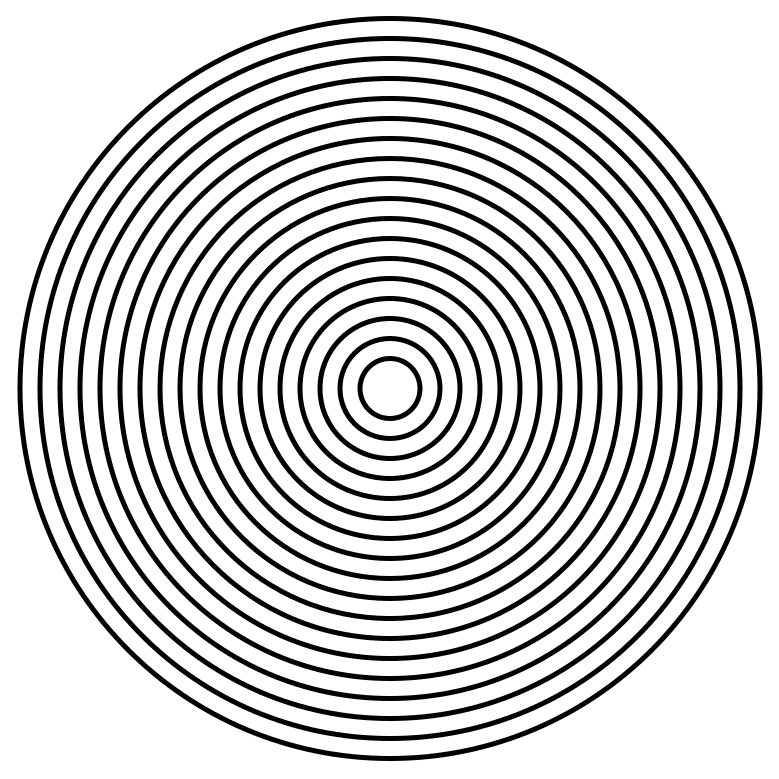
Draw 1 more concentric circle than the number of circuits you want. A 9 circuit labyrinth requires 10 circles. A 17 circuit labyrinth requires 18 circles. Each circle should be an equal distance between one another and centered around the middle circle. The middle circle will become the labyrinths goal. Here are 10 for example:

10 Concentric Circles

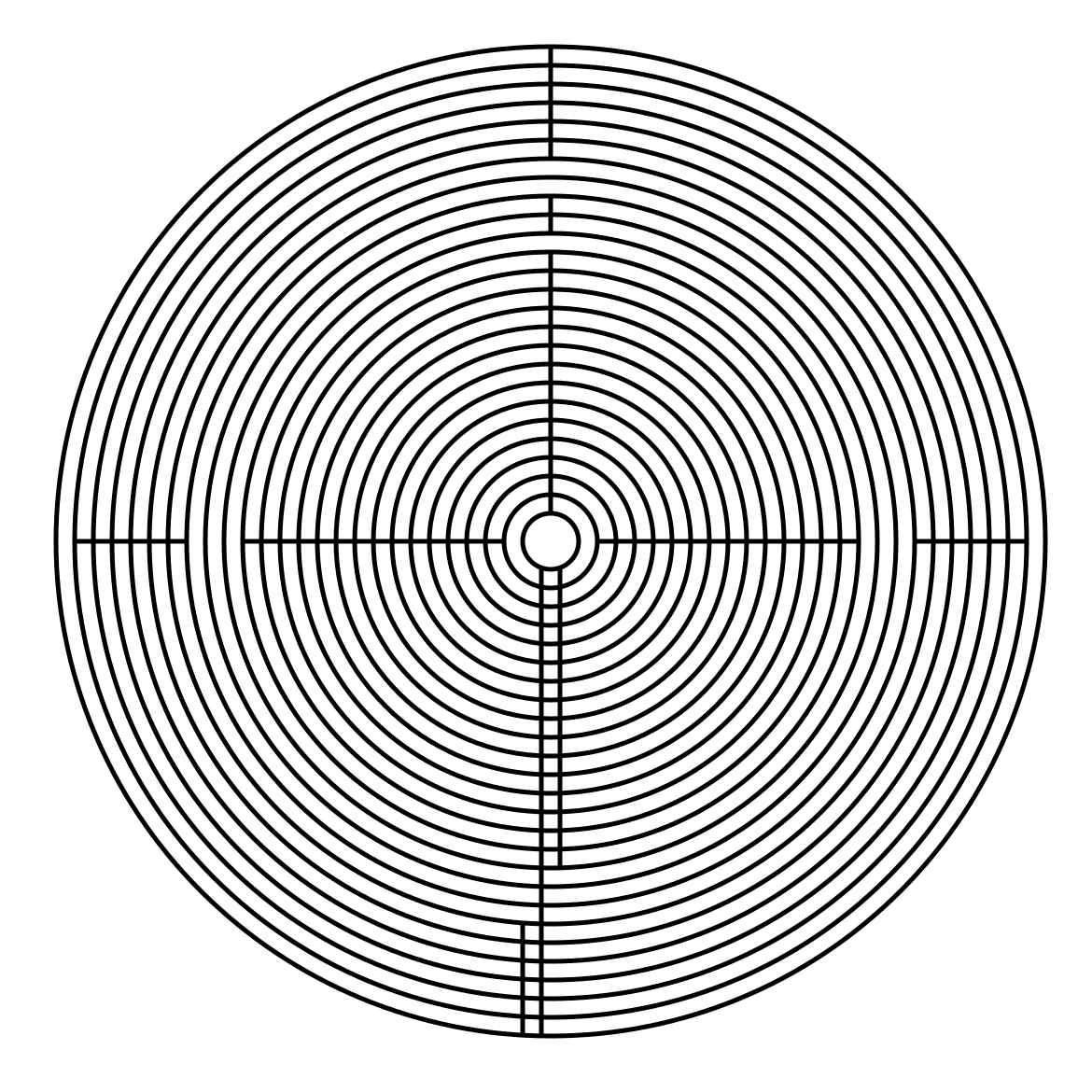
Step 2: Draw the Inner Walls that become the sections

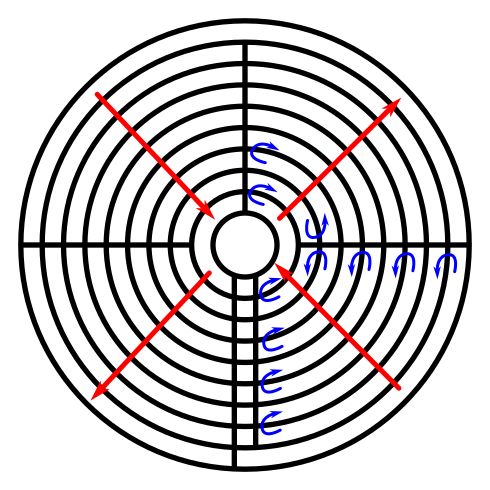
First draw the final processional pathway to the goal. Use 2 lines to draw a pathway from the center to the bottom edge (notice neither are at 6 o’clock). The right line will stop one circle short of the outer circle. If you want a single section you are ready to move to step 3. Otherwise you need to draw your sections based off of 360/# sections. Here is a 9 circuit with 4 sections showing the “flow” of the labyrinth from goal to start in red. You go in one section (towards the center), then out (away from the center), then in, then out. I noted with blue arrows where the turns will be.

labyrinth drawing with sections shown

Now the good news, bad news. You can mix sections when creating a labyrinth. In the below step 2 the outer circuit rings are in 2 sections with the inner using 4. Personally, I prefer consistent sections, but they are not required.

10 Concentric Circles with lines to break it up

Step 3: Add Pathways Where Needed

Create the pathway to the goal by erasing the circle sections at 6 o’clock. Create an entrance to the labyrinth just to the left of 6 o’clock. The other pathways will depend on the number of sections you have. From the goal work backwards, opening turnback’s as needed. Here are what the above labyrinths look like when complete. The first version has 4 sections while the second version is mixed between 2 and 4.

9 Circuit Circular Labyrinth Construction options 4 section
9 Circuit Circular Labyrinth- mix of 2 and 4 sections

That completes the drawing of a 9 Circuit Circular Labyrinth.

In the real world there are not many labyrinths above 11 circuits, but that doesn’t mean we can’t draw them. Let’s do a quick gallery on how to make a 17 circuit circular labyrinth and a 25 circuit using what we just learned. Here is the 17 circuit. 18 concentric circles. 4 sections.

And here is a 25 circuit circular labyrinth. 26 concentric circles. Mixed sections of 2 and 4.

A Comparison of 5 different types of 11 Circuit Labyrinths

I have previously shown how to make a variety of digital labyrinth drawings. The ones I reviewed fell into one of 5 categories: classical labyrinths, square labyrinths, circular labyrinths, octagonal and hexagonal labyrinths. Today we are going to take a quick look at the five different structures and compare them. We will also discuss aesthetics, shapes, and the different symbolism associated with each labyrinth shape. Here is a guide to what will be included. Click on a section to move to it:

PART 1 - LABYRINTH SEEDS AND STARTING PATTERNS

PART 2 - LABYRINTH TURNBACKS AND SECTIONS

PART 3 - LABYRINTH AESTHETICS - THICKNESS / HANDEDNESS / ORIENTATION

PART 4 - FINAL LABYRINTH COMPARISON

PART 5 - ADDITIONAL LABYRINTH SHAPES TO CONSIDER

PART 6 - LABYRINTH SHAPES AND THEIR SYMBOLISM

PART 7 - REAL WORLD LABYRINTH EXAMPLES

PART 1 - LABYRINTH SEEDS AND STARTING PATTERNS

First let’s look at the seed patterns. For the classical and square labyrinths you can use the same seed pattern show below. None of the circular, octagonal, and hexagonal labyrinths have traditional starting seeds beyond their inherent shapes.

Labyrinth seed pattern

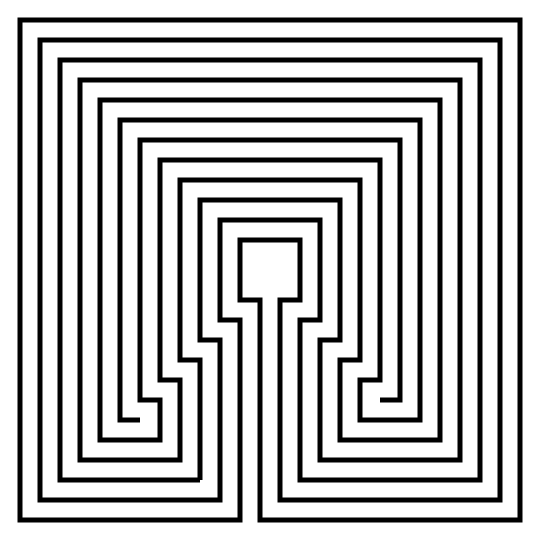
Next let’s look at the connections for the labyrinths that use this seed pattern. The difference between a square and classical labyrinth is simple, and that is the shape of the connections between the seed endings. Here is the first move for each, one square and one curved (each makes the destination of the labyrinth).

Making a Square Labyrinth - step 2
Making a  Labyrinth - step 2

Both also use the following seed connections to finish the drawing of the labyrinth:

Seed pattern for 11 circuit labyrinth with connections

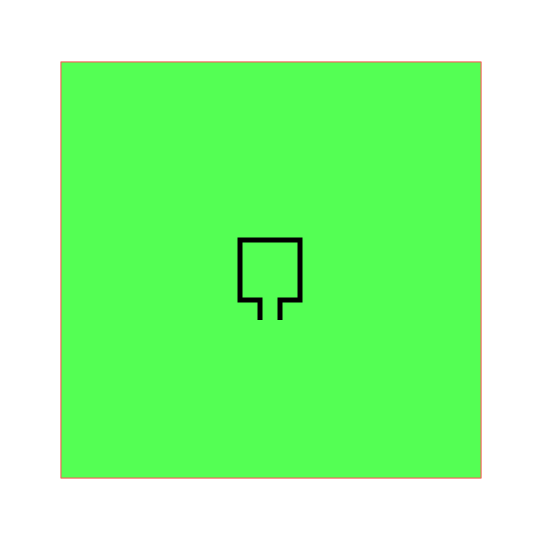
For a square labyrinth you also have a second option to create a larger square goal if you prefer (the seed is shown with a green background guide below). This is more likely to be found in a real world labyrinth to allow labyrinth walkers to have a large center to rest/meditate in. On the right you see the final version of this center goal variation.

Square center labyrinth variation
11 Circuit Square labyrinth with large center

What about the starting seeds for the other 3 types of labyrinths ? Well it seems they go their own way. While they also have 11 circuits, the making of them differs significantly from the classical and the square versions. They also have more variety in the way they are constructed, including allowing the creator to make some aesthetic choices along the way.

Let’s first look at the starting patterns:

Circular - 12 concentric circles

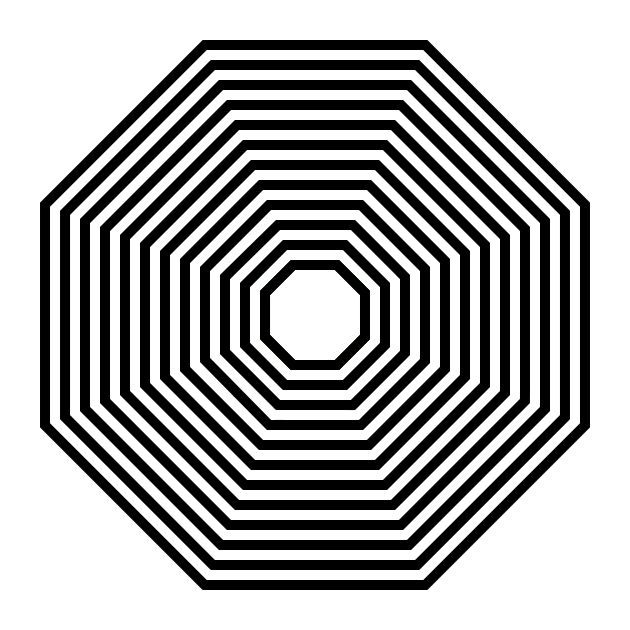
Octagonal - 12 concentric octagons

Hexagonal - 12 concentric hexagons

12 concentric circles
12 concentric octagons
12 concentric hexagons

We have consistency here, we just change the shape. If you did not already know, the # of concentric shapes needed is always 1 greater than the number of circuits you want. So, if you wanted to make a 7 circuit pentagonal labyrinth, you need to start with 8 concentric pentagons. If you go back to our seeding pattern for both the square/classical labyrinths you’ll notice that there are 12 seeded connections there also ! So this math is consistent across all constructions.


PART 2 - LABYRINTH TURNBACKS AND SECTIONS

The next step in drawing each of these labyrinths is determining how many turn-backs or sections you would like the labyrinth to have, and it really is your personal choice. There is no standard way to draw the walls and turn-backs like you find with the classical labyrinth. I typically make 4 sections for my step by step instructions, but I have made 1,2,4 and 8 sections for most shapes with one exception, the hexagonal looks best in 6 sections vs. 8 for obvious reasons. Similarly, a pentagon would look natural with 5 sections.

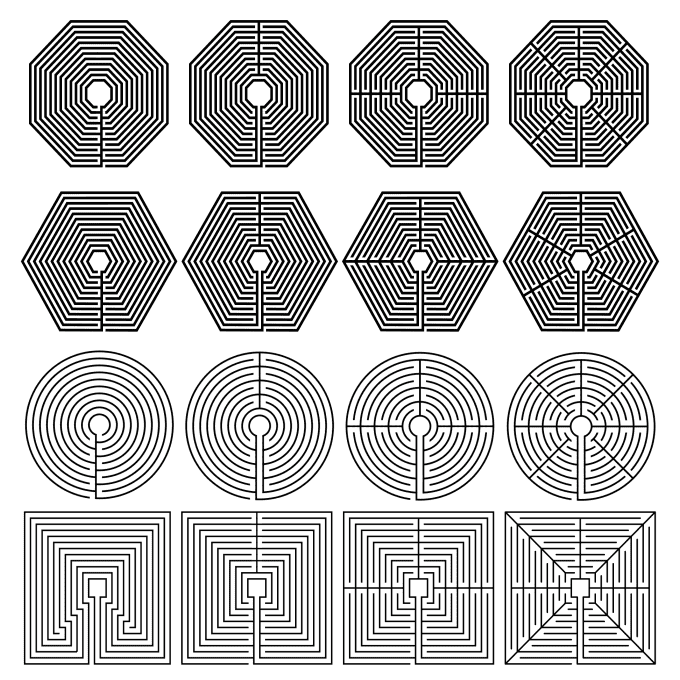
Shown are the 1,2,4, and 8 section octagonal labyrinths; the 1,2,4, and 6 section hexagonal labyrinths; the 1,2,4, and 8 section circular labyrinths; the 1,2,4, and 8 section square labyrinths.

Labyrinths built with different numbers of sections

While match will help you determine how many sections fit with each shape I want to mention that circular gives you the most flexibility. 3 sections in an octagon may look awkward, but in a circle it looks great.

Once you have chosen the number of turn-backs, you can also make 3 more design aesthetics:


PART 3 - LABYRINTH AESTHETICS - THICKNESS / HANDEDNESS / ORIENTATION

Wall or Line Thickness:

For my examples, the hexagonal and octagonal labyrinths each used standard equal constructions (the wall and pathway thicknesses were the same). I like the way they look. All of my other examples used a regular construction. Here is what a circular labyrinth would look like in standard equal construction. All labyrinths can be made in either construction. Which do you prefer ?

11 Circuit Circular Labyrinth thin walls
11 Circuit Circular Labyrinth thick walls

Left-handed vs. Right-handed Labyrinths:

All 5 versions of these labyrinths can be created as either right handed or left handed. Every example in this discussion so far has been right handed. The left handed versions is the mirror image of what I have shown. What determines this ? The direction of your first turn after you enter the labyrinth ! This is difficult to notice for most people except for the classical labyrinth where it is apparent as shown below (although you would notice the handedness of any labyrinth that you were walking I imagine):

11 Circuit classical labyrinth left handed

Left handed labyrinth

11 Circuit classical labyrinth right handed

Right handed labyrinth

Labyrinth Orientation

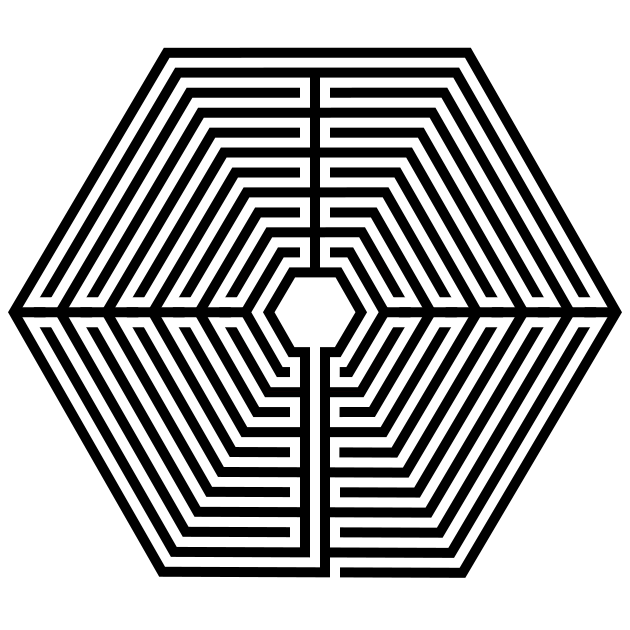
The last variation applies to only the octagonal and hexagonal labyrinths construction (or any other shape you decide to use). For geometric shapes you may start the initial pathway centered on a wall, as all the above examples have done, or you may start the labyrinth on a corner. Here is the 4 sectioned hexagon labyrinth with each orientation. Notice that the section lines are placed in the same place for each version.

11 circuit Hexagonal labyrinth
11 circuit Hexagonal labyrinth start in corner

So that concludes our discussion and comparison of the 5 main types of labyrinths. I hope I have inspired you to create your own !


PART 4 - FINAL LABYRINTH COMPARISON

Here is the final comparison of the 5 main labyrinths. Which do you prefer ?

11 circuit labyrinths in 5 different shapes
 

PART 5 - ADDITIONAL LABYRINTH SHAPES TO CONSIDER

Following the basic steps I have outlined you can create additional shaped labyrinths. I think once you get to a decagon (10 sided) and dodecagon (12 sided) regular shaped polygons you are close enough to a circle that that would be the preferred construction. Irregular polygonal shaped labyrinths are possible but typically not drawn, just used in the real world because a rock/tree/other is in the way of the path.

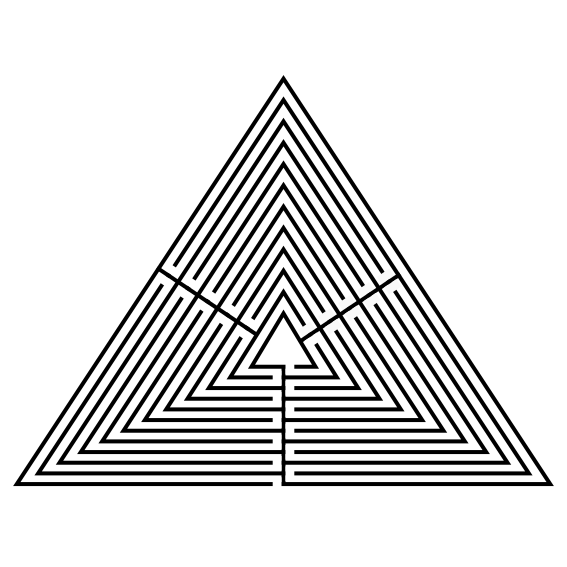
The Triangle Labyrinth. I used this opportunity to divide the labyrinth into 3 sections based on the above discussion.

11 Circuit Triangular Labyrinth

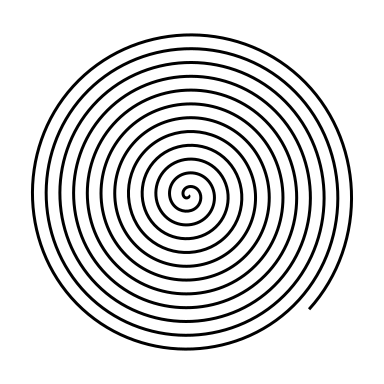
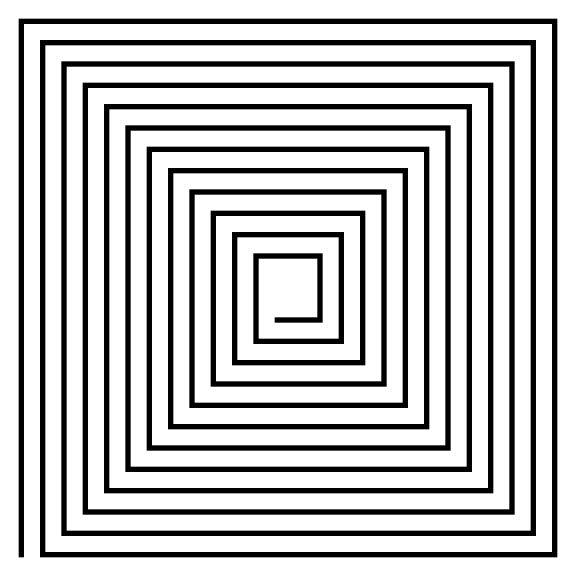
The Spiral Labyrinth. When you think of spirals you think of a circular shape, but they can also be square shaped spirals. Double spiral labyrinths are also made in the real world so 2 people may walk at the same time. However I am unsure how you count the circuits correctly !!

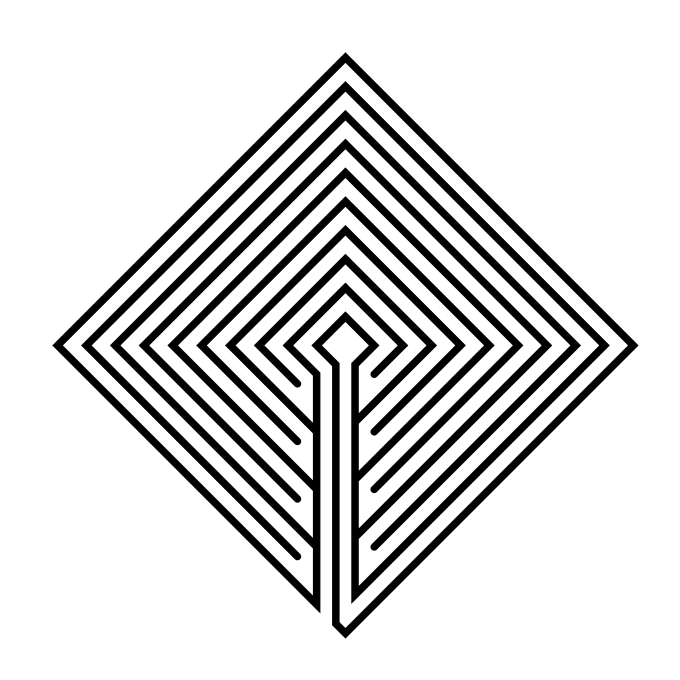
The Diamond Labyrinth. You may create these at any angle. I did 90 degrees which looked like a rotated square and a second at a sharper angle.


PART 6 - LABYRINTH SHAPES AND THEIR SYMBOLISM

The symbolism of labyrinths is complex and varied. Some people see them as symbols of the journey of life, while others see them as representations of the universe or the mind. Labyrinths can also be seen as metaphors for the challenges that we face in life and the rewards that we can reap if we persevere. Here is a look at some of the symbolism found in the most common shapes:

Most Classical labyrinths have 7 circuits. The 7 circuits represent the 7 stages of life: birth, childhood, youth, adulthood, middle age, old age, and death.

Square labyrinths are often seen as representing the four elements (earth, air, fire, and water),

Circular labyrinths are often seen as representing the cycle of life.

Hexagonal Labyrinths may have been made for a variety of reasons. One theory is that the number 6 has symbolic significance in many cultures. It is often associated with creation, completion, and balance. For example, in the Bible, God created the world in six days, and the Star of David has six points. It is possible that the builders of labyrinths used the number 6 because they believed that it had special powers or meaning.


PART 7 - REAL WORLD LABYRINTH EXAMPLES

I did extensive labyrinth research and was able to pull together some examples of different shapes you can find in the real world, each featuring 11 circuits. Here are some examples you could visit:

Square Labyrinth. The St. Benedict Church Labyrinth in Hollister, CA is an 11 circuit version made of brick pavers.

Classical Labyrinth. The Church of the Good Shepherd in Yukon, OK is an 11 circuit labyrinth made from pavers placed in the grass.

Chartres Labyrinth. Ideally you would just visit the original in France, but to keep with my theme, the Unity Spiritual Center Labyrinth is a nice version in Sun City, AZ.

Roman Style Labyrinth. The S.O.U.L. Center Labyrinth in Granby, CT has a large 84 foot diameter and is made with rocks.

Spiral Labyrinth. The Goldwell Open Air Museum Labyrinth in Beatty, NV is made from rocks.

Octagonal Labyrinth. The Oasis at Calvary Labyrinth in Ruskin, FL is a beautiful brick paver version. The most famous octagonal version is from Amiens, France.

Medieval Labyrinth. The Benedictine Sisters of Annunciation Monastery Labyrinth in Bismarck, ND is made from rocks placed in the grass.


Step by step instructions on how to draw over 20 digital labyrinths.