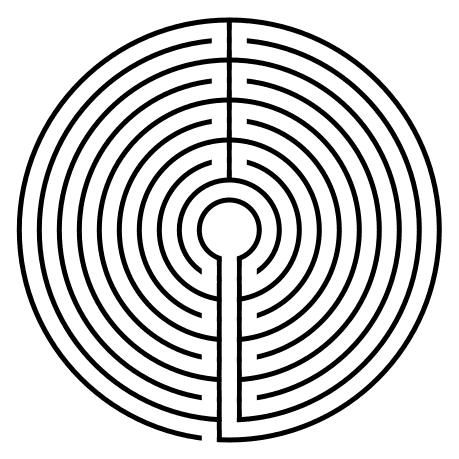
How to Draw Large Circuit Circular Labyrinths

Today we look at how to digitally make a circular labyrinth with 9 or more circuits. This method is a draw and cut method, meaning you will be making edits that remove lines you have previously drawn as you move thru the steps. It is possible to use a drawing only method but I think it is much more complicated with many more steps. Let’s get started. Here is what you can expect:

PART 1 - CHOOSE YOUR NUMBER OF CIRCUITS

PART 2 - CHOOSE YOUR NUMBER OF SECTIONS

PART 3 - CHOOSE YOUR THICKNESS

PART 4 - STEPS ON HOW TO DRAW THE LARGE CIRCULAR LABYRINTH


PART 1 - CHOOSE YOUR NUMBER OF CIRCUITS

We are covering multiple sizes of labyrinths in this post, so your first task is to choose how many circuits you want your labyrinth to have. From my research project on labyrinths in the US, I found that 87% of labyrinths in the US have an odd number of circuits. This explains why most directions are for odd numbers.


PART 2 - CHOOSE YOUR NUMBER OF SECTIONS

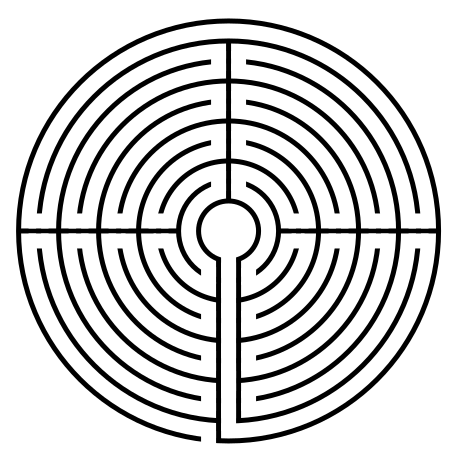
Labyrinths can be broken into sections that typically correspond to the shape of the labyrinth. Triangular labyrinths naturally fit 3 sections, but octagonal labyrinths do not look good with 3 sections. The nice thing about circular labyrinths is that they can look good with any number of sections. Divide 360 by the number of sections you want. That tells you where to place the sections in a 360 degree circle. All of the below are 9 circuit labyrinths, but they have 1, 2, 3, 12, 6 and 4 sections respectively. You can also mix and match sections that are divisible…more on that later.

9 Circuit Circular Labyrinth Section Construction options
 

PART 3 - CHOOSE YOUR THICKNESS

This is just an aesthetic choice that can be adjusted at the end of the process if you are making a digital labyrinth. I prefer the thicker lines for drawing and the thinner lines for real world labyrinths that you walk.
 

PART 4 - STEPS ON HOW TO DRAW THE LARGE CIRCULAR LABYRINTH

Step 1: Draw # Concentric Circles

Draw 1 more concentric circle than the number of circuits you want. A 9 circuit labyrinth requires 10 circles. A 17 circuit labyrinth requires 18 circles. Each circle should be an equal distance between one another and centered around the middle circle. The middle circle will become the labyrinths goal. Here are 10 for example:

10 Concentric Circles

Step 2: Draw the Inner Walls that become the sections

First draw the final processional pathway to the goal. Use 2 lines to draw a pathway from the center to the bottom edge (notice neither are at 6 o’clock). The right line will stop one circle short of the outer circle. If you want a single section you are ready to move to step 3. Otherwise you need to draw your sections based off of 360/# sections. Here is a 9 circuit with 4 sections showing the “flow” of the labyrinth from goal to start in red. You go in one section (towards the center), then out (away from the center), then in, then out. I noted with blue arrows where the turns will be.
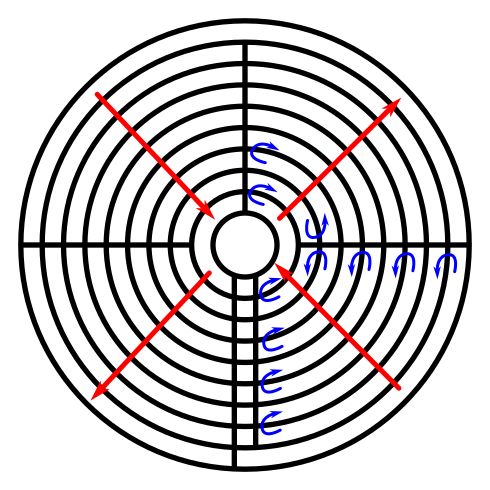
labyrinth drawing with sections shown

Now the good news, bad news. You can mix sections when creating a labyrinth. In the below step 2 the outer circuit rings are in 2 sections with the inner using 4. Personally, I prefer consistent sections, but they are not required.

10 Concentric Circles with lines to break it up

Step 3: Add Pathways Where Needed

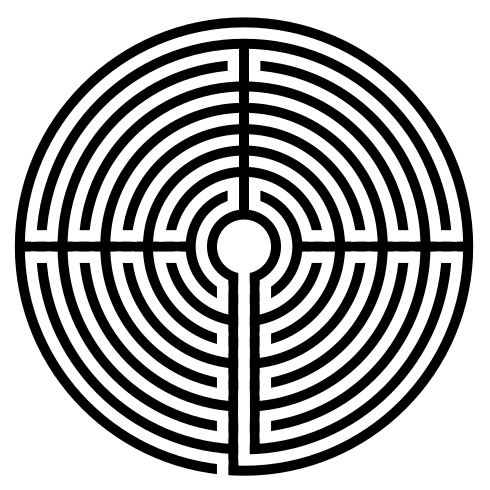
Create the pathway to the goal by erasing the circle sections at 6 o’clock. Create an entrance to the labyrinth just to the left of 6 o’clock. The other pathways will depend on the number of sections you have. From the goal work backwards, opening turnback’s as needed. Here are what the above labyrinths look like when complete. The first version has 4 sections while the second version is mixed between 2 and 4.

9 Circuit Circular Labyrinth Construction options 4 section
9 Circuit Circular Labyrinth- mix of 2 and 4 sections

That completes the drawing of a 9 Circuit Circular Labyrinth.

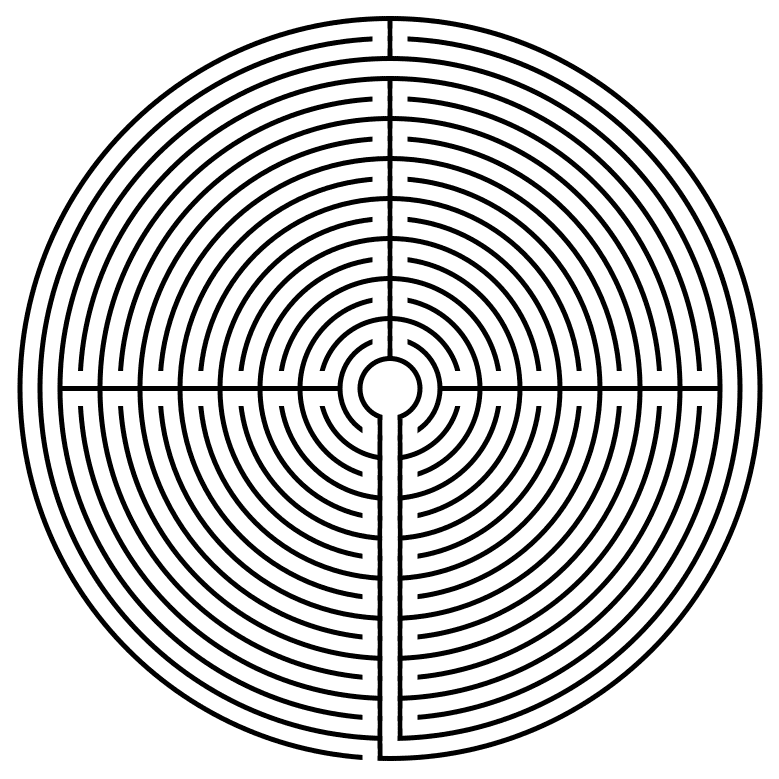
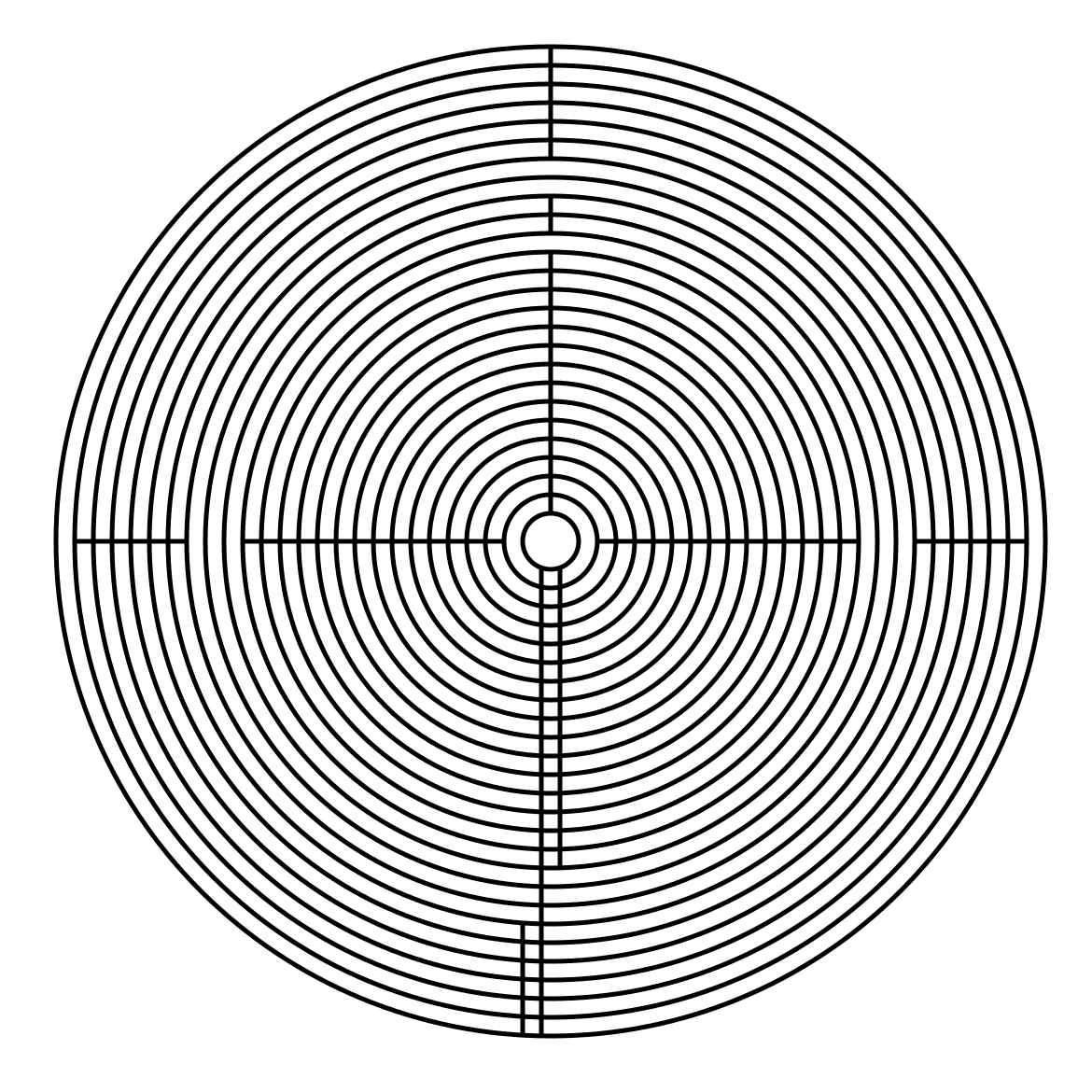
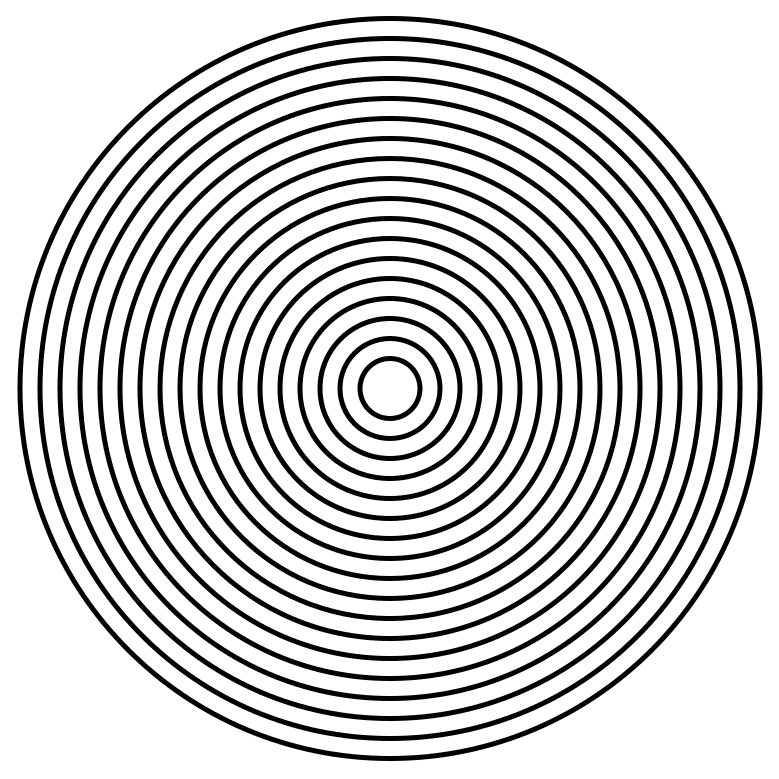
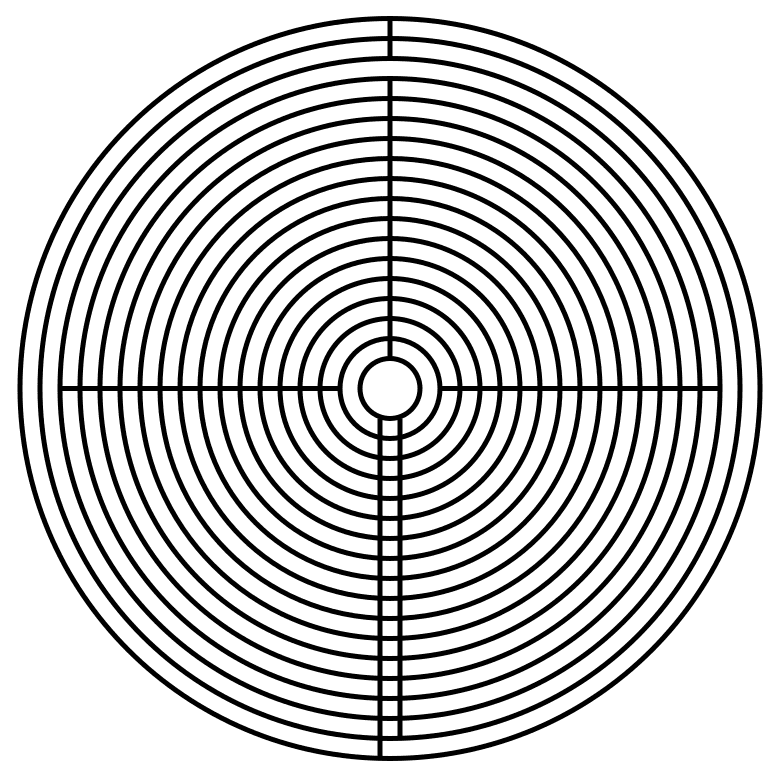
In the real world there are not many labyrinths above 11 circuits, but that doesn’t mean we can’t draw them. Let’s do a quick gallery on how to make a 17 circuit circular labyrinth and a 25 circuit using what we just learned. Here is the 17 circuit. 18 concentric circles. 4 sections.
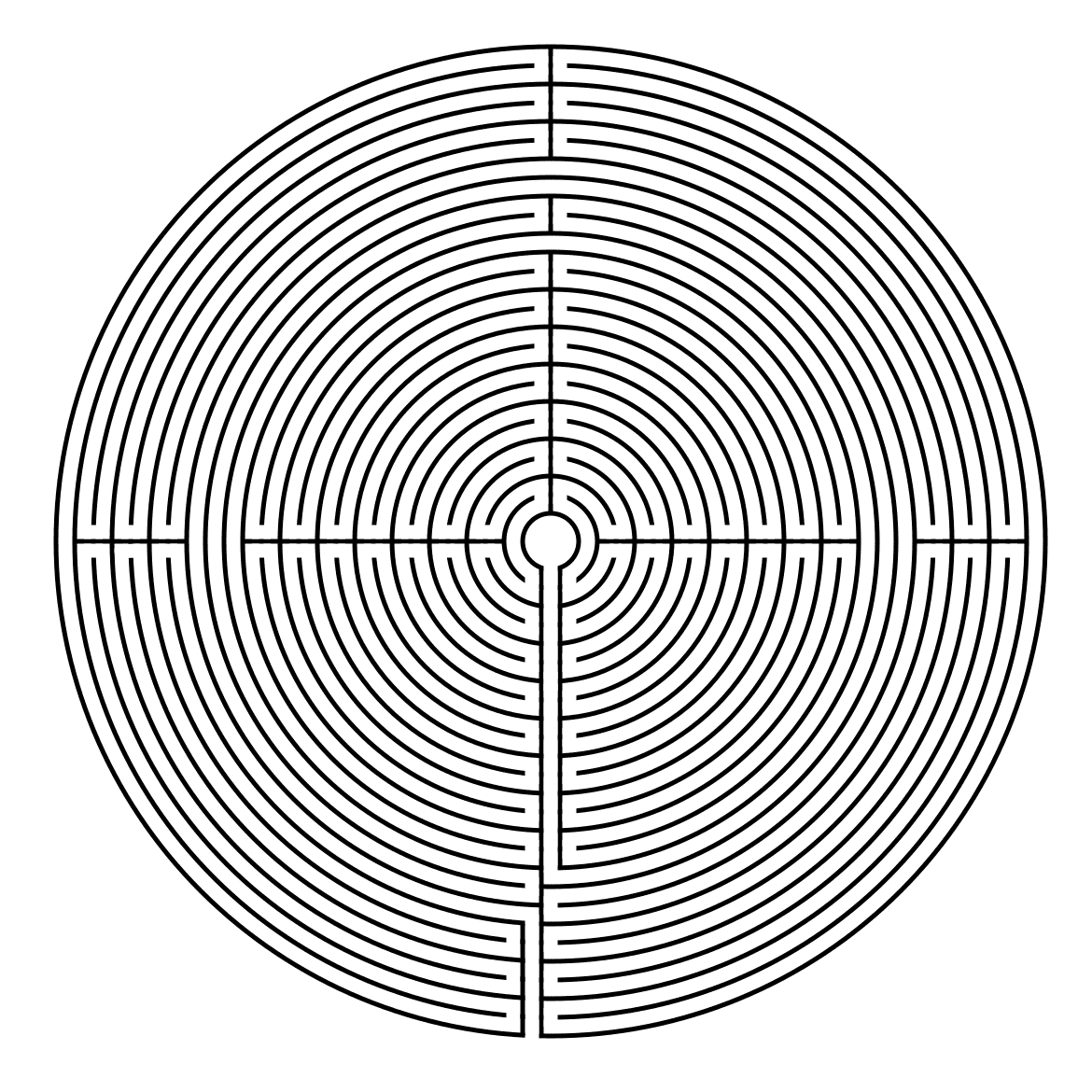
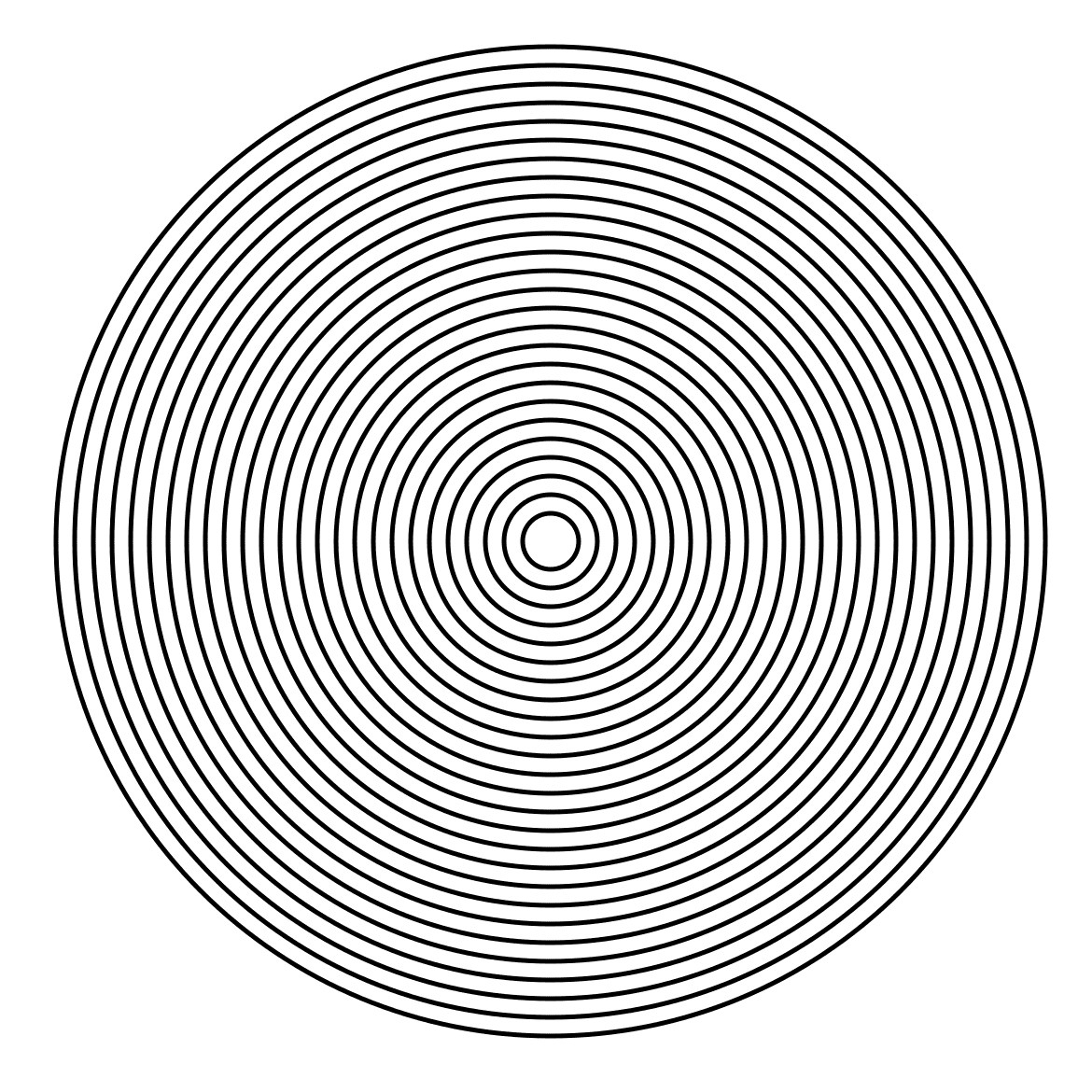
And here is a 25 circuit circular labyrinth. 26 concentric circles. Mixed sections of 2 and 4.
A Comparison of Possible 9 Circuit Circular Labyrinth Constructions

Previously we looked at how to digitally make a 9 Circuit Circular Labyrinth. Then I compared the 11 circuit labyrinths in circular, classic and square constructions. All of those findings also relate to 9 circuits. Today I will look at a few possible constructions of a 9 circuit circular labyrinth.

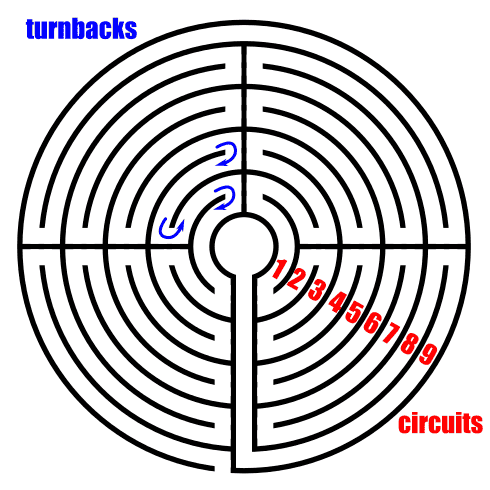
Before we get into the details here are some definitions that will help us along the way:

turnback: the point in a labyrinth where you change directions

circuits: essentially how many layers a labyrinth has

Example of labyrinth turnbacks and circuits

Let’s start with speaking about a classical labyrinth, which has a standard construction that is used. Learning how to draw that construction is standard across any source you might find and it always starts with a seed pattern. But, for a circular labyrinth there is no standard construction. If it is circular and the path moves from the outer edge to an internal goal in one continuous path, you have made a labyrinth. So when drawing one, you can get creative !! Let’s look at what some circular labyrinth variations might look like.

Single Turn 9 Circuit Circular Labyrinth

  • Let’s start by looking at what a single turnback 9 circuit labyrinth would look like. Walking this would consist of long pathways, each getting shorter on your way to the center. You continually walk around the outer pathway until you have completed the circle then move in one layer. Visually, not much going on. I rarely see this version drawn or made.

9 Circuit Circular Labyrinth

Single turn 9 circuit labyrinth

2 Section 9 Circuit Circular Labyrinth

  • And now a version with 2 turnback’s, essentially breaking the labyrinth into sides. Walking this is more interesting with long walks getting shorter until you switch sides, then getting longer with a final long walk to the center. Notice that you switch sides at the halfway point as you walk around the center goal.

2 section  9 Circuit Circular Labyrinth

2 sectioned 9 Circuit Circular Labyrinth

3 Section 9 Circuit Circular Labyrinth

  • Now a standard 9 circuit broken into 3 sections. This could also have the entrance and final stretch pathways centered at the goal. My example only shows the final stretch to the goal centered. A little bit of mathematics - this is the only version where the initial pathway enters all the way into the maze. This would be the case for any odd numbered section circular labyrinth (like a 5 or 7 section - neither example is shown - try it !). You switch sections in this labyrinth in alternating places, outside wall, next to the center, outside wall etc.

3 section  9 Circuit Circular Labyrinth

3 sectioned 9 Circuit Circular Labyrinth

4 Section 9 Circuit Circular Labyrinth

  • And now the labyrinth broken into quadrants. Notice how the crossover point between the sides of the labyrinth is on the outside (a variation to my how-to) and each section you move into alternates the location (inside, outside, inside, etc.). This is the more standard construction. But that side switch can take place in multiple layers if you want. This is the cleanest look IMO.

4 section  9 Circuit Circular Labyrinth

4 sectioned 9 Circuit Circular Labyrinth

8 Section 9 Circuit Circular Labyrinth

  • Here we have an 8 section labyrinth. Things are getting crowded but there is still nice symmetry. If you had to walk this I think you would find it difficult to be relaxed since you are making turns frequently. Once again we see the pattern - each time we switch sections, the location alternates between the outer wall and inner wall next to the goal.

8 section  9 Circuit Circular Labyrinth

8 sectioned 9 Circuit Circular Labyrinth

12 Section 9 Circuit Circular Labyrinth

  • And finally the final labyrinth construction I made, a 12 sectioned version. This version would make me dizzy if I tried to walk it. Luckily I only drew it. Obviously you could continue to make labyrinths with more sections but they will continue to lose what makes them great - their meditative power.

12 section  9 Circuit Circular Labyrinth

12 sectioned 9 Circuit Circular Labyrinth

4 Section 9 Circuit Circular Labyrinth

  • Now let’s go back and look at the 4 quadrant variant I taught how to make previously. It is a variant because the outer paths turn only once while the inner paths turn 4 times. This variation or other layer turnbacks are possible on any circular labyrinth. Feel free to play around and make new designs as you create your own labyrinths. Again there is no standard, but I personally prefer a more consistent look.

9 Circuit Circular Labyrinth variant

9 Circuit Circular Labyrinth variant

Every single construction you saw today was a 9 circuit circular labyrinth. Here is a look at the 6 main versions together. Which version do you prefer ? I like the 4 section, most likely because it is the most popular version and I am used to seeing it. I also believe this would be the most meditative version to walk in the real world.

6 different 9 Circuit Circular Labyrinth Construction options

As you make your own circular labyrinth realize that you can experiment and make some interesting variations. Good luck and happy labyrinth making !!

If you prefer making a different labyrinth, I have a section of step by step labyrinth making instructions.

Interested in learning how to make or draw other types of digital mazes ? I have step by step instructions on how to make over 40 different maze types.