A Comparison of the Top 12 online maze generation websites

Today I will take you thru the top results for online maze generation, compare them, and let you know what each is capable of. I used a few different search engines to find the top sites, then pared them down to the very best. This maze generator comparison includes the (1) shape of the overall mazes, (2) the cell types or shape of the cells that create the internal paths/walls, (3/4) the width and height sizes you can generate, (5/6) how the start/end are shown, (7) are the solutions given, and (8) how can you download the maze you have generated. I try to note what a website does best if something stands out.

To give them a good comparison I decided to generate a 20x20 maze with each website to compare how each generated the maze (where possible). I also tried to give an example of some of the advanced features if the maze generator website has them.

I have included a “best of” section at the end of the post if you are looking for a specific functionality from the website, like: Best Pre-Made Shapes, Best Custom Shapes and Best On-Screen Solving to name a few of the categories. These are not in order:

  1. mazegenerator

    Shapes: 4 : Rectangle, Circle, Triangular, Hexagonal

    Cell types: 3: Square, Hexagons, Triangles

    Width: 2 - 200 for rectangles, Diameter of 5 - 200 for Circles, Side length of 3 - 200 for Triangles , Sides 2 - 120 for Hexagonals

    Height: 2 - 200 for rectangles

    Start: 2 choices: Top, Bottom/Inner Room

    End: Same choices as start.

    Solution generated: Yes

    Downloads available: Yes, PDF in 6 different sizes, SVG, PNG

    What this site does best: Of all the sites I reviewed this is one of the few sites with hexagon maze generation and triangular maze generation. It also wins for the best download options once you have generated a maze with the site. The site allows you to create a large maze of 200x200, the second largest size of all the sites I have reviewed.

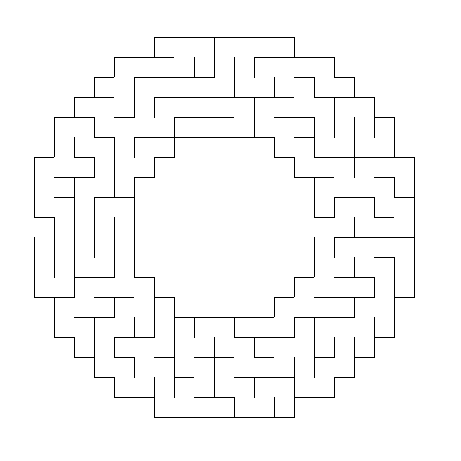
    Examples: On the Left is a 20 x 20 square maze and on the right is a 20 x 5 triangular maze. Left Below is a hexagonal sigma cell maze. Right below is an example of a circular maze with the solution.

Maze Generator  square shaped maze
Maze Generator triangle maze
Maze Generator  hexagonal shaped maze
Maze Generator circular maze with solution

2. CODEBOX

Shapes: 4+ (infinite) : Square, Circle, Triangular Grid, Hexagonal Grid. While there are 4 main types you can also create an infinite number of shapes using the mask feature !!

Cell types: 3: Square, Hexagons, Triangles

Width and Height: 2 - 50 for squares and hexagons, Triangles from 4-85 width to 2-50 height, and circles can have 30 layers

Start/end: 4 choices: None, Top to Bottom, Left to Right, Hardest entrance/exit

Solution generated: Yes

Downloads available: Yes, as an SVG file.

What this site does best: Of all the sites I reviewed this is one of only 2 sites with Circular maze generation. It is also the site with the most flexibility in creating shapes. You can create a distance map that shows how far the point is from the entrance. The generator offers a choice of 10 different algorithms to generate the maze. You can also solve these mazes on screen using your mouse and keyboard. You can also choose to watch the maze generate !

Examples: Starting in the top left corner a simple 20x20 maze, a hexagonal grid maze, a circular maze, and a shape I made myself using the mask feature. I also suggest you check out the examples given on the site.
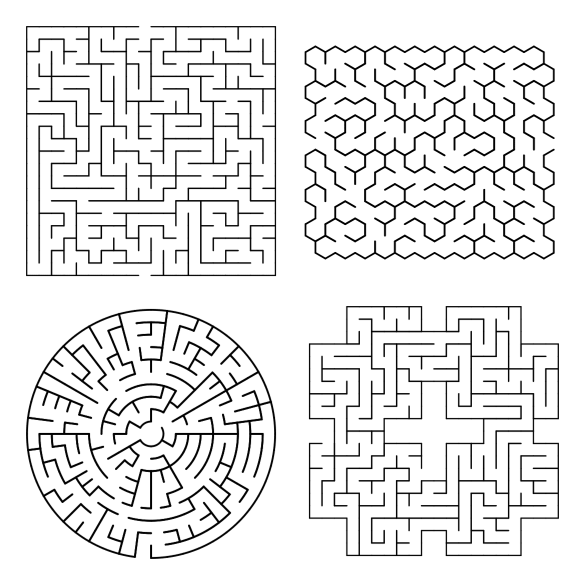
Codebox maze generation examples

3. Discovery Education Puzzlemaker

Shapes: 5 : Rectangle, Circle/Oval, Wheel, Escape from middle, Cut Out

Cell types: Square

Width: 2 - 100

Height: 2 - 100

Start: Entrance and exit are not specified, 1 of each. If internal option is not used they will be on the left and right.

End: 1

Advanced options: You can name your maze. It’s actually their step #1. You can chose the direction of the internal pathways (6 options, including random, mostly horizontal and mostly vertical).

Solution generated: Yes

Downloads available: Yes. They have added buttons to make Copying the Maze to your clipboard simple. Also includes a Print button directly on the page.

What this site does best: Allows the creation of a large size 100 x 100 maze.

Examples: On the left is a 20 x 20 square maze. On the right is a ‘circular’ maze that is made using a square grid system (For a true circular maze see above). Bottom left is an example of a 20 x20 cutout and bottom right is the wheel version.

Additional Information: This is part of the Discovery Education Puzzlemaker page. You can generate 10 different puzzle types : Word Search, Criss Cross, Double Puzzles, Fallen Phrase, Math Squares, Mazes, Letter Tiles, Cryptograms, Number Blocks and Hidden Message puzzles. It is easy to see why this site is popular with such great content !

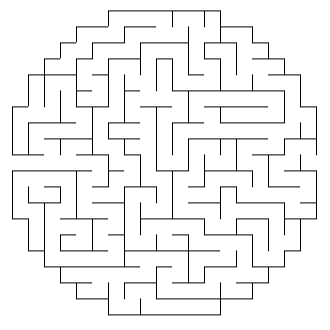
Discovery Education square maze
Discovery Education circular maze
Discovery Education cutout shape maze
Discovery Education donut shaped maze

4. ANGELIKA TYBORSKA

You can learn about Angelika and her projects here, including this maze generator she made ”just for fun”.

Shapes: 5+ : Square, Hexagon, Triangle, Circle, Star - which allows you to upload a mask to create your own shape

Cell types: Automatic based on shape of maze. Square, hexagonal, and triangular.

Width: 2 - 50

Height: 2 - 50

Note that for the circle and hexagon shapes you choose the radius (up to 30) and the triangle the side length (up to 30)

Start/Goal: Entrance and exit are not specified, but each is signified by internal dots.

Advanced options: You can choose the algorithm used to generate the pathways, of which there are 6 different options. You can generate a solution “heat map” showing the distance from the entrance of the maze.

Solution generated: Yes

Downloads available: Yes, in SVG format

What this site does best: It does a great job with custom shapes (you can upload your own mask), and with common shapes like the circle, hexagon, and triangle.

Examples: 20x20 Square using Recursive backtracker algorithm, 10 radius hexagonal with solution and “heat map”.

Angelika maze making examples

5. Mazesforfun

Shapes: 9 selectable shapes: including Square, Triangle and Round

Cell types: Automatic based on selected shape

Width: 10 - 40

Height: 10 - 40

Start: Unmarked but always the top left of the shape

End: Unmarked but always the bottom right of the maze

Advanced options: There are 4 levels of difficulty. You can also choose the size the maze generates in (3 possible).

Solution generated: Yes

Downloads available: Yes, in PDF, PNG, and SVG formats

What this site does best: The ability to mix and match internal shapes and external shapes. It also has 9 selectable pre-made shape templates.

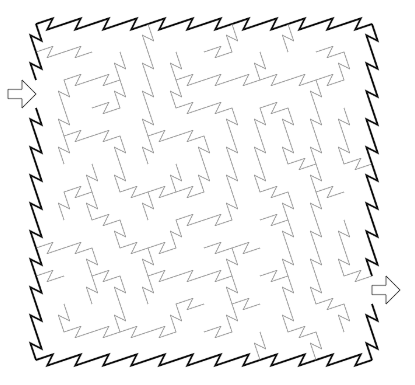
Examples: First is a standard 20 x 20 square (difficulty hard); next is what generates for triangles - not the external shape but the CELL shape. The final 2 examples show a shape called Cairo and on called Squaretriangles.

mazesforfun square maze
mazesforfun maze example
mazesforfun maze example 2
mazesforfun maze example 3

6. billsgames.com

Shapes: 1 : Rectangle

Cell types: 1: Square

Width: 21 - 301

Height: 21 - 201

Start: Entrance and exit are not specified, and placement varies by maze.

End: 1. I think I have generated mazes with no exit !!! I could be wrong but it was difficult to find if it was there !

Advanced options: There are 3 options for mazes generation: Simplistic, Harder and Chaotic. Pictures are sometimes randomly inserted on the mazes. I have seen Griffins, a plane, a house, etc. Has a secondary playable option where you can play on screen and try to solve an invisible maze !

Solution generated: No

Downloads available: Only by right clicking to download directly from the browser

Examples: each maze is 21 x 21 (really? - well that is what the settings said !). The maze on the left generated extremely easy…. The maze on the right was generated using the chaotic setting. Unfortunately, each of these mazes are very easy to solve. Be sure to check to see if the generation you use is difficult enough.

Bills Games maze examples

7. mazepuzzlemaker

You’ll notice the controls of this website are very similar to Printable creative above with some additional options available. This is available to be used for commercial uses and is the PAID version of the site above.

Shapes: 55 selectable shapes, including letters A-Z, and many more; 4 geometric; 29 Fancy shapes

Cell types: Square

Width/Height: You can choose between 10-30 “cells”

Start: automatically generated at top and bottom of the maze shape

End: Start/end can be turned on, showing a green and red box to indicate the start/goal

Solution generated: Yes

Downloads available: Paid. Yes, PDF in multiple sizes, PNG and SVG

What this site does best: Creates puzzles for commercial use. Has a large amount of fancy shapes available. Gives more examples than any other website (by a wide margin).

Examples: The best way to check out is to view their page of examples, featuring 82 different examples !! Here is a snapshot of that page to give you a small sampling:
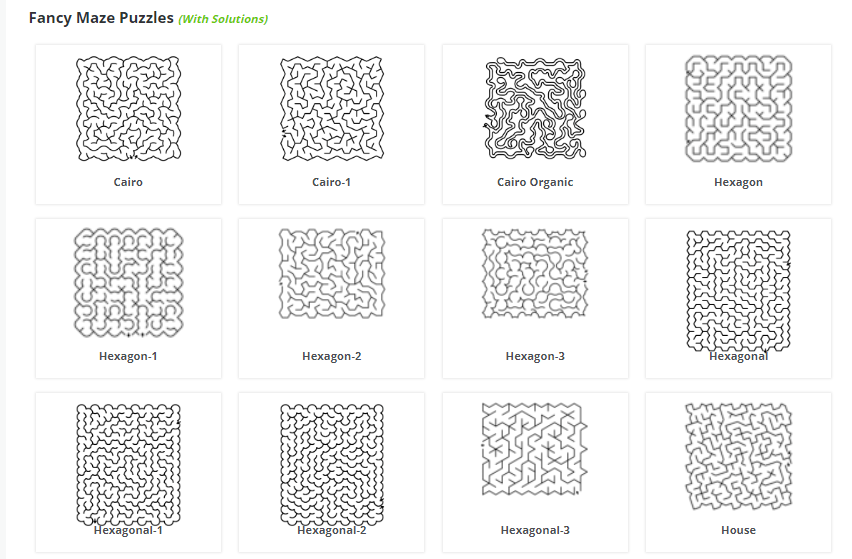
Mazepuzzlemaker maze examples

8. Glass Giant

Shapes: 1 : Square

Cell types: 1: Square

Width: 2 - 40

Height: 2 - 40

Start: Marked by a green diamond INSIDE the maze

End: Marked by a red square INSIDE the maze.

Advanced options: There are 5 levels of difficulty. You can choose the color of the maze walls and the background color (9 colors available). You can also choose the size the maze generates in.

Solution generated: No

Downloads available: Only by right clicking to download directly from the browser

Examples: Left is a standard 20 x 20 maze and on the right is a 20 x 20 maze with the options for Red walls on a Cyan background selected.

Glass Giant square maze
Glass Giant cyan colored square maze

9. printablecreative

Shapes: 11 : Box, Circle, Diamond, 4 Rooms, L, Moon, Square, Star, Strike Triangle, 2 Rooms

Cell types: 1: Square

Width/Height: You can choose between 10-30 “cells” for the free version

Start: automatically generated at top and bottom of the maze shape

End: Start/end can be turned on, showing a green and red box to indicate the start/goal

Solution generated: Yes

Downloads available: Yes, PDF in 2 different sizes, PNG

This maze generator also allows you to pick the size of the cell corridor (10-30) adjusting the scale of the maze you generate. It also has 3 difficulty levels (Easy, Normal, Hard).

What this site does best: They have their own page of maze examples featuring 19 options ! It also features 11 pre-made shapes.

Examples: The top 2 show the Start and Goal indicators. Shapes in the examples are Square, Two Rooms, Circle and L.

printablecreative  square maze
printablecreative 2 rooms maze example
printablecreative circle maze example
printablecreative L shaped maze

10. Here and above

Shapes: 1 : Rectangle

Cell types: 1: Square, Rectangle

Width: 2 - 500. Note that I made a 500 X 500 successfully, but at higher numbers you may get an error.

Height: 2 - 500

Start: Entrance and exit are not specified, and may be on any side of the maze.

End: 1

Advanced options: You can choose wall and path widths. You can generate a maze in many colors (basically every color) using the RGB system. That is one thing that sets this site apart from all others - every color is available to make a maze in.

Solution generated: No

Downloads available: Only by right clicking to download directly from the browser

What this site does best: Large sizes - this website generates the largest mazes that I have found ! And the ability to use any color you can think of using an RBG selector.

Examples:

Here and Above  square maze example
Here and Above red square maze example

11. KIDEV

Things are different here compared to the other websites. On this site the solving of the mazes happens ON SCREEN. If that is what you are looking for, this is the site for you ! Also includes sections of Puzzles, Learning (Letters and Numbers), Drawing and a Code game. The mazes all feature themes as you will see in the examples !

Shapes: 34+ : 34 different styles of maze are currently available to be generated, plus a 27 predefined shapes in the Shapes section that allows you to create your own shapes.

Cell types:: Many. The 34 shapes include some unique inner cell shapes that are best explored on your own !!

Width and Height: Varies, but you do not control the output size for the 33 styles generated. However, under the Create button you can control the X and Y to create a maze in the size you want.

Start: Pre-defined in Style mazes

End: Pre-defined in Style mazes, internal or external in the Create section

Solution generated: No

Downloads available: Mazes are both shareable and Printable

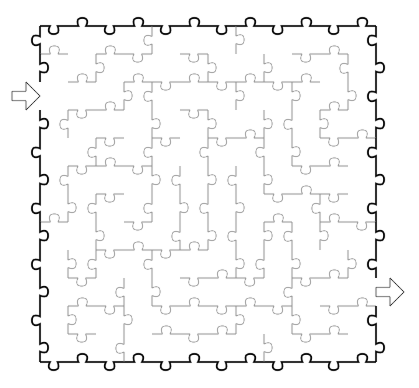
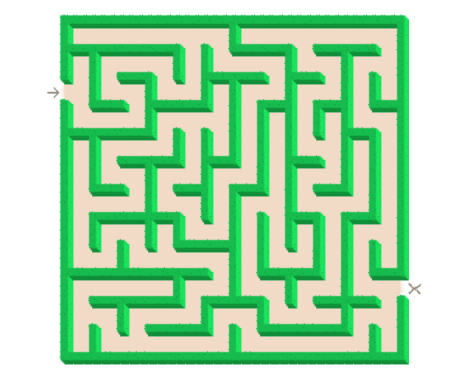
Examples: 4 of the 33 styles are shown below. Rail, SawBlade, Jigsaw, and Corn mazes.
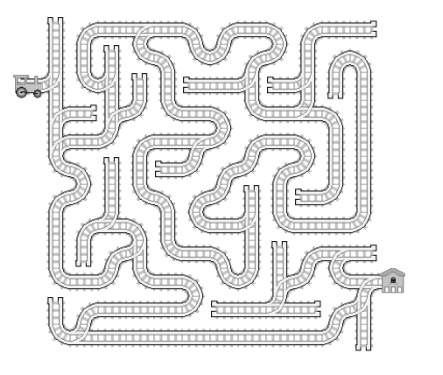
maze4u train track maze
maze4u sawblade maze example
maze4u puzzle shape maze example
maze4u hedges maze example

12. mazebrite

This is a custom maze message generator. You can make your name, or a message like “I love you”. Downloads are available for a fee.

Shapes: 1 : Rectangle

Cell types: 1: Square

Width: Based on the length of message.

Height: 13, 24, or 35 depending on the length of the message

Start / Finish : Are written and located inside the maze. Start in the bottom left corner, Finish in the bottom right

Solution generated: Yes. You may also select from 8 colors.

Downloads available: It costs 99 cents to email yourself 3 versions of the maze.

Example: Shows the three versions for the word “MAZE”, as labeled, the solution, with helpful arrows (Breadcrumbs), and with no clues.
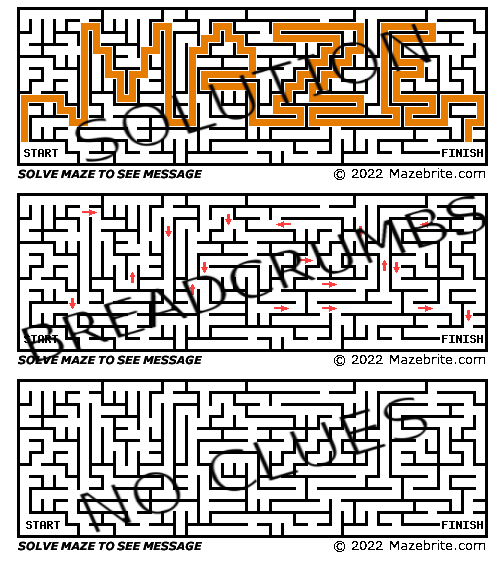
MazeBrite Maze examples

That concludes the reviews, but if you are interested in additional sites I have a second blog post about sites that did not make this list.

BEST MAZE GENERATORS FOR:

  • CATEGORY: SHAPES

Best pre-made shapes:

MAZEPUZZLEMAKER - features 55 selectable shapes, including letters A-Z; 4 geometric shapes; 29 fancy shapes

KIDEV - 35 variations come in many different unique forms

PRINTABLECREATIVE - drop down menu contains 11 options

MAZESFORFUN - 9 options that include unique internal pathways giving mazes a fresh look

Most unique pre-fabricated shapes:

KIDEV - you can find Rail, Pipe, Jigsaw, and Corn mazes among a large selection.

MAZEPUZZLEMAKER 29 fancy options - The best way to check out is to view their page of examples.

MAZESFORFUN the internal shapes that are generated are unique

Best custom shapes:

CODEBOX - Click on Create Mask button and make your own maze shape !

KIDEV - you can load shapes and customize them !

ANGELIKA TYBORSKA - click on the Star shape and you can upload a PNG file with a custom mask

Largest rectangular maze creation available:

  1. 500 x 500 HERE AND ABOVE

  2. 200 x 200 MAZEGENERATOR

  3. 120 x 120 ALL KIDS NETWORK (not reviewed above)

  4. 100 x 100 DISCOVERY EDUCATION PUZZLEMAKER

Best circular mazes:

MAZEGENERATOR

CODEBOX

ANGELIKA TYBORSKA

Best triangular shaped mazes:

MAZEGENERATOR

ANGELIKA TYBORSKA

Best hexagonal shaped mazes:

MAZEGENERATOR

ANGELIKA TYBORSKA

CODEBOX

OTHER CATEGORIES

Best on screen solving:

KIDEV - use a pencil on screen to solve a generated maze, or select from 40 other icons

CODEBOX - click the Play button after generating a maze to solve using your keyboard or mouse

BILLSGAMES.COM - specifically for the invisible option

Best colors available:

HERE AND ABOVE - you can choose the RBG for both the pathways and walls

GLASS GIANT - you can choose from 8 colors for the background and foreground

Best novelty mazes:

KIDEV - really interesting themes that kids would love !

Best hidden message maze generator:

MAZEBRITE

If you have a website you think I have missed and deserves a look, please drop me a note and I will evaluate it for possible inclusion !

Other popular posts you may like:

How to make a digital maze (40 different types)

The 18 Best Maze Movies

What I use to make my mazes

What I Use to Make My Mazes

Today I want to give you some background on how I actually make the mazes you see on this site. I touched on this in Part 2 of my Maze conversion project, but wanted to expand upon it a bit here since it is something I am often asked about. This isn’t a How To Make Mazes post, which I have written about extensively, but rather the tools I use and my thoughts on them and mistakes I made in the past.

Some Background - What I used to use to make mazes

When I first started making mazes in high school I drew with pen or markers on paper in Mead art sketch pad books. I mixed the mazes in with other random artwork that I did, switching things up to stay interested. Eventually I decided I liked making mazes and would do many in a row. Then I got hooked and kept making mazes over the years, Eventually I wanted to make more complex and started using the computer to make them. I first used Microsoft Excel. Yes, Excel. Not ideal looking back, but it did give me a grid pattern to work from, but really NO flexibility in design. See the original Microsoft Excel maze below, “Lost in The City”.

a maze of a city skyline

“Lost in the City” Maze made in Microsoft Excel

I actually did a few more in Excel that are on this site. I wonder if you can you find them ? There is an Excel maze in the fan art section. See if you can find it ! I will say that as along as you only need right angles, Excel works better than you think, although the creating is painstakingly slow.

Eventually I got tired of making maze walls by selecting each individual cell and placing the appropriate grid outlines in them. Next I moved on to Microsoft Paint. This gave me the ability to use color and to create much more interesting mazes. I also didn’t need to fit everything into the same grid if I didn’t want to ! The mazes I made in Paint were much better than my Excel ones IMO, but because I was building these mazes a pixel at a time they took months. Yes, MONTHS to make. There is also not an ability to create any grid guidelines to help you draw a maze in Paint - and believe me this is important! Here is an example of one of my Paint mazes:

Empire State Building Maze

Empire State Building Maze Made In Microsoft Paint

So The Empire State Building Maze took months to complete as it was done to scale and created a pixel at a time. As you can see from how small the pathways are on your screen, this maze is shrunk down significantly from actual size. When printed it is 3 feet wide and 9.5 feet tall in full resolution. Yes, it is solvable. You start in the arrow below the A, reach the top point and return back to the start. Brutal. But, Paint is not a vector graphics program. And all of these mistakes I made are all to get to me saying this: To Make Digital Mazes use a Vector Graphics Program. Now, what I use today.

Why Vector Graphics ?

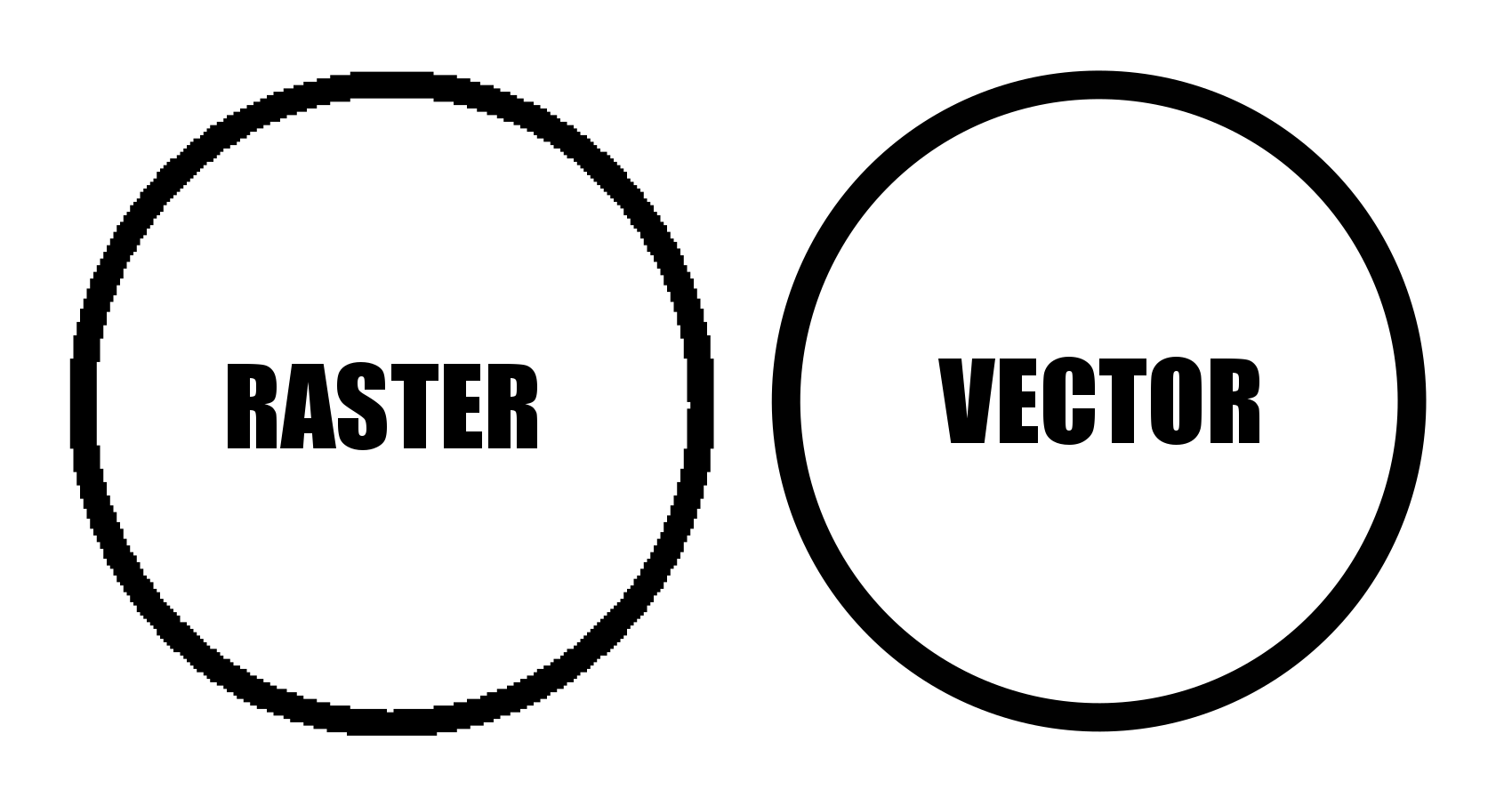
Vector graphics are made up of pathways that can be resized without losing resolution. Non-vector programs use Raster graphics (like png, jpeg, gifs) where the picture is made from individual pixels. That means if you resize the picture you will lose resolution. Making a Vector Maze means you can size it larger or smaller and it will still look good. That isn’t the case for Raster Mazes. The first circle below is raster (PNG) and it looks ok. Check out what happens when you increase the size by 400%. See the pixilation ? (those of you reading this on phones are saying not really)

PNG Circle Paint
PNG Circle Paint 400%

And now the direct comparison between the two types of files which clearly shows why vector is the way you want to design ! The larger I made this the more the Raster would pixelate.

Circle made in Raster vs Vector example

Raster vs Vector Example at 400%


What I Use to Make My Mazes

Inkscape. I do all of my maze making in Inkscape. Inkscape is a free open source vector graphics editor, but you can use a similar product if you already have the needed skills in that program. I found, that like most programs, Inkscape basics can be learned quickly playing around in the program. You can learn a bit more from YouTube videos, and to finally master it so you aren’t frustrated all the time (While muttering why can’t I just do XXXXX) that will just take time and practice. The Inkscape website also has a forum and the majority of the questions are under Beginner’s Questions, so you are not alone! I have also upgraded my initial download if Inkscape once and was frustrated for 2 weeks trying to find the things I used to know how to do. (And to be honest I still struggle to find things on occasion).

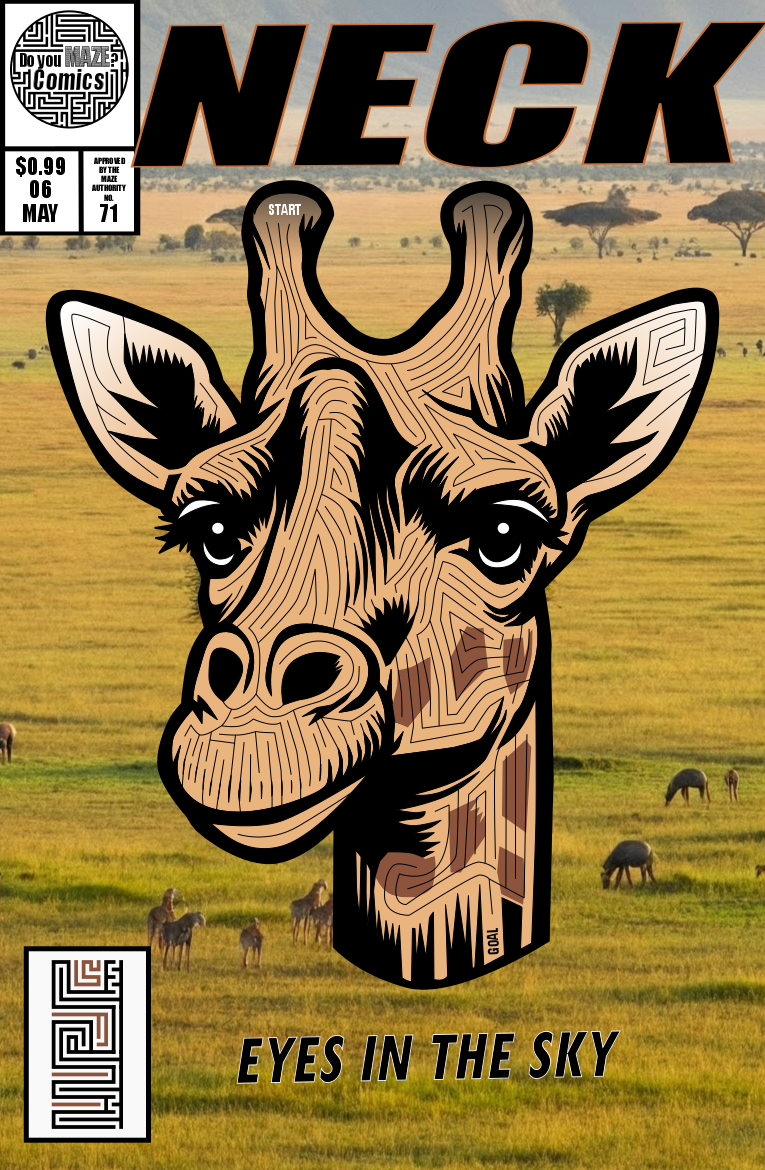
When I started making comic book cover mazes I also started using AI for the comic backgrounds. Typically I use Gemini, but a few have starryai or Bing Image Generator. It just saves me a lot of time not having to create a background of a a farm/space/city/jungle that would take me days when AI can do it quickly even if it isn’t perfect ! I have no idea what the animals are below, but that background of a savannah took less than a minute !!

Giraffe Maze Comic Book

Time to make some mazes (or labyrinths). If you want to see step by step instructions, I have over 70 different sets to choose from !

The Name Maze Project

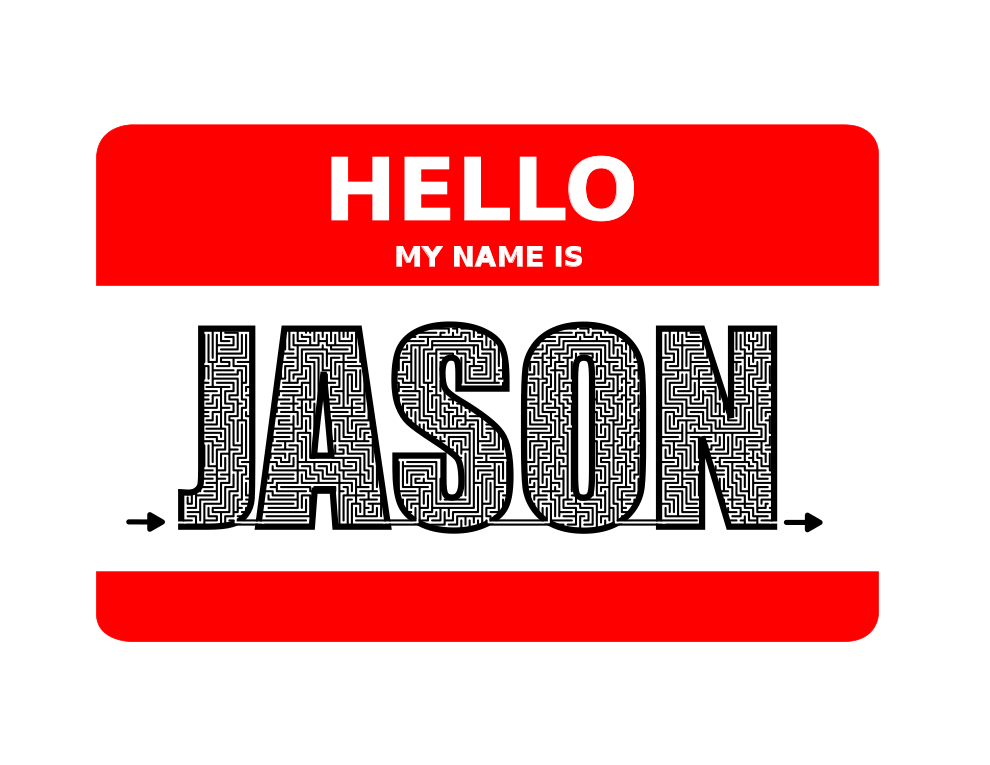
Every section of the Doyoumaze website has a story. Today I tell you about the Name maze section of the website. (If you are just interested in HOW to make a maze of your name, I have that covered.) I thought people would enjoy seeing their name in maze form - a kind of personalized maze. If you want to do this on your own click on the link above, otherwise we continue on… Maybe it was my time in corporate America but I think these mazes would look good on a cubicle wall. And they are fun to make. I also thought they would make a nice gift. Print out a friends name and write a note thanking them for being amazing (or maybe a-maze-ing). Now the story of how I went about actually making the name mazes. Here were the stages I went through:

Stage 1 - Names of my Close Friends and Family

Initially I started out as anyone would making my close friends and family members names. That got me to 6 mazes….ok maybe a few more,. Let’s say about 25 mazes. I added these to the website and felt pretty good. Now if they visited my website I had the important people done.

Stage 2 - The Ten Most Popular Male and Female Names

I did a quick search for the 10 most popular names for Men and Women. This is where I found out the Top 10 Men’s names in the United States represent 23% of all Men’s names ( James, John, Robert, Michael, William, David, Richard, Charles, Joseph, and Thomas) and for Women the Top 10 represent 10.7% of all Women’s names (Mary, Patricia, Linda, Barbara, Elizabeth, Jennifer, Maria, Susan, Margaret, Dorothy). I thought it was interesting that the Men’s name database has 1200 different names while the Women’s name database has 4,275 names !!! I later realized this was partly because men have more standard name spellings than women (like Katherine & Catherine & Katharine & Kathryn).

At this point I could display all maze name images directly on the website (and not the name listings you see today).

Stage 3 - My LinkedIn Connections Names

I have approximately 460 connections on LinkedIn. I thought it would be nice to make a maze for each connection. The best part about this project was that I got to think about each person as I made their maze. The people I have lost touch with. My old co-workers from previous jobs. I have to admit, this was a very rewarding project simply because of this process. This project added 302 more unique names to the maze name section. I would like to thank the following names for being popular among my connections:

Michael and Michelle - 8 connections each

Brian, Rachel and Rick - 6 connections each

David, Greg, Jason, Jennifer, Mary and Richard - 5 connections each

Now, if you ask me to connect on LinkedIn you’ll have a much better chance if you have a (short) common name. Website wise this is where I had to take down the pictures of each maze name and use the name listing version you see today. Because once you have so many names, if you want the page to load quickly lots of images is not helping anyone.

Stage 4 - Close variations of Existing Names

If I make Richard, it is easy to make Ricardo. Debbie became Deb. Douglas became Doug. Frank became Fran. etc. Close variations added about 100 more name mazes to the portfolio.

Stage 5 - Top 100 Male/Female Names

I decided that with so many names done I wanted to see how many of the top 100 Men’s/Women’s names I had already mazed. The answer was 134. Since there were only 66 more names (out of the 200 names) that needed to be made I went ahead and finished all of them.

Stage 6 - Top 200 Male/Female Names

Well, I might as well keep going right……I added 132 more names (out of the 200) when this was complete. As I finished this up I found these statistics about how many US names I had covered with the project:

The top 200 Male names represent 72.5% of men’s names.

The top 200 Female names represent 58.2% of women’s names.

Plus I have 262 names not in the top 200 from the previous Stages 1-4. So I think I’m pretty well covered as a % of total US names. The final tally of name mazes ended up being 662…and growing. If you have a name I have not done yet, you can always request it here.

UPDATE:

Stage 7 - Top 300 Male /Female Names

I researched the next 200 overall names (thru #300) and I already had 52 of them on the site. That leaves 148 to make if I take this on, names like Agnes and Cecil. I completed this and along the way added in a few other similar names…+164 names…new total 826 !!!

Stage 8 - Regional names page - “The Land”

I decided to create a Cleveland names page. This added 57 additional names to the project, including some unique ones that everyone knows like LeBron, Kyrie, Zydrunas, Halle, Stipe, Urban, and Dolph. This is the first time I used colors other than black and white for these special edition name mazes. New total 883.

Stage 9 - Top European names

I went with Europe since they have names most closely related to our own but with nice variety. I used the top 10 lists I found online for Europe by country for both men and women. Not every name was done but this did add 161 new names and I broke the 1,000 barrier. You can thank Turkey for Zeynep and Slovenia for Zala. New total 1,044.

Stage 10 - Top Americas and Oceanic names

Kept with the International theme but felt like I needed to break it into parts. Again, like Europe I did not do every name in each top 10, just the most recognizable and any that appeared in multiple countries. I was very happy to add my first X name thanks to Mexico, Ximena. Haiti brought us Widelene and Peru gave us Milagros. I added 94 with this project. New total 1,138.

Stage 11 - Top African Names

I learned that South Africa has a thing for names like Blessing, Prince, Princess, and Faith. Also was able to add 4 “Y” names to the 6 I already had and another Z name. Overall Africa brought an additional 74 names. New total 1,212.

Stage 11.1 - National Bubba Day

National Bubba Day June 2nd meant an addition to the list, +1. New Total 1,213.

Stage 12 - Male names from Asia

Asia has such a wide variety of names I had to split it by gender. A mix of traditionally Muslim, Jewish and Asian names made this section varied as there was very little overlap between countries. There is also less overlap with traditional Christian names already on the site. We can thank China for short names like An, De and Yi. Our new first name alphabetically Aarav comes from India. Shout out to Pakistan for Zahid. And more “Y” Names, +6 from 10 before. Overall I added 126 additional names . New total 1.339.

Stage 13 - Female names from Asia

The second half of Asia added 108 new names. This included 2 Q’s, 5 X’s, 8 Y’s and 4 Z’s. I also added 13 names with dashes in them. Most of these names are ones I was unfamiliar with and they are all top ten in Asian countries….can’t imagine what an uncommon name is !!!! New total 1,447.

Stage 14 - Names from Movies

In an experiment to find more names to add to the website I decided to use the character names from movies I was watching until I generated at least 50 new names. I wondered how many movies I would need to watch before I hit 50. The answer was 24 movies !! Here are the movies I watched and the names that came from them:

The Sons of Katie Elder (1965). Big Jake (1971). The Gunfighter (1950). The Westerner (1940). Lonely Are The Brave (1962). High Sierra (1941). The Defiant Ones (1958). Days of Wine and Roses (1962). Night of The Iguana (1964). They Shoot Horses Don’t They (1969). A Woman is a Woman (1961). Bloody Sunday (2002). Lovers of The Arctic Circle (1998). Tyrannosaur (2011). Dark Places (2015). Reign of the Supermen (2019). The Commitments (1991). Three Identical Strangers (2018). O Lucky Man ! (1973). Secondhand Lions (2003). Missing (1982). Suddenly Last Summer (1959). Seconds (1966). Adam’s Rib (1949).

Stage 15 - Name requests by readers

It was a long time between updates, but site visitors kept me busy throughout the year. Name mazes are always fun because I tend to get non-Western names since most of those are already covered on the site. New names added by request include Sadat, Farhan, Rehan, Protha and Fahim. And of course I always like to learn a new Z name like Zasia and Zarif. Overall I added 43 names from requests during this time frame.

Stage 16 - Dating Site name mining

I used a dating site, set the location to worldwide and picked the first 50 New names I did not have on the site. The worldwide search really gave me some diverse names. Eishah, Fyokla, Jamuna, Kaisa, Kia, Lupine, Miu, Neta, Rea, Remi, Shalina, Tiana, Yu, Yuko and Zsu all were added this way. I also captured some new calendar names with Summer, Autumn and May (June, August and April were already on the site). And of course if you add Dagny you need to add Ayn (it’s a rule). Overall with some spelling variations this added 58 new names to the site.

Stage 17 - Popular Names from Mexico

I want to continue to add more international names and Mexico seemed like a logical choice. Many names are spelling variations on existing names with an O or A added or an E becoming IO (Leonard became Leonardo, Marc became Marco, Maurice became Mauricio, and Justin became Justina for example) . Also there were a large number of Hispanic names already on the site from the Top 300 males/female US names. I was surprised I was missing Juana, Marco, Margarita and Arturo. This added 38 new names.

Stage 18 - Popular Names from India

I have been watching a lot of Bollywood movies and I notice so many new names. So I researched Indian names and found a list broken into 2 categories, Hindu, and Muslim. This gave me a nice long list of names to add ! My favorite section was when I added Tanisha, Manisha, Anisha, Nisha, and Isha. I just kept dropping one letter ! Anyway, I had gone 5 steps without adding any V names, but that was changed during this step with 3 new ones, Vinod, Vikash and Vijay ! I also added Zaid and Zuhaib to give the Z’s some love. Overall this added 59 new names to the website !

Stage 19 - Names I was surprised I missed

I ran the query for additional names that are not yet on the website for the next 100 male/female names and selected 12 names each that I was surprised have never made it onto the site. Surprised because I know people with the names or just because I thought they were more popular and already on there. Usually I don’t list every name I added in a section, but this time is an exception. I grouped them into these categories: Names of people I know, Evan, Stuart, Rudy, Lindsay, Lindsey, Joanna, Monique, Opal, and Sheryl. Popular names I missed: Blake, Devin, Damon, Dominic, Edmund, Grant, Homer, Neal, Rex, Brandi, Harriet, Lynda, Maggie, Natasha, and Whitney. AND THEN I said how about a few more and I added 16 more…

STAGE 20 - Name requests by readers (2024)

I keep a running list of name mazes that have been requested for the website. I like to to see where the names come from and see if I am missing any particular region. Here are the names I added starting in the Spring of 2024 until now, number’s 2002 to 2087 on the site. A few teachers had me create mazes for the students in their classrooms. Thank you to everyone who helped me add a name to the site !

Here is the list of names added with the countries where it is most popular !

Aaliyah (US); Alivia (US, India); Amaria (Algeria); Anessa (US); Archer (US, Barbados); Archie (US); Arelia (Mexico); Asher (Isreal); Atik (Indonesia); Atilla (Turkey); Avery (US); Baba (Nigeria, India); Babakan (India); Babe (Mauritania); Bailey (US); Bash (Nigeria); Bennie (US); Boyd (Zambia, US); Brandt (US); Breanna (US); Brigham (US); Brooks (US); Bryson (US); Chinyere (Nigeria); Christen (US, Denmark); Colm (Ireland); Danica (Serbia, Montenegro); Delvin (Kenya, US) - interesting that this is a female name in Kenya and a male name in the US; Demilade (Nigeria); Emmet (US); Emory (US); Favour (Nigeria); Fedal (Turkey, Iran); Fiorella (Italy); Gohan (India); Gwen (US); Habilin (Indonesia); Haniya (Isreal); Hudson (Brazil); Huntley (Jamaica, US); Jethro (Phillipines,Zimbabwe); Kavya (India); Kaylee (US); Keerthana (India, Sri Lanka); Kenslee (Papua New Guinea); Kittie (US); Lincoln (Brazil, Jamaica, Liberia); Lissy (India); Madelyn (Philippines); Madison (US); Mariano (Mexico, Argentina); McKensie (US); McKenzie (US); Melody (US, Philippines); Miles (US); Miliano (Brazil); Missy (US); Nash (US); Oakley (US); Olukorede (Nigeria); Pierson (US); Pranav (India); Rawan (Egypt, Qatar); Rebekah (US); Retno (Indonesia); Ruthie (US); Ryder (US); Safaa (Egypt); Sanvi (Togo, India); Savannah (US); Selah (US); Seua (india); Sharla (US); Sid (Algeria, Mauritania); Tasha (US); Taylon (Brazil); Tilly (Netherlands); Tobias (Germany); Waylon (US); Wrigley (US); Xavier (France); Yaser (Egypt, Bahrain); Zia (Pakistan, Afgahnistan); Zuri (Mexico, India).

Hello My Name Is Jason name tag Maze

Convert a Hand Drawn Maze to a Digital Maze in 3 steps

I used to make all my mazes by hand but now I prefer making digital mazes. Today’s post on converting a maze from a paper drawn maze to a digital maze has 3 parts: Part 1 is the 3 step process to do a maze conversion on your own. Part 2 is the story of how I decided to do a particular project with a completed example. And Part 3 shows you some maze conversion examples I mention in Part 2.

Part 1: HOW TO CONVERT A DRAWING TO A DIGITAL MAZE

This is not a magic solution. You will end up drawing the maze again using this process.

  1. Use a scanner to get the mazes in digital form. (alternatively you can take a picture if you have a steady hand). Now I am assuming this is not a one step process that you want (although it could be for some of you). I am assuming you want a digital vector drawing of your maze that also allows you clean up any stray marks made during the initial drawing. If like most people you do not have a scanner, I used the scanner for free at my local library ! Hopefully you can do the same !

  2. Open the File in Inkscape (or a similar design program)

    I do all of my maze making in Inkscape. Inkscape is a free open source vector graphics editor, but you can use a similar product if you already have the needed skills in that program. I found, that like most programs, Inkscape basics can be learned quickly playing around in the program. You can learn a bit more from YouTube videos, and to finally master it so you aren’t frustrated all the time (While muttering why can’t I just do XXXXX) that will just take time and practice. I just found something a few days ago than I needed for a year. Time and practice are your friend.

  3. Draw the Maze over the Scan

    Here is where the skills come in. Use Inkscape to draw the vector maze on top of the original scan (it will become the background). You can decide if you want to make changes/fixes as you go (as I did for my Alien Mazes above). When you are finally finished, delete the original scan, leaving only the new vector based maze. Now it is easy to write make the maze, and if you do not think you have the confidence, practice and read some of these How to’s. Yes, in reality, Step 3 can actually be broken down into approximately 6 parts for the actual maze construction.

Part 2: THE STORY

When I first started making mazes in high school I drew with pen or markers on paper in Mead art sketch pad books. I mixed the mazes in with other random artwork that I did, switching things up to stay interested. Eventually I decided I liked making mazes and would do many in a row.

For fun I also created my own cartoon character who I would put in funny comic strips, well I thought they were funny. His name was Oscar and he was an alien who lived on Earth. Maybe this was influenced by the tv show ALF. I must have also been inspired by Where’s Waldo when I made the picture below I call An Alien Circus. Check out the great ruled paper ! Good enough to be in an art gallery - NO ! Bad enough to be in an bad art gallery - definitely closer ! But, it was fun to make and made me have to think about different shapes for different characters like the alien elephant and many alien circus clowns.

Hand drawn alien circus scene

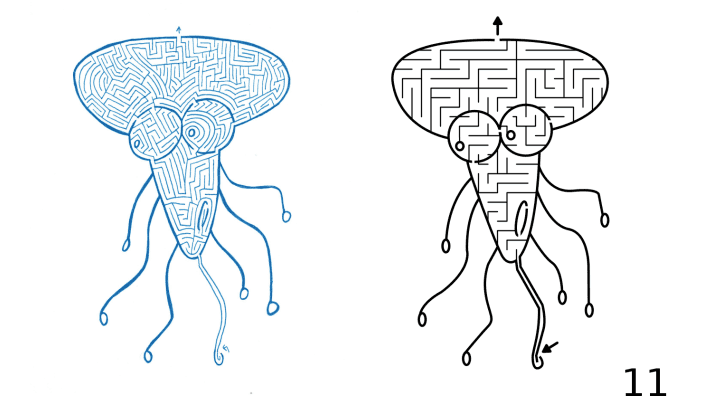
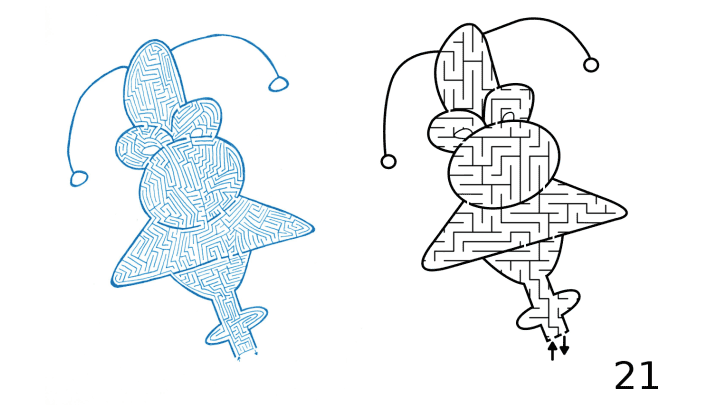
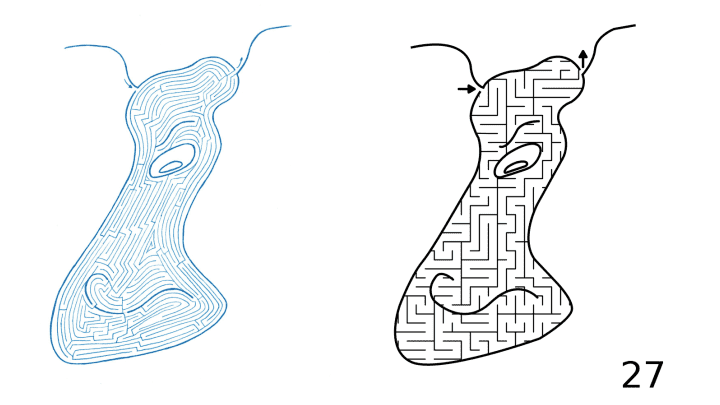
Well, after drawing a variety of mazes of various things I decided to combine the two with a maze of my alien character Oscar. Below is his face in maze form, although he does have a full body. I liked how it came out and filled a book with hand drawn Alien mazes, with 44 in total.

a maze of the face of an alien

Looking back they were ok. Most of them look like amoebas more than aliens, but who are we to say what aliens really look like ? (if you are an alien - how did I do?) One thing I do appreciate is that I picked a theme and a particular look and I expanded on it. Since I can’t publish the 3-ring binder of that initial work I decided to do my best to publish it now in a better form. First, I scanned all the files (thank you public library !). Next, I had to split the files into individual files (oops!). Then I opened, named and centered each maze.

I’m going to be honest I was doing a bit of a Marie Kondo when I started this project, trying to rid myself of old papers by digitizing my art, and discarding the papers. Now, in most cases I did discard the paper and digitize the art. But for this, I still have the original hand drawn book of mazes.

This is when I decided I needed to create 2 books. One of the original artwork, with added covers (front and back), and numbered pages, and a second book converting and updating the maze artwork.

To create the conversion book I decided on a few rules:

  1. Make the size of the new maze the same as the original.

  2. Put the entrance and the exit to the maze in the same place as in the original.

  3. Use a simple grid pattern for the maze, not the original pathways. While this changes the look of the mazes, it does make them much more solvable for younger solvers and standardizes their look even more.

  4. Change the color of the walls from Blue ink to black.

How did it turn out ? Well I’ll leave that up to you to decide in Part 3. I think they came out ok. I certainly enjoyed making the digital conversions and hope to do more.

Here is a download for the converted version of the book called The Wild and Wacky Aliens MAZE Book. Obviously, as I mentioned I changed the mazes to be for Kids though I don’t have a specific age. Enjoy !

When I tried to create a book of the hand drawn mazes, but the file sizes where too big to create a book with the resources I have.

Enjoy the free downloadable kids maze book !!

download digital conversion
book cover of alien maze book for kids -  The Wild and Wacky Aliens MAZE Book

So that was the story, now let’s look at some examples.

Part 3: 5 MAZE CONVERSION EXAMPLES

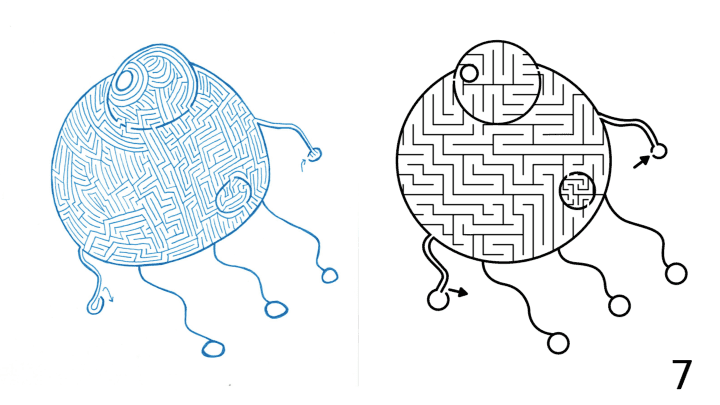
Each from the above downloadable book, The Wild and Wacky Aliens MAZE Book. Again, during my conversion I changed the maze pathways from hand drawn medium difficulty to a standard maze construction made for kids. I did this to make the maze difficulty more congruent to the subject matter (aliens).

Example #1:

Alien Maze digital conversion example

And after our first example…do you prefer the perfect circle from digital or the uneven hand drawn ? Notice how I used different pathway widths in the conversion. The mouth is more narrow to give it a darker look.

Examples #2&3:

Alien Maze digital conversion example 2
Alien Maze digital conversion example 3

Much easier version in digital. I like these guys, or uh aliens. Examples #4&5:

Alien Maze digital conversion example 4
Alien Maze digital conversion example 5

Once you have a good handle on how to use a vector design program, converting a maze from hand drawn to digital will become second nature. Good luck !

More posts you may like:

The 10 Most Famous Labyrinths from Around the World

Discovering 7 of the World's Most Interesting Mazes

What I learned using AI to make maze art