How to Make an Unsolvable Maze

In a series of posts I will show you how to make a maze in a wide variety of design constructions. The 39th example will look at the Unsolvable Maze construction. It is one of the most enjoyable maze constructions to make. Let’s define what I mean by Unsolvable Maze, then get into the example. Every example will use the sample basic outline (the state of Ohio) to better illustrate the differences between each maze type.

Unsolvable Maze - A maze that doesn’t have a solution.

(ALTERNATIVE definition) A maze so difficult that the solver gives up rather than continue solving it.

There are 2 completely different options to create an unsolvable maze; Option 1 - Create a maze with no solution, and Option 2 - Make a maze with extreme difficulty. Let’s review the steps for each making each type of maze:

HOW TO MAKE AN UNSOLVABLE MAZE - Option 1: No Solution

  • Step 1 - Choose Your Maze Construction

This step-by-step will be much different than previous “How to Makes”. An unsolvable maze can come in ANY maze construction. So determine which construction you prefer.

  • Step 2 - Follow the Step by Step Instructions

  • Step 3 - Close off any Solutions

And there it is. When you make the maze do not leave any solution possible. This is mean. But maybe that is why you are here. To make this even more difficult close up a point in the middle of the maze (not at the end). If you close all possible solutions pathways near the exit, a backward solver will easily figure this out. I assume a designer of this would want to be at their most terrible.
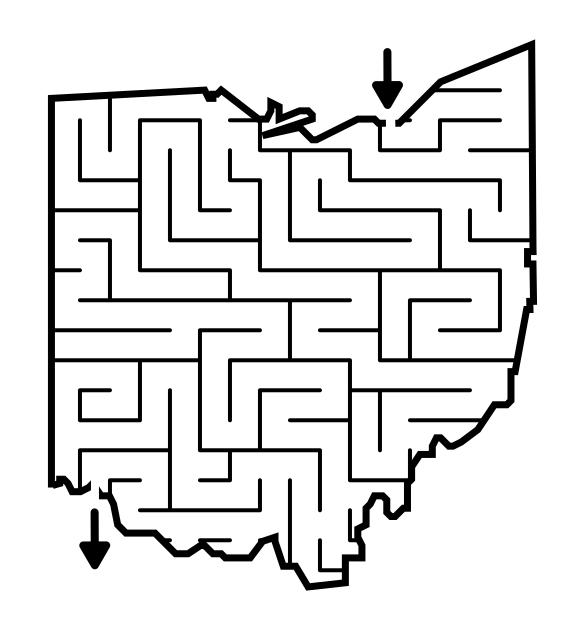
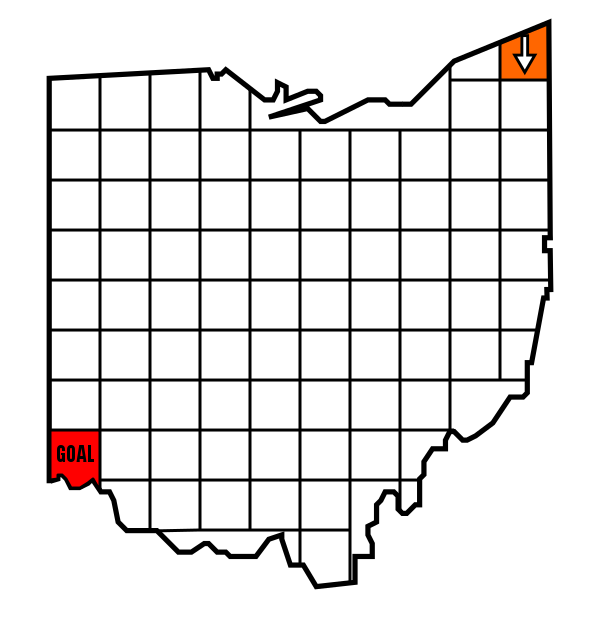
Unsolvable Maze shaped like Ohio

Below is an additional example. Unless this is for April Fool’s Day, or you made a mistake, creating a maze like this is not advisable.
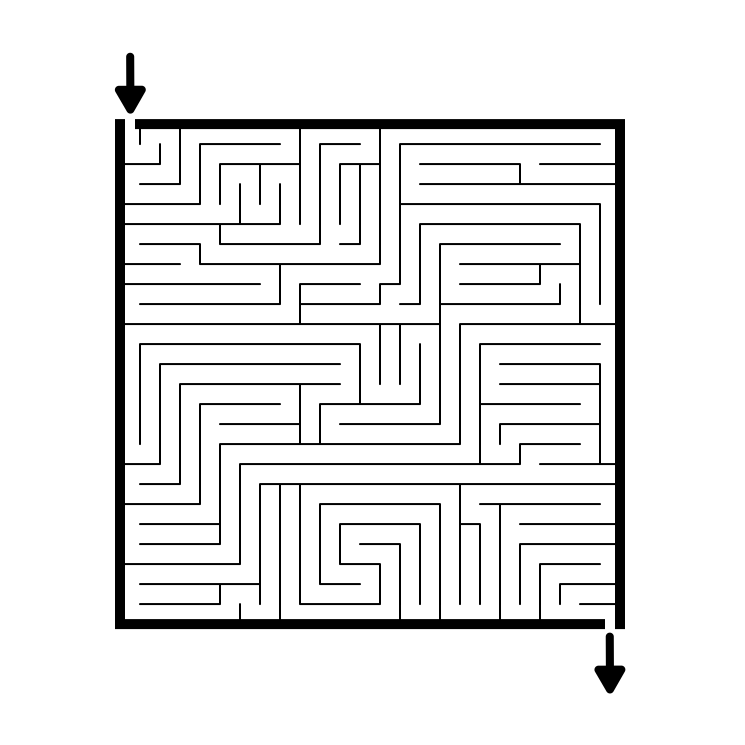
Unsolvable maze example

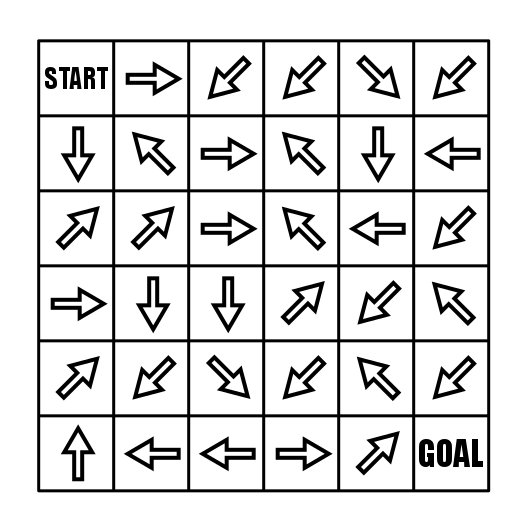
Below I will discuss how to make an Arrow Maze that is very difficult. But there is also the option to create an Arrow Maze with dead ends (unlike other maze types, a properly designed Arrow Maze does not have any). In this first example there is NO solution and if you try to solve it you will eventually find yourself in an everlasting loop ! Try it for yourself.

Arrow maze with continual loops and no solution

HOW TO MAKE AN UNSOLVABLE MAZE - Option 2: Extreme Difficulty

This second option is a variation on the above instructions with a variation only in step #3.

  • Step 1 (same as above) - Choose Your Maze Construction

This step by step will be much different that previous “How to Makes”. An unsolvable maze can come in ANY maze construction. So determine which construction you prefer.

  • Step 2 (same as above) - Follow the Step by Step Instructions

  • Step 3 - Make it REALLY difficult to solve

Make a maze that is extremely difficult to solve using the following 9 things in your toolbox:

9 Designs Decisions That Make a Maze Difficult to Solve:

  1. Make it very large because the larger the maze the more difficult it can become. The more dead ends. The more pathways to keep track of. Just more.

  2. Make a very high number of intersections. The more choices the solver has to make, the more often they will make a wrong turn. Simple math.

  3. Make the dead end pathways very long. When you create a dead end, don’t make it obvious just after the choice is made. Make the dead end take a long time to be discovered.

  4. Make many branches off of the dead ends pathways. So you take a long dead end pathway but do not discover it for a long time so you backtrack to your last intersection and take the other branch and it is a dead end also. So you backtrack again to the previous intersection and take the other direction and it is a dead end also ! etc.

  5. Include a few looping dead ends. What do I mean by this ? Well, have an intersection that breaks off into two directions (again, preferably these are long pathways), which both lead back to the exact same spot in the maze. The more looping pathways, the more difficult the maze to solve. It may make the maze less frustrating depending on the temperament of the solver. Would you rather hit a dead end, or not hit a dead end and return to where you started ?

  6. Consider using weaving pathways. These paths go under and over one another and make seeing dead ends “early” much more difficult. Weaving Mazes and Pipes Mazes both use this construction method.

  7. If you are making a specialty maze, give the solver an exponential number of possible moves they can make (see the Slide Arrow Maze example below). An intersection with 4 choices is more difficult to keep track of than an intersection with only 2.

  8. Design the maze in TWO directions. This prevents a person from backtracking to solve a maze from the goal to the start.

  9. Add Rules. The more you need to think when solving a maze, the harder it becomes. For example: Puzzle Mazes have rules of movement to follow based on the rules of the maze. Conditional mazes make the order you move down pathways important. Left turn only mazes speak for themselves in their title.

I do NOT suggest using this method to make a maze unsolvable:

  • Make the pathways very small or in poor colors (because both are difficult to see), with the need to strain your eyes to solve it. Don’t make a maze designed to be difficult to follow/see, make a maze design that is difficult to SOLVE because it is a complicated puzzle.

EXAMPLES OF VERY DIFFICULT MAZES

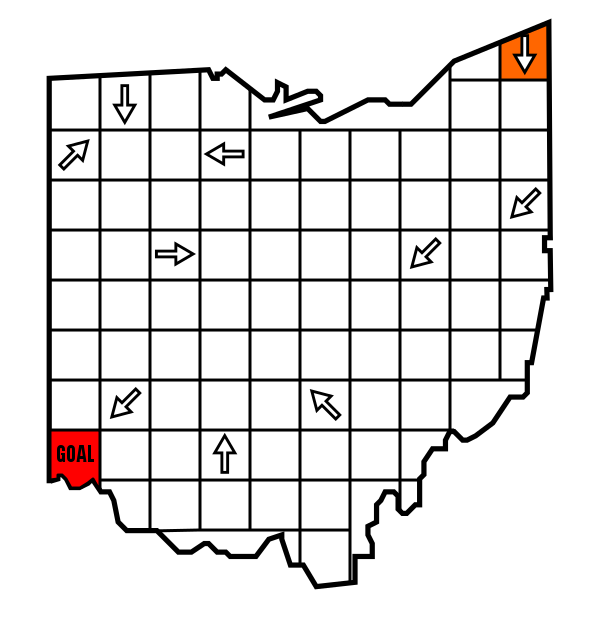
The first example is a Slide Arrow Maze. In this type of maze you start at the red arrow and you may move to any block that it is pointing to (but no jumping gaps). So your first move can be to either of the two blocks below it. If you pick the first block below you have 3 subsequent choices. If you pick the second possible arrow you will then have 8 possible next moves. Why this maze is so difficult is that there is only one correct solution, so with so many choices each move you are bound to make many mistakes and get stuck ! Try it. I WANT the solver to get frustrated.

Very difficult Slide Arrow Maze

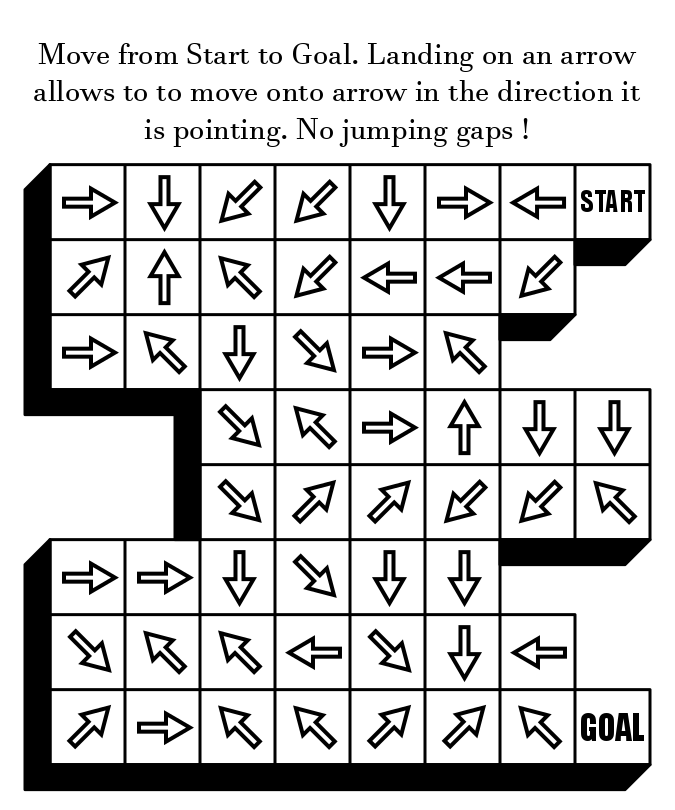
And this second example I did for a project. This is a regular Arrow Maze, but it is also the largest Arrow Maze in the world (probably). This is difficult because of its sheer size. I gave a few checkpoints along the way (the blocks with the black background). It also includes hundreds of loops. I think it is a fun maze, but I think many people will get frustrated and stop. If you do try to solve this maze, time yourself and send me a note on how long it took you ! This maze is one of The 5 Hardest Mazes on this Website.

Here are the solving rules if you have never done an Arrow Maze:

Rules to solve an Arrow Maze
The Largest Arrow Maze in the World

Good Luck designing an unsolvable maze !

Interested in learning how to make or draw other types of digital mazes ? I have step by step instructions on how to make over 40 different maze types.

If you prefer making labyrinths, you can find step by step labyrinth making instructions.

How to Make a Hidden Message Trail Maze

In a series of posts I will show you how to make a maze in a wide variety of design constructions. The 38th example with look at the Hidden Message Trail construction. It is one of the most enjoyable maze constructions to make. Let’s define what I mean by the Hidden Message Trail maze, then get into the example. Every example will use the sample basic outline (the state of Ohio) to better illustrate the differences between each maze type. At the end of the post I have a free downloadable Hidden Trail Maze Book !

Hidden Message Trail Maze - A combination of the Hidden Message Maze and a Letter Maze. Movement through the maze takes you over letters and by solving the maze you spell out a secret message.

How to Make a Hidden Message Trail Maze

Step 1 - Draw the Outline

The outline of the maze makes the outer wall of the maze. It can be anything from a simple shape like a square, to a complex picture. The outline should be thicker than the internal lines to give the maze definition. In the example below I chose the state of Ohio. You can also use the outline as a clue for the maze to help the solver.

Ohio Map outline

Step 2 - Choose the Start (with the Goal optional now)

For the below example I chose the start in the top right corner and the goal of Cincinnati. Because this maze is made letter by letter I typically choose only the Start as the goal will be where it ends up when my message is complete. The only thing to keep in mind is the goal should end at a border.

37.1 Hidden Message Trail - Outline S G.png

Step 3 - Start the Construction

Begin drawing walls and using letters to fill out the maze. I suggest creating possible turns by using real words to start. So below, “There are” moves on the up and to the right path. “The b…” moves to the left. As you create the walls try to make breaks where a new word would start or where the second letter of a word is. The more real words you use, the more difficult the maze will be !

37.2 Hidden Message Trail - Start the Maze and Message.png

Step 4 - Create the correct message

I find it is easiest to create the correct path and then fill in around it. This is because depending on the length of your message and the size of the grid system you are using this could easily become complicated….uh, I need more room or to add another word because I can’t reach the goal at the right time…..for example. Notice I had to add an exclamation point to get there in my example. At least it fits !

37.3 Hidden Message Trail - Continue the Maze and Message.png

Step 5 - Complete the Maze

Fill in the false letters. Using actual words on false paths will make things more difficult, so create paths that fit your audience.

Ohio Hidden Message Trail Maze

Step 6 - Make the Solution

Highlight the solution for the solver.

Ohio Hidden Message Trail Maze - solution

Additional Hidden Trail Message Maze examples

Below is an additional example of a Hidden Message Trail Maze in a more traditional square grid form. With no clues this one can be difficult for some people to solve. Clues ? Let’s get to that !

Hidden Message Trail Maze example

Additional Hidden Trail Maze options

Give the solver some clues to help them solve the maze. I have 3 common clues I like to use - 1 - Make the object that contains the maze a clue. 2 - Tell the solver what type of saying you are using for the puzzle (idiom, quote, saying). 3 - Give the solver a guide that shows the length and number of words. In the example below you have these 3 clues: 1) Smiley Face 2) Saying and 3) 7 words with their lengths shown. Can you solve it with those clues ? Scroll down for the answer below.

Smiley Face Message Trail Maze

Answer: I AM JUST HAPPY TO BE HERE

A second option is to give a more obvious answer, but more difficult maze solution options, including false pathways. The idiom below has an obvious first word, PENNY, with 4 different options the solver can move through to make it. So the challenge is not what is the word which will be obvious to anyone who has heard it SPOILER: (PENNY FOR YOUR THOUGHTS), but which path should I move through. Then you get to the second word, FOR and you have even more options for pathways to make the word. Eventually all of these paths but the correct one leads to a dead end (or more accurately to incorrect or jumbled words).

Idiom Hidden Message Trail Maze

Both of the above examples are part of a free downloadable book I made with 29 different Hidden Trail Message mazes.

Free Downloadable Hidden message Trail Maze Book

The first message you need to solve is the name of the actual book ! This is also a great time to discuss a third option which is a message maze that does not contain any walls. If you look at the 3 previous examples above none of them are fully ‘walled’, but some use walls to hinder or encourage movement in certain directions. The book maze below is completely unwalled, allowing more movement and more possible combinations of words.

Hidden Message Trail Maze book cover

THE HIDDEN MESSAGE TRAIL MAZE BOOK

28 pages, 29 Hidden Message Trail mazes

File Size: 445 KB

Features daily mazes from February 2021. Each maze has a hidden message with up to 3 clues: 1 - The maze object, 2 - The type of saying and 3 - The length of the words.

Interested in learning how to make or draw other types of digital mazes ? I have step by step instructions on how to make over 40 different maze types.

If you prefer making labyrinths, you can find step by step labyrinth making instructions.

How to Make a Slide Arrow Maze

In a series of posts I will show you how to make a maze in a wide variety of design constructions. The 37th example with look at the slide arrow maze construction. It is one of the most enjoyable maze constructions to make. Let’s define what I mean by Slide Arrow maze, then get into the example. Every example will use the sample basic outline (the state of Ohio) to better illustrate the differences between each maze type. At the end of the post I have included a free downloadable Slide Arrow Maze Book.

Slide Arrow Maze - A variation of the Arrow maze that allows movement (or choice) across multiple grids in the direction of the arrow (vs. a standard arrow maze moving block to block). A Slide version has dead ends, while a standard Arrow Maze has no dead ends.

How to Make a Slide Arrow Maze

Step 1 - Draw the Outline

The outline of the maze makes the outer wall of the maze. It can be anything from a simple shape like a square, to a complex picture. The outline should be thicker than the internal lines to give the maze definition. In the example below I chose the state of Ohio.

Ohio map outline

Step 2 - Draw the Grid Design

Draw a grid design to fill the outline with blocks that will contain the arrows. The use of Ohio does not make the best example since some outer blocks are oddly shaped, but it still works !

Step 2.5 - Choose the Start and Goal

For the below example I chose the start in the top right corner and the goal of Cincinnati. There are 2 options for the START, giving the user an ARROW to start, as below, or using a START grid that can be jumped from to begin the solve.

36.1 Slide Arrow - Make start Goal.png

Step 3 - Create a Solution

Draw Arrows that will create a solution to the Arrow Slide Maze. Now, this maze can become so difficult it is virtually unsolvable if you choose to make it that way. If you create only one correct path and have a large maze template you are working in the chances of solving without going backwards are extremely low. My example reflects that….try to solve the final on your own and see.

A note on the look of the arrows - While these arrows are different than a regular Arrow maze they do not need to be different. I use different constructions to account for different allowable movements. If you explain the proper movement in the directions, any Arrow construction works. For consistency this is always mine.

36.2 Slide Arrow - Create a solution.png

Step 4 - Start Filling in False Arrows

To help in the construction of the maze change the colors of the solution arrows so you don’t unintentionally create any new solutions. In filling out the false arrows follow 2 rules: 1 - None may point to an existing solution arrow, 2 - None may point to the Goal. Doing either of these will create a secondary solution (Not advisable unless you give direction to solve in x# of moves).

36.3 Slide Arrow - Add false arrows.png

Step 5 - Complete the Arrow Slide Maze

To complete an Arrow Slide Maze you fill in each block with an arrow. See Step 6 - Remember to convert all arrows to one color.

Slide Arrow Maze shaped like Ohio

Step 6 - Make the Solution

Highlight the solution for the solver (Can be done easily before finalizing Step 5). Sometimes I also add a line above the red arrows to show the pathway although I did not do that here.

Slide Arrow Maze shaped like Ohio - Solution

Additional Slide Arrow Maze Examples

Below is an additional example of an Arrow Slide Maze in a more traditional square grid form. This particular maze also uses the second variation of the start grid, allowing 3 possible first moves similar to a regular Arrow Maze, Left, Left and Down, or Down.

6x6 Arrow Slide maze

I include this next example for these reasons: I have added a dimensional shadow to give the grids more shape an interest. I have added a brief explanation of movements to explain how a solver may move. I have added gaps and a non geometric shape to limit some movements. I find that this helps make the maze easier to solve (and create).

Difficult Slide Arrow Maze

Arrow Maze Instruction Comparison

A comparison of the different Arrow Maze instructions. Unlike most maze types Arrow mazes need more explanations to solve.

Arrow maze Instructions options

Free downloadable Slide Arrow Maze Book

Slide Arrow Maze Book Cover

THE SLIDE ARROW MAZE BOOK

34 pages (includes 3 solutions pages), 31 Slide Arrow mazes

File Size: 519 KB

Features each daily maze from August 2020. In a Slide Arrow Maze you start on the red arrow and slide across the maze until you reach the goal. You may move onto any arrow in the direction the one you are on points (but no jumping gaps). These are VERY difficult !

Interested in learning how to make or draw other types of digital mazes ? I have step by step instructions on how to make over 40 different maze types.

If you prefer making labyrinths, you can find step by step labyrinth making instructions.

How to Make an Avoid Items Maze

In a series of posts I will show you how to make a maze in a wide variety of design constructions. The 36th type of maze construction is the Find Items maze. Let’s define what I mean, then get into the example. Every example will use the sample basic outline (the state of Ohio) to better illustrate the differences between each maze type.

Avoid Items Maze - A maze that requires the solver to avoid specific places within the pathways or avoid items along the way before reaching the goal. This can be considered the opposite of the Find Items Maze.

How to Make a Avoid Items Maze

Step 1 - Draw the Outline

The outline of the maze makes the outer wall of the maze. It can be anything from a simple shape like a square, to a complex picture. The outline should be thicker than the internal lines to give the maze definition. In the example below I chose the state of Ohio.

Step 1.5 - Choose the Start and Goal

For the below example I chose the start of Cleveland and the Goal of Cincinnati.

Ohio map outline for a maze

Step 2 - Start to Draw the Maze Walls

Begin drawing maze walls from the entrance to the maze. I used a standard path maze for the example but most constructions of mazes will work for Avoid Item mazes.

35 Avoid Items - Start the Maze.png

Step 3 - Continue Drawing Paths, Adding Avoid items

As you continue to draw paths add the avoid items into paths. Essentially any avoid items work like dead ends, so use them as such as you make your design.

35.1 Avoid Items - Continue Maze add avoid.png
35.2 Avoid Items - Continue Maze add avoid.png

Step 4 - Complete the Maze

Complete the maze, placing avoid items periodically to challenge the solver.

35.3 Avoid Items - Complete Maze will solution.png

Step 5 - Add Directions for the Solver

This step can be completed at any time. Ask the solver to avoid the items in the maze.

Ohio Avoid Items maze

Step 6 (Optional) - Make the Maze Solution

Highlight the correct path in the final version of the maze to create the final Maze solution (shown here in blue).

Ohio Avoid Items maze - Solution

Additional Avoid Items Maze Examples

Below is another example of the Avoid Items Maze that is more geared towards children. An apple avoids worms to solve this example. Could be used for an ant avoiding anteaters, a taxi avoiding potholes, or similar ideas.

Kids Maze avoid the worms

My next example of Avoid items maze involves the dodging of flies to reach the goal successfully.

Kids Maze - avoid the flies

As I mentioned above the Find Items maze is the sibling of the Avoid Items maze. My third example is a combination of a Find Items maze and an Avoid Items maze geared towards children. A solver must find all the clothing while avoiding all the moths.

Kids Maze  - Clothing and moths. National Laundry Day.png

Interested in learning how to make or draw other types of digital mazes ? I have step by step instructions on how to make over 40 different maze types.

If you prefer making labyrinths, you can find step by step labyrinth making instructions.